
Route planner with little room to move a mouse
Your desk is cluttered and you want to move the pointer without constantly shifting the mouse. A trackball could suit you, provided its body fits on your desk.


If you can barely move your mouse, start by considering a trackball: the pointer moves while the body stays put. If you have some room to move it and want familiar clicking and dragging for route points, compare compact mice. For both types, check how they fit your hand and try the controls in your own route planner.
Your desk is cluttered and you want to move the pointer without constantly shifting the mouse. A trackball could suit you, provided its body fits on your desk.
You add points and adjust route lines. You want to know which type of control works well in your route planner.
You regularly spend longer periods planning in front of a screen and want a mouse shape that suits your hand, without expecting one mouse to eliminate all strain.
In Komoot, you can add route points and drag the route line, so try the controls in the route planner you use.
Choose this if: you have little room to move a mouse and find thumb control comfortable.
Bear in mind: the body still takes up space and you may need time to get used to the controls.
Choose this if: you prefer to control the ball with your fingers, or the workspace is shared by left- and right-handed users.
Bear in mind: a wired model also needs room for its cable and a USB port.
Choose this if: you still have room to move it and want to keep the familiar mouse movement when dragging route points.
Bear in mind: even a compact model needs to move across your desk.
Choose this if: the shape and fit for your working hand matter more than minimising the room needed to move it.
Bear in mind: a vertical mouse still needs to move across your desk, so check how much room you have.
| What to consider | What should you check? | Who is this important for? |
|---|---|---|
| Desk space | Measure the space for the mouse body and the room available to move it. | If I have little free space beside my keyboard, I want to know whether the mouse will fit without having to keep moving it. Around 33% of consumers put limited space first. |
| Controlling route points | Try clicking and dragging in your route planner; check whether you can adjust the pointer speed. | If I want to place points and drag route lines, I want precise cursor control in my route planner. Around 27% of consumers prioritise this level of route control. |
| Fit for your hand | Check that the shape suits your hand size and that the model is suitable for your working hand. | For longer planning sessions, I want a shape that suits my hand, without expecting a mouse to prevent or treat discomfort. Around 20% of consumers put hand fit first. |
| Connection | Check Bluetooth support, available USB ports and which receiver comes with the model. | If my computer does not support every connection option, I want to know in advance how I can connect the mouse. Around 13% of consumers make connectivity their top priority. |
| Power and maintenance | Check the battery type or charging method, and follow the cleaning instructions for the model. | If I want to spend as little time as possible on power and maintenance, I compare charging, batteries and trackball care. Around 7% of consumers put this first. |
A conventional mouse needs to move across your desk. A trackball’s body stays still.
Measure both the free space for moving a mouse and the space for its body before choosing a type of control.
The Logitech ERGO M575S is thumb-operated; Kensington describes the Orbit K72337EU as a symmetrical, finger-operated model.
Choose according to your working hand and the controls you find comfortable, especially if you share a desk.
Logitech does not include a Logi Bolt receiver with the MX Anywhere 3S. If you cannot use Bluetooth, you may need to buy a separate receiver.
Check your computer’s connection options and what is included with the exact model.
This selection includes a trackball as well as compact and vertical mice from Logitech.
The Ozaa Compact is a compact, rechargeable mouse with Bluetooth or a USB receiver.
The Orbit K72337EU is a symmetrical, wired, finger-operated trackball with a scroll ring.
The M100 Silent is a straightforward wireless mouse that needs to move across your desk.
This selection includes compact conventional mice for controlling routes and the Logitech ERGO M575S trackball for situations where there is little room to move a mouse.
 No image available
A compact conventional mouse for anyone with room to move it who wants a flat, foldable design.
Bluetooth connection. The design folds flat, and the touch scroll surface supports horizontal and vertical navigation.
 No image available
A compact conventional mouse for anyone with room to move it who wants to adjust the pointer speed.
Bluetooth and RF connection. Adjustable DPI up to 4020, according to the product description.
 No image available
A compact conventional mouse for anyone who wants to switch between several devices and still has room to move the mouse.
Connect to up to three devices via a USB receiver and Bluetooth. The buttons are quiet; the listed DPI options are 800 or 1600.
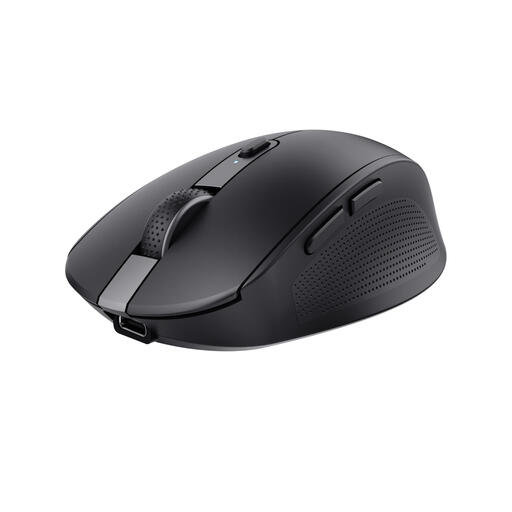 No image available
A compact conventional mouse for anyone with room to move it who wants to adjust the pointer speed.
Bluetooth and RF receiver. The product name lists 3200 DPI; the description mentions six buttons and a rechargeable battery.
 No image available
A trackball for anyone with little room to move a mouse: move the pointer with your thumb while the body stays put.
Connect via Bluetooth or the included Logi Bolt receiver. The body still takes up space, so check that thumb control suits you.
Yes, you can use it to control the pointer without moving the device. As route planners also involve clicking and dragging, it is worth trying the controls in your own route planner.
First check whether your computer supports Bluetooth or has a spare port for the required receiver. Logitech says that a Logi Bolt receiver is not included with the MX Anywhere 3S; Trust lists Bluetooth and a 2.4GHz receiver for the Ozaa Compact.
Follow the cleaning instructions for the exact model. Logitech says you can push the ball out of the housing from the back of its trackball; do not force a different model out in the same way.
No. According to ACM ConsuWijzer, in the Netherlands you are entitled to a product that meets the expectations you could reasonably have of it during normal use, even without buying extra cover. Contact the seller about a faulty product.
For online consumer purchases, there is generally a statutory 14-day cooling-off period after delivery. Check the returns information and any return postage costs notified in advance; additional retailer terms are separate from this statutory right.