
Vandaag of morgen in huis

Kwaliteit gegarandeerd

Welkomstaanbiedingen ontgrendelen: GRATIS bezorging | Tot 80% korting | Gratis 30 dagen JoyPlus-proefperiode
Download de app
Buying an outdoor camera sounds simple: choose a high resolution, connect the camera to Wi-Fi and receive alerts on your phone. In practice, most problems only arise after installation. A camera may show impressive footage on the box, yet reveal very little detail in a dark garden. Alerts for every bird, swaying branch or passing car can also become irritating very quickly.
As a Joybuy Product Recommendation Officer, I therefore start by looking at verifiable specifications. For the TP-Link Tapo C520WS outdoor camera, the most relevant factors are the field of view, detection features, storage and weather protection. Below, you’ll find out how to assess marketing claims in practical terms and which type of outdoor Wi-Fi camera suits your situation.
A 2K QHD security camera can show more detail than a Full HD model, but image quality also depends on the sensor, aperture, exposure and compression. According to TP-Link’s product information, the Tapo C520WS uses a resolution of 2560 × 1440 pixels, an F1.6 lens and a starlight sensor. These are verifiable features. The final image can still vary depending on distance, backlighting, Wi-Fi connection and settings.
With an outdoor PTZ camera, 360 degrees usually refers to horizontal rotation. You should also check the vertical viewing angle and whether the camera can automatically track movement. According to TP-Link, the Tapo C520WS offers 360° horizontal coverage and 130° vertical coverage. This helps reduce blind spots, but a wall, roof edge or dense fencing will still obstruct the view.
Person, pet and vehicle detection are useful for refining standard motion detection. However, you should check which features are available without a subscription. According to TP-Link’s product description, person, pet and vehicle detection, as well as alerts, are included at no extra cost. Cloud storage through Tapo Care may still be subject to subscription terms. Local storage on a microSD card is therefore worth considering.
The Tapo C520WS offers 2K QHD, with up to 30 frames per second according to the stated specifications. For a driveway or entrance, this is particularly useful when you want to view details from some distance. According to the product information, the camera also supports infrared night vision up to 30 metres. TP-Link also mentions starlight colour night vision. Treat this as a product specification rather than a guarantee that every image will remain in full colour at night: ambient light, reflections and the selected night mode all have an impact.
Pay attention to the difference between standard motion detection and recognition of a person, pet or vehicle. According to TP-Link, the Tapo C520WS supports several detection types, adjustable sensitivity and activity zones. This means, for example, that you can limit detection to the driveway or gate. According to the product description, the smart motion-tracking feature rotates the camera to follow a moving object.
For a busy street, it’s sensible to start with alerts set to a limited area. This prevents every passer-by from triggering an alert. Also check that you aren’t unnecessarily capturing your neighbours, public roads or adjoining homes.
An IP66 weatherproof camera is dust-tight and protected against powerful water jets, but it is not designed to be placed underwater. Make sure the power connection and cable connection remain protected. According to the stated information, the Tapo C520WS works via Wi-Fi or an RJ45 Ethernet connection. Ethernet can be useful if the camera is mounted somewhere the wireless signal isn’t stable enough.
For local recording, the model supports a microSD card up to 512 GB, according to TP-Link. The card is purchased separately. Continuous recording wears out a card faster than motion-triggered recording only, so choose a card designed for video surveillance and format it through the app when prompted.
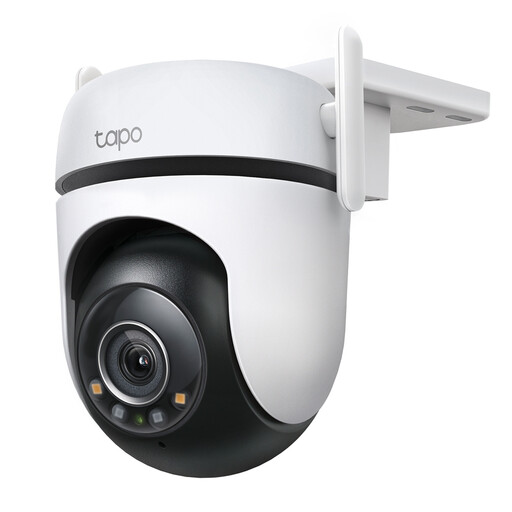
Why it suits this profile: A practical choice for anyone who wants to monitor a garden, garage or driveway with one smart security camera, without immediately installing an extensive camera system.
The specifications list 2K QHD, IP66, microSD recording and adjustable activity zones. This lets you tailor storage and alerts to your needs.
360° horizontal coverage, 130° vertical coverage, two-way audio and support for both Wi-Fi and Ethernet.
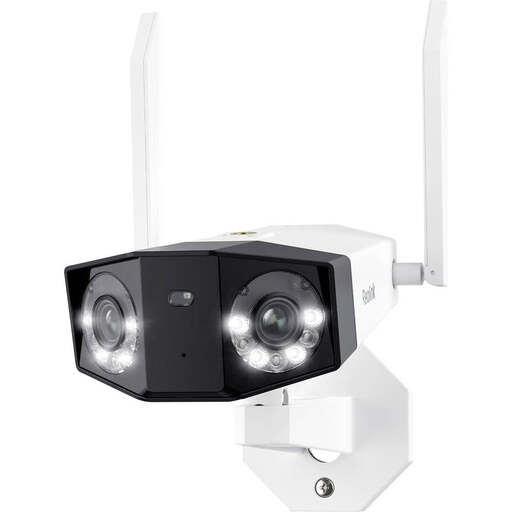
Why it suits this profile: Suitable for a wide façade, large garden or business premises where a fixed panoramic viewing angle matters more than a rotating lens.
According to the product specifications, the dual lens offers a 180° horizontal viewing angle, making you less dependent on continuous rotation.
8MP resolution, dual-band Wi-Fi, person, pet and vehicle detection, microSD recording up to 256 GB and IP66.
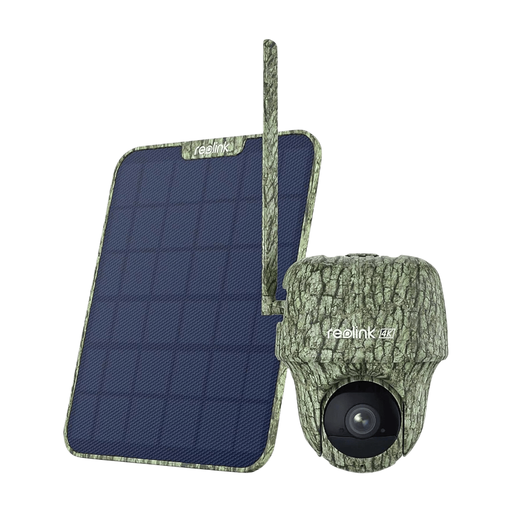
Why it suits this profile: A logical choice for a building site, holiday home or remote property where no reliable Wi-Fi network is available.
According to the product information, the camera uses 4G/LTE and a battery. This means you don’t depend on Wi-Fi coverage, but you will need an active SIM card and data allowance.
4K resolution, 6000mAh battery, 4G connectivity, night vision and local storage via microSD, according to the stated product information.
We’ve put together a complete, up-to-date list of products that fully meet these strict selection criteria and the applicable European safety regulations.
According to the product information, you can store footage locally on a microSD card. Cloud storage through Tapo Care is a separate option. Before buying, check which cloud features and subscription terms are available at that time.
Yes, the stated IP66 rating makes the model suitable for outdoor use and protection against dust and water jets. IP66 does not mean that the camera can be placed underwater. Make sure cables and connections are also properly sealed.
The stated product specifications list typical power consumption of approximately 3.75 watts and a maximum of 7.65 watts. Actual consumption depends on night vision, movement, recording settings and network usage. A camera that records 24 hours a day uses more power than a model that only activates when motion is detected.
