A tower fan may suit you if you want to distribute the breeze between several seats and have floor space to spare. A desk fan directs airflow towards one person, while a pedestal fan offers height adjustment but takes up more room. Compare noise and airflow at the setting you’ll actually use while working, and check that the air outlet can reach your desk from the position you’ve chosen. A fan does not cool the air in the room or replace ventilation.
Who would benefit from having a fan by their desk?
Home worker with lots of calls
Wants a noticeable breeze on a quiet setting while on calls or concentrating. Compare noise and airflow at the same setting, rather than looking only at the stated figure for the quietest setting. The Dutch Consumers’ Association points out that the number of speed settings says little about maximum blowing power.
Home worker sharing a workspace
Wants to distribute air around the desk and another seat without having the breeze blow directly at them all the time. Oscillation and the fan’s position both affect where the airflow reaches.
Home worker short on space
Has little free floor or desk space and needs to weigh up the fan’s dimensions and base against a desk model. The Dutch Consumers’ Association describes a tower fan as slim, but not as height-adjustable or tiltable.
What should you consider when choosing?
Tower fan
A good fit if: you have floor space and want to direct the breeze towards more than one seat.
Consider: the height and direction are generally not adjustable, so check that the air outlet can reach your desk from the position you’ve chosen. The Dutch Consumers’ Association notes this limitation of tower fans.
Desk fan
A good fit if: mainly one person needs targeted airflow and there’s room on the desk.
Consider: it takes up desk space; the Dutch Consumers’ Association describes this type as mainly intended for one person.
Pedestal fan
A good fit if: you want to adjust the height or vertical direction of the airflow.
Consider: according to the Dutch Consumers’ Association, this type takes up more space than a tower fan.
| What to consider |
What to look for |
Who is this important for? |
| Noise while working |
Compare noise and airflow at a usable setting; a figure for quiet mode doesn’t tell you how noisy another setting will be. The Dutch Consumers’ Association notes that the number of settings says little about maximum blowing power. |
If I want a breeze during calls or focused work without unnecessary noise, I compare both features at the same setting. Around 36% of consumers give a quiet working environment top priority. |
| Air distribution |
Check the oscillation and whether the air outlet can reach your seat from the position you have in mind. |
If I want airflow at both my desk and another seat, I make sure the breeze isn’t directed at just one person all the time. Around 29% of consumers prioritise distributing air between several areas. |
| Positioning |
Measure the space for the base and cable route, and consider the height of the air outlet in relation to where you’ll be sitting. |
If there’s little clear floor space around my desk, I want to know whether the base will fit and the airflow will reach me at sitting height. Around 21% of consumers give finding a suitable place for the fan top priority. |
| Controls and power consumption |
Check the timer range, the controls included and the power rating at the setting you use. If the fan is app-controlled, check what type of connection it requires. |
If I want to control the fan easily during long working days and weigh up its energy use, I check the controls and power rating for the settings I’m likely to use. Around 14% of consumers put controls and power consumption first. |
Common pitfalls
-
Comparing only the lowest stated dB figure
A figure for a quiet setting doesn’t tell you how noisy the fan will be at a setting that moves enough air towards your desk. Manufacturers’ figures aren’t automatically comparable with independent measurements taken under the same conditions.
Compare noise and airflow at the settings you’d actually use during calls or focused work.
-
Confusing air circulation with cooling or ventilation
Milieu Centraal explains that a fan does not lower the air temperature. Circulating air doesn’t automatically remove damp or polluted indoor air either; you still need to ventilate the room.
Use the fan to create a noticeable breeze and keep ventilating the room. Also, limit the heat coming in from sunlight.
-
Assuming a fixed warranty period is the full extent of your legal protection
According to ACM ConsuWijzer, statutory guarantees in the Netherlands depend on what you could reasonably expect from the product. The retailer remains your point of contact if a product breaks during normal use sooner than you could reasonably expect.
Keep your proof of purchase and discuss any fault with the retailer. When considering an extra warranty, check what additional rights it actually gives you.
Brands and models to compare
This information about brands and models can help you compare features and terms; their inclusion here doesn’t mean that a model is available from Joybuy.
Rowenta
The Eole Silence Force VU7050F0 is a tower fan option for anyone who wants a choice of settings and oscillation.
- Rowenta lists 12 speeds and 60°–90° oscillation.
- According to Rowenta, the stated 20 dB(A) applies to the quiet setting only; this isn’t an independent measurement of noise during home working.
Duux
The Elevate No Wi-Fi is a tower fan option for anyone who wants a wide choice of settings without app controls.
- Duux lists 26 speeds, 90° oscillation, a remote control and a 29 × 29 cm base.
Princess
The 358290 Smart tower fan is an option if you want app controls as well as a remote control.
- Princess lists 12 speeds, 75° oscillation and a 1–12-hour timer.
- According to Princess, app control requires a 2.4GHz Wi-Fi network. The stated 58 dB figure doesn’t have a confirmed, comparable measurement condition.
Tristar
The VE-5864 is a tower fan with a dial, for anyone who doesn’t need an app or remote control.
- Tristar lists three speeds, 70° oscillation and a 1–120-minute timer.
- According to Tristar, this model doesn’t have a remote control. The stated 60.37 dB figure isn’t an independent comparative measurement at the setting you’d use for work.
Philips
The CX5535/11 from the 5000 Series is a tower model featured in Dutch product and model information.
- The Joybuy product listing mentions three settings, oscillation and a remote control.
- A tilting head hasn’t been confirmed for this specific model; check this feature before relying on it.
Fans for circulating air around your workspace
The selection below consists mainly of pedestal fans and also includes a desk model; these are alternatives to a tower fan. Check the required CE marking and product details for the specific model.
 No image available
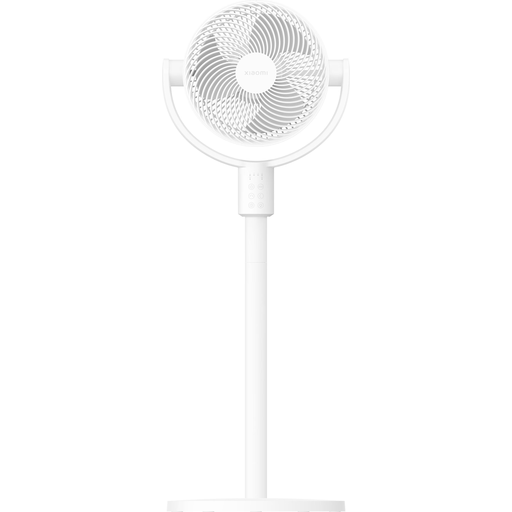
Xiaomi Smart Standing Air Circulation Fan
A pedestal alternative to a tower fan if you want to adjust the height and direct airflow around your desk.
100 speeds, 3D oscillation and adjustable height. The title lists an airflow of up to 1440 m³/h and a sleep mode with a stated noise level of 28 dB.
View at Joybuy
 No image available
Xiaomi Smart Standing Fan 2
A pedestal alternative if you want to control the fan via an app and distribute the airflow around your workspace.
The title lists app control, 100 speed settings and dual blades. The product description mentions automatic oscillation and adjustable height.
View at Joybuy
 No image available
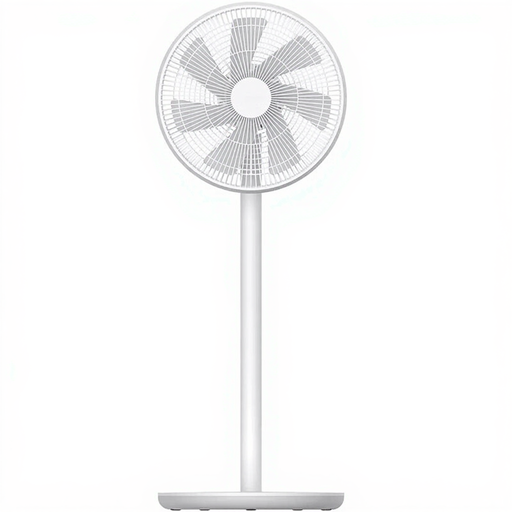
Xiaomi Smart Standing Fan 2 Lite
A pedestal alternative if you want to distribute airflow from the floor and adjust the fan’s height.
The title lists app control, seven blades, 90° oscillation and adjustable height. The stated airflow distance is up to 12 m.
View at Joybuy
 No image available
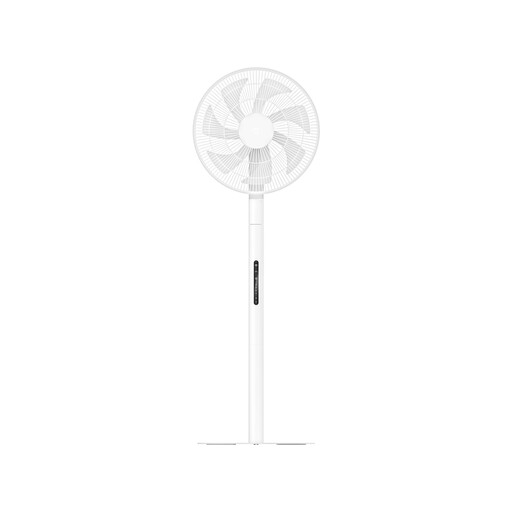
Xiaomi Mijia Smart Standing Fan Pro Slim
A pedestal alternative if you want to choose between different controls, whether from your workspace or on the fan itself.
The title lists app, remote and touch controls, a DC inverter motor and Type-C charging support. The stated airflow distance is up to 14 m.
View at Joybuy
 No image available
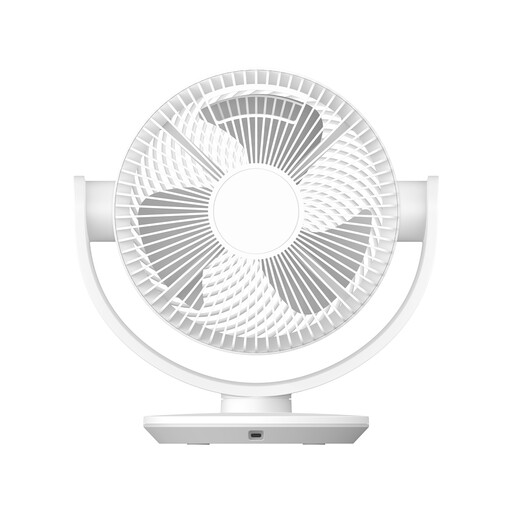
Xiaomi Smart Desktop Air Circulation Fan EU
A desk model for circulating air right by your workspace, if you have room for it.
The product information lists app control and dimensions of 324 × 200 × 334 mm.
View at Joybuy
Frequently asked questions
Will a tower fan actually cool down my home office?
No. An ordinary fan doesn’t make the air colder, although the airflow can make you feel cooler. Milieu Centraal recommends keeping the sun’s heat out and ventilating when it’s cooler outside.
Does air circulation replace ventilation in my home office?
No. Circulating air doesn’t automatically remove damp or polluted indoor air; according to the Government of the Netherlands, ventilation with outdoor air is still needed to remove it.
How can I check whether the airflow reaches my desk?
Following the model-specific instructions, place the fan somewhere stable and make sure the base and air outlet are unobstructed. Try the low setting from your seat, and use oscillation if you want to spread the breeze around.
Which safety marking should I check on a fan?
If the electrical product falls under the applicable regulations, it must carry the required CE marking. For electrical equipment covered by the Low Voltage Directive, the Dutch Food and Consumer Product Safety Authority (NVWA) specifies a rated voltage of 50 to 1000 V AC or 75 to 1500 V DC. CE is not an independent test result; check the marking and product information for the specific model.


