If you’d rather not use a separate socket for your monitor, a portable screen powered via USB-C by a compatible laptop could be an option. ASUS says the ZenScreen MB169CK can carry both picture and power over one cable when the laptop supports DisplayPort Alt Mode. A fixed USB-C monitor may be able to replace your laptop charger in some circumstances, but it still needs mains power itself: LG specifies up to 65 W Power Delivery for the 27BA65QB-B. So check your laptop’s video output and charging requirements, then weigh up screen size, resolution and refresh rate.
Who are these monitors for?
Laptop gamer with one spare socket
This gamer wants a permanent gaming setup without a separate laptop charger plugged into the mains. So compare the monitor’s USB-C video output and charging power with your laptop’s requirements. LG specifies up to 65 W Power Delivery for the 27BA65QB-B.
Gamer short on desk space
This gamer wants a compact, portable screen and is happy to accept a smaller display area if their laptop can power the screen via USB-C. ASUS says the ZenScreen MB169CK can carry both picture and power over one USB-C cable, provided the laptop supports DisplayPort Alt Mode.
Gamer who wants to see the whole map
For a permanent setup, this gamer prioritises screen space and clearly visible details, comparing size and resolution. The options mentioned include 27-inch models from LG, Dell and Philips, with different resolutions.
What should you look for?
| What to consider |
What should you check? |
Who is this important for? |
| Sockets and power |
Check whether your laptop’s USB-C port outputs video and how much charging power it needs. LG specifies up to 65 W for the 27BA65QB-B; ASUS says the MB169CK can carry both picture and power over one USB-C cable when used with a compatible laptop. |
If I want to keep a socket free, I need to know whether the monitor can genuinely power my laptop. Around 36% of consumers rank saving a socket as their top buying priority. |
| Map and interface readability |
Compare the size and resolution of the exact model. LG specifies 27 inches and 2560 × 1440 pixels for the 27BA65QB-B; Philips specifies 27 inches and 1920 × 1080 pixels for the 27E1N1300AE/01. |
If I want to make out map details and text clearly, I look at the available screen space and resolution. Around 29% of consumers give readability of in-game information their highest priority. |
| Compact or portable setup |
Check whether your laptop supports DisplayPort Alt Mode and which cables you’ll need for picture and power. ASUS lists the MB169CK as having a 15.6-inch diagonal and notes that HDMI also requires USB-C power. |
If I have limited desk space or want to move the screen around, a compact size matters more to me than a large game map. Around 21% of consumers prioritise a compact setup. |
| Smoothness and running costs |
Check which refresh rate your computer supports through the connection you plan to use. Dell specifies 144 Hz for the S2725DC; the European Commission says the energy label shows screen consumption in kWh per 1,000 hours. |
If I’m weighing up smooth visuals against power consumption, I want to compare the connection with the energy label figures. Around 14% of consumers rank this above other buying priorities. |
Common pitfalls
-
Assuming USB-C guarantees charging while gaming
A stated maximum charging power doesn’t automatically mean it will be enough for every laptop while it’s in use.
Compare the power specifications of the exact monitor model with your laptop’s requirements, and check whether the USB-C port you plan to use supports video.
-
Assuming a portable monitor doesn’t need its own power supply
For the ASUS ZenScreen MB169CK, ASUS says USB-C power is also required alongside HDMI if the laptop doesn’t output video via DisplayPort Alt Mode.
Before buying, check which combination of video and power cables your computer needs.
-
Connecting extension leads to each other
The Fire Service warns of overloading and fire risks when extension leads are connected to one another.
Use undamaged extension leads within their stated load limits and don’t connect them to each other.
Brands to consider
LG
The 27BA65QB-B is a fixed 27-inch QHD monitor with USB-C, worth considering if you want to explore screen space and power over a single laptop cable.
- LG specifies 100 Hz and up to 65 W Power Delivery for this model.
- The monitor still needs mains power itself; 65 W won’t necessarily be enough for every laptop while gaming.
ASUS
The ZenScreen MB169CK is a portable 15.6-inch option for a laptop setup where a separate socket for the monitor would be impractical.
- ASUS says it can carry both picture and power over one USB-C cable when the laptop supports DisplayPort Alt Mode.
- When using HDMI, USB-C power is also required; the screen is smaller than the fixed 27-inch models considered here.
Dell
The S2725DC is a fixed 27-inch QHD option for comparing screen space with a higher stated refresh rate.
- Dell specifies 144 Hz, USB-C and built-in speakers for this model.
- Check whether the USB-C connection can charge your laptop sufficiently while it’s in use.
Philips
The 27E1N1300AE/01 is a fixed 27-inch Full HD option. Philips says it can provide USB-C power to a compatible device.
- Philips specifies a maximum refresh rate of 120 Hz for this model.
- Check the charging power of the exact model before relying on it to replace a separate laptop charger.
Monitors at Joybuy
This selection includes fixed monitors for screen space or refresh rate, as well as a portable monitor. For a laptop setup, check that the connections you choose are compatible with your computer’s video output and power capabilities.
 No image available
AOC Gaming Q27G42XNE 27-inch QHD monitor
For a fixed setup where you want to compare QHD resolution with a high stated refresh rate.
27 inches; 2560 × 1440; 180 Hz; 1 ms; FreeSync Prem.; HDR10; 2 × HDMI 2.0; 1 × DisplayPort 1.4.
View at Joybuy
 No image available
LG UltraFine 27U711B-B 27-inch 4K IPS monitor
For a fixed setup where you want to compare a 27-inch 4K screen for viewing map and interface information.
27 inches; 4K UHD, 3840 × 2160 pixels; IPS.
View at Joybuy
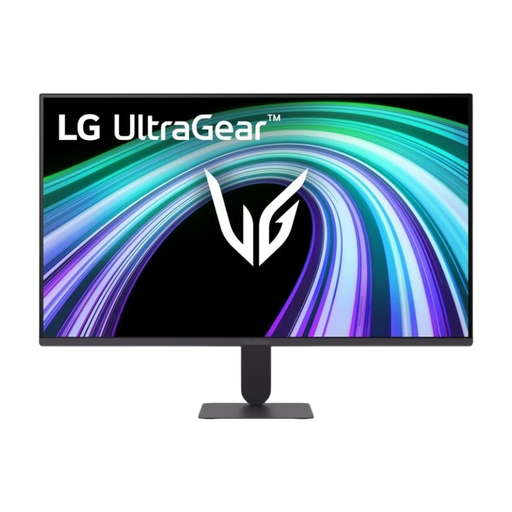 No image available
LG UltraGear 27G411B-B 27-inch Full HD IPS gaming monitor
For a fixed setup where you want to weigh up a Full HD screen and its stated refresh rate against your computer’s requirements.
27 inches; Full HD; IPS; 144 Hz. The product information lists Adaptive Sync.
View at Joybuy
 No image available
LG UltraFine 27U710B-B 27-inch 4K IPS monitor
For a fixed setup where you want to compare 4K resolution and check the USB-C connection with your laptop.
27 inches; 3840 × 2160 pixels; IPS; 60 Hz; USB-C. Check which features the USB-C connection supports with your computer.
View at Joybuy
 No image available
TECLAST V16H 16-inch portable monitor
For a more compact laptop setup; check that your laptop’s video and power capabilities are compatible with the USB-C connections.
16 inches; Full HD IPS; 16:10; 144 Hz; 2 × USB-C; Mini HDMI. The product information lists USB-C for video and power.
View at Joybuy
Frequently asked questions
Does a USB-C monitor always save a socket?
No. A fixed monitor needs its own power supply. A compatible laptop may be able to run without a separate charger if USB-C video and the power supplied are suitable for the laptop; LG specifies up to 65 W for the 27BA65QB-B.
What if my laptop doesn’t output video via USB-C?
ASUS lists HDMI as an alternative for the ZenScreen MB169CK, but USB-C power is also required. Before buying, check which video and power connections your laptop supports.
How do I compare the power consumption of monitors?
Compare the screen’s consumption on the EU energy label, shown in kWh per 1,000 hours. The European Commission describes this unit for screens; the label figure doesn’t cover the entire gaming setup. To calculate costs, you’ll also need your hours of use and your own electricity tariff.
How can I use a limited number of sockets safely?
The Fire Service advises against connecting extension leads to each other. Use undamaged extension leads within their stated load limits; this is general safety advice, not product-specific approval for any particular setup.
Is a higher refresh rate important for tower defence games?
It depends on what matters to you and what your computer supports through the connection you’ve chosen. Compare the monitor’s stated refresh rate with your computer’s output; a higher Hz figure won’t solve a shortage of sockets.


