
Tournament player with a fixed set-up
You want to use a familiar controller that works with the tournament platform, and check its buttons before play. Evo advises competitors to test their buttons before the set.


Start with the controls you already know or want to practise, then check that the exact model works with the tournament game and platform. A fightpad has the layout of a handheld controller, an arcade stick uses a joystick and arcade-style buttons, while a leverless model uses separate buttons for directional inputs. None of these designs guarantees better performance on its own. Check the event rules too, and test your buttons before the match.
You want to use a familiar controller that works with the tournament platform, and check its buttons before play. Evo advises competitors to test their buttons before the set.
You’re comparing a handheld controller, a joystick and separate directional buttons based on how you play and the layout you want to practise. Models from HORI, Razer and 8BitDo show how these options offer different ways to control your game.
You’re letting players take turns on a shared set-up and want to make switching controllers straightforward. PlayStation explains how to pair multiple DualSense controllers with a PS5.
Best for: players who already use a handheld controller or want to try a fightpad layout without switching to a joystick.
Bear in mind: the hand and button layout differs from that of an arcade stick or leverless model. Customisable features don’t automatically make macros tournament-legal.
Best for: players who want to keep using a physical joystick and large action buttons.
Bear in mind: check that there’s enough room for the case and cable, and that the exact model works with the event platform.
Best for: players who prefer to use separate buttons for directional inputs and want to practise with that layout.
Bear in mind: check the event’s rules on SOCD settings and any macro functions. A lock function doesn’t prove that every configuration is allowed.
| What to consider | What to check | Who it matters to |
|---|---|---|
| Platform and game | Check the exact model variant and its stated support for the tournament platform. Don’t assume it’s compatible based on its design or name alone. | If I’m playing on a fixed tournament set-up, I want to know in advance whether my exact model works with the platform and game. Compatibility is the first buying concern for around 33% of consumers. |
| Control layout | Compare a handheld controller or fightpad with a joystick or separate directional buttons. Choose the layout you want to use and practise with. | I don’t want to rely on unfamiliar hand movements during a match. Around 25% of consumers prioritise familiar controls. |
| Permitted inputs | Check the tournament rules on SOCD settings and hardware features such as macros. Set up your controller in line with the specific event’s regulations. | If I’m using tournament settings, I want to make sure they don’t conflict with my event’s rules. Around 25% of consumers put tournament rules first. |
| Player changes | Check how the controller connects or pairs, and how much space its cable needs. Allow time to test the buttons and disconnect the controller afterwards. | With a shared set-up, I want players to be able to take turns without unnecessary connection issues. This convenience is the main buying concern for around 17% of consumers. |
Evo’s published rules prohibit hardware-programmed inputs and macros, and include rules on opposing directional inputs. Always check your event’s regulations; a controller feature or tournament lock doesn’t replace that check. Evo also advises competitors to test their buttons before the set.
Supported platforms vary by model. So a controller listed for PC won’t necessarily work with a tournament PS5.
Before choosing, compare the full model name and its stated platforms with the actual tournament set-up.
A lock may disable certain buttons, but it doesn’t tell you whether every active setting complies with the event rules.
Check the active input settings and the specific event’s regulations. Test the buttons before the set.
According to the Dutch Government, a manufacturer’s warranty is separate from your statutory protection for a product that meets reasonable expectations. The Netherlands has no fixed statutory warranty period.
Read what an additional warranty actually covers, and consider it separately from your statutory rights.
An additional warranty may come at an extra cost.
The PlayStation models mentioned include both the Fighting Commander OCTA and the Fighting Stick α.
Razer describes the Kitsune as a leverless controller for PS5 and PC.
Qanba lists the Titan as an arcade stick for PS5, PS4 and PC.
8BitDo lists the Arcade Controller as a leverless model for Windows and Switch.
The DualSense is a standard PS5 handheld controller for players who want to stick with a gamepad.
These Joybuy products are gamepads for players who prefer a handheld controller. Check each model’s listed platforms and features against the tournament set-up and regulations; a PS5-style layout doesn’t confirm PS5 compatibility.
 No image available
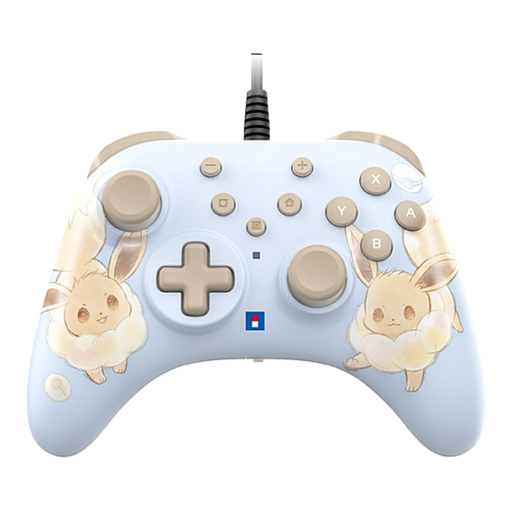
A wired gamepad for a Switch or Switch 2 set-up; check that the event supports this model variant.
The product name lists Switch and Switch 2. The description mentions a USB connection and a Turbo function; a USB cable isn’t included.
Check with the event whether the Turbo function is allowed.
 No image available
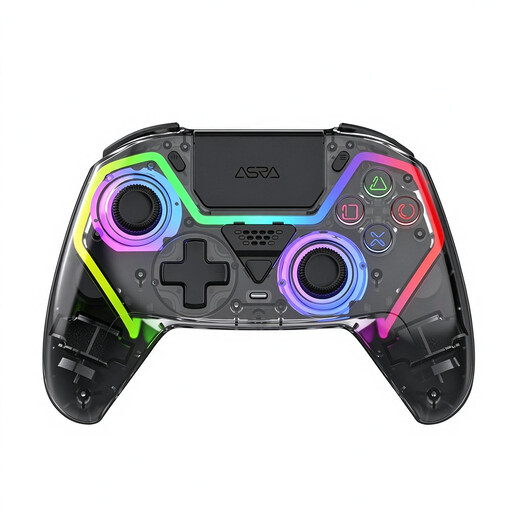
The product name lists a PS5 layout; check actual platform compatibility for your tournament before choosing this model.
The description mentions Hall effect joysticks, 255-level triggers, programmable rear buttons, and wired, 2.4 GHz and Bluetooth connections.
The description mentions macros. Evo prohibits hardware-programmed inputs and macros, so don’t use these features at an event where they’re banned.
 No image available
A gamepad for the listed PC and Switch platforms; compare that support with the actual tournament set-up.
The product name lists TMR sticks, a 1,000 Hz polling rate, and Hall effect and microswitch triggers. The description mentions USB, Bluetooth and a wireless dongle, as well as support for iOS and Android.
The description lists a Turbo function. Check whether it’s allowed at the event before using it.
 No image available
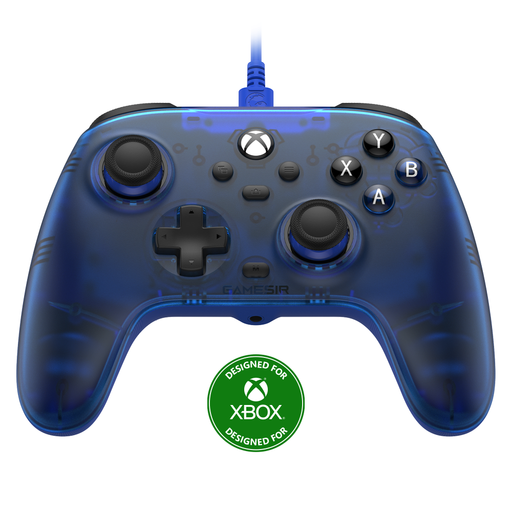
A wired gamepad for the listed Xbox and Windows platforms; check that they match the tournament set-up.
The product name lists Xbox Series X|S, Xbox One, Windows 10/11 and Steam. The description mentions a detachable 3-metre USB-C cable and a 3.5 mm connection.
 No image available
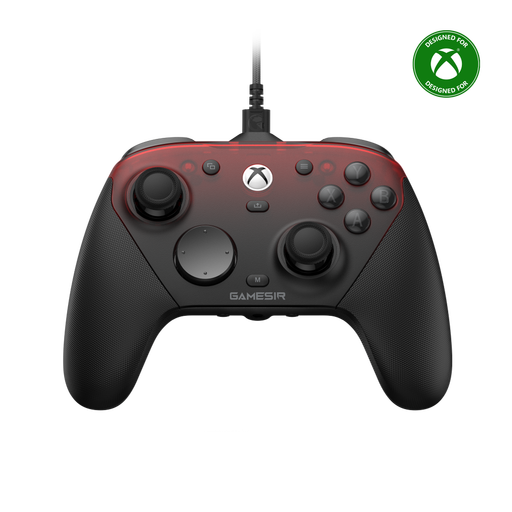
The product name lists Xbox and PC; check that the stated support matches your event platform.
The description lists wired connections for Xbox and PC, and wireless 2.4 GHz and Bluetooth connections for the listed devices, including Android.
The description lists a Turbo function. Check whether it’s allowed at the event before using it.
It depends on the event, the game and the input settings. Evo’s published rules cover SOCD methods and prohibit hardware-programmed inputs and macros. Read the specific tournament regulations before choosing a configuration.
Connect your controller, test the buttons with your opponent, then disconnect it afterwards. Evo recommends this check in its competitor guide; if you’re using a DualSense with a PS5, you can pair an additional controller beforehand.
Not necessarily; check compatibility for the exact model. 8BitDo lists Windows and Switch for the Arcade Controller, while Razer lists PS5 and PC for the Kitsune. The controller layout alone doesn’t confirm platform support.
According to the Dutch Government, distance purchases often come with a 14-day cooling-off period, subject to exceptions. You’re also entitled to a product that meets reasonable expectations; the Netherlands has no fixed statutory warranty period. A manufacturer’s warranty is separate from these statutory rights.