
Vandaag of morgen in huis

Kwaliteit gegarandeerd

Welkomstaanbiedingen ontgrendelen: GRATIS bezorging | Tot 80% korting | Gratis 30 dagen JoyPlus-proefperiode
Download de app
A professional OBD2 scanner needs to do more than just read the engine warning light. For garages, automotive service centres and experienced car enthusiasts, full-system diagnostics, active tests, ECU coding and maintenance functions are often more important than the number of car makes supported.
There are, however, a few pitfalls to watch out for. Marketing copy sometimes lists features without making it clear which vehicles, model years or systems they’re available for. Use the following checklist before buying a car diagnostic tool.
A scanner may be technically capable of full-system diagnostics, but the available functions vary by make, model and vehicle configuration. For example, it may be able to read an ABS, airbag or comfort module without supporting coding or active tests.
Before buying, check:
A tool with 34 reset functions may support maintenance procedures such as an oil reset, BMS registration, EPB reset or throttle adaptation. That doesn’t automatically mean the scanner can carry out full ECU programming or key programming.
For advanced functions, always check vehicle coverage and requirements. Some procedures may require a stable internet connection, a battery charger or additional dealer support.
According to the product information, “lifetime free updates” means software and database updates without recurring update fees. Still, check exactly what’s included: new car models, new features, bug fixes or only certain software components. Keep your proof of purchase and register the device according to the manufacturer’s instructions.
A suitable car diagnostic tool should do more than read and clear fault codes: it should also display ECU information and live data. Graphs and data streams help you compare sensor readings when the engine is idling, during a test drive or while carrying out an active test.
Look out for the term full-system diagnostics. It generally refers to multiple electronic vehicle systems, such as:
Exact coverage still depends on the vehicle.
Modern vehicles use CAN FD and DoIP alongside traditional protocols. CAN FD can support larger data messages and higher data rates than conventional CAN. DoIP uses Ethernet-based communication for diagnostics.
A CAN FD diagnostic scanner or DoIP diagnostic tool may therefore be better suited to certain newer vehicle architectures. However, protocol support alone doesn’t guarantee access to every module or function. Software coverage and any security procedures are just as important.
With bidirectional control, also known as active testing, a scanner can operate certain vehicle components. These might include a fan, fuel pump, injector or valve. This can help you pinpoint a fault more accurately.
Use these functions carefully. An active test may cause a component to move or switch on. Follow the vehicle’s procedure, make sure the battery voltage is sufficient and don’t run a test if it could cause damage or injury.
According to the product description, the THINKCAR ThinkScan 689 comes with an 8-inch screen, Android 10, 4 GB RAM and 64 GB storage. The built-in battery has a stated capacity of 4150 mAh. This combination is useful when you want to view live data, reports and multiple diagnostic functions on one screen.
The product information also lists support for CAN, KWP2000, ISO 9141, CAN FD and DoIP. CE, FCC and RoHS markings are also mentioned. When you receive the product, check that the markings, manual and accessories match the listing.
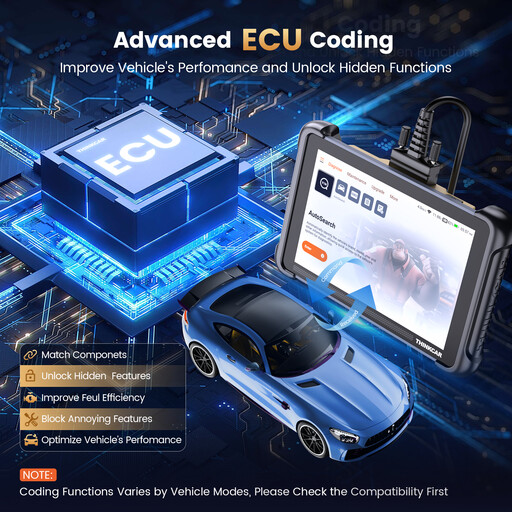
Why it suits this profile: A generous tablet-style interface and a range of maintenance functions make this an accessible starting point for users who want to go beyond basic OBD2 fault-code reading.
The product information specifically lists full-system diagnostics, ECU coding, active testing and 34 reset functions. Even so, check coverage for your vehicle.
8-inch screen, 4 GB RAM, 64 GB storage and, according to the product information, lifetime free updates.
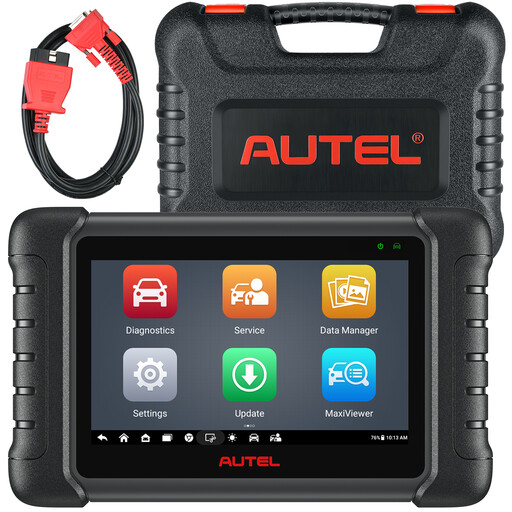
Why it suits this profile: A good fit for workshops that need active tests and a wider range of service functions as well as system diagnostics.
The listing specifies full-system diagnostics, bidirectional control and 38+ service functions, while also noting that functions aren’t available for every car.
Android 11, 4 GB RAM, 64 GB storage, active tests and support for FCA gateway access, according to the product information.
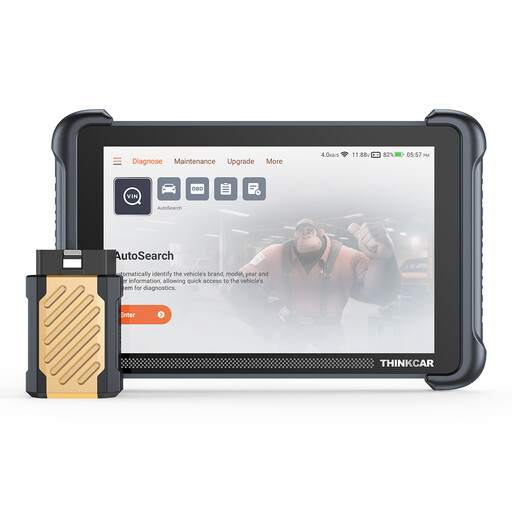
Why it suits this profile: The Bluetooth connection is handy for mechanics who want to rely less on a wired connection while carrying out diagnostics.
The specifications list CAN FD, DoIP, full-system diagnostics and 34 reset functions. The product information also warns that some complex functions may require internet access or dealer support.
Wireless Bluetooth connection, 8-inch screen, 28 languages and, according to the product information, lifetime free updates.
We’ve put together a complete, up-to-date list of products that meet these strict selection criteria and the applicable European safety regulations.
According to the product information, the ThinkScan 689 supports ECU coding. However, the coding functions available depend on the make, model, module and software coverage. Check the vehicle list before deciding to buy. Always back up existing settings before coding, and use a stable battery power supply.
No, this can’t be guaranteed across the board. According to the product description, the functions include an oil reset, throttle adaptation, EPB reset, steering angle sensor reset and battery matching, among others. Support varies by vehicle. A reset function should only be carried out after the relevant maintenance has actually been completed.
According to the product information, software updates are provided without recurring subscription fees. However, other costs may apply, for example for internet access, additional cables, vehicle authorisation or dealer support. So check the latest terms for the product and confirm that the functions you need are actually included in the update service.
