
Editor switching between two computers
You want to use the same theatre footage and editing workflow on a laptop and a shared workstation. Adobe explains that everyone working on a shared Team Project needs access to the same media.


For filming a theatre production alongside a shared workstation, you don’t automatically need a powerful editing laptop of your own. First, choose a laptop that suits your editing software, project version and source footage, and that can work alongside the workstation. A more powerful configuration is mainly relevant if you also want to do demanding editing locally; a lighter laptop may be enough for reviewing and preparing footage. Check the recording formats in advance and test that both computers can access the project media.
You want to use the same theatre footage and editing workflow on a laptop and a shared workstation. Adobe explains that everyone working on a shared Team Project needs access to the same media.
You may want to edit a large amount of footage, or footage that is demanding to work with. You’ll need to compare the recording formats, software requirements and exact laptop configuration. Adobe publishes system requirements for Premiere; the demands of your footage determine which ones matter.
You want to review and organise footage on a portable laptop, while the shared workstation handles the more demanding editing. Decide in advance which tasks you need to be able to do without the workstation.
Choose this option: if the shared workstation and agreed editing environment use Windows, and you want to stick to the same software and project workflow.
Keep in mind: the model name doesn’t tell you which graphics option, storage or ports you’ll get. Check the full configuration.
Choose this option: if the editing environment supports macOS and you’ve tested the transfer process with the workstation in advance. Apple lists hardware support for H.264, HEVC and ProRes on M5 Pro models.
Keep in mind: codec support doesn’t guarantee that every recording or existing project can be exchanged without issues. Check the project version, media, storage and ports too.
Choose this option: if the workstation handles demanding editing and you’ll mainly use the laptop to organise footage or make an initial selection.
Keep in mind: Adobe says that everyone working on a Premiere Team Project needs access to the same source footage.
| Concern | What to check before buying | Who is this important for? |
|---|---|---|
| Sharing projects and source files | Check the project version and how both computers will access the media. Also check which ports the chosen configuration has. | I want to work on the same project on both computers without losing access to the source files. Around 36% of shoppers put project sharing at the top of their buying priorities. |
| Handling demanding editing workloads | Compare the exact processor, memory, GPU and SSD configuration with your footage and editing software. | If I want to do demanding editing locally, I want a configuration that suits my files and software. Around 29% of shoppers prioritise demanding local editing. |
| Preparing footage on the go | Decide which tasks you need to do without the workstation, then compare screen size, ports and configuration accordingly. | I want to select or prepare footage elsewhere and carry on working at the workstation later. Around 21% of shoppers give portable preparation top priority. |
| Avoiding unnecessary capacity | Decide which tasks the laptop needs to handle on its own, then compare the full configuration, including storage and operating system. | I want to avoid paying for laptop capacity for work the shared workstation already does. Around 14% of shoppers put value for money at the top of their buying priorities. |
Adobe says that everyone working on Premiere Team Projects needs access to the same media. A shared project doesn’t automatically make the source files available on both computers.
Before buying, test that you can open the project and linked footage on both the laptop and the workstation.
Making the media available may require extra storage or coordination between the computers.
Configurations within a laptop range can differ in areas such as operating system, memory, graphics and storage. So the product range name alone doesn’t tell you which components your configuration has.
Check the full model code and specifications of the exact configuration, including its ports.
ACM ConsuWijzer distinguishes between a manufacturer’s or seller’s warranty and the statutory guarantee. So an additional warranty doesn’t automatically describe all your rights if a product turns out to be faulty.
Keep your proof of purchase and contact the seller if you think there’s a fault.
The MacBook Pro range is one option if macOS suits your agreed editing environment.
The Pro Precision 5 16 is a configurable Windows workstation option if you want to tailor your laptop to the tasks you’ll do alongside the shared workstation.
The ProArt P16 range offers a Windows option designed for creative work, with various H7606 configurations.
The Legion Pro 5 16IAX10 is a Windows range to compare for screen, port and graphics configurations.
The ZBook Studio G11 is a mobile workstation range worth considering for configurable creative work.
This Joybuy selection includes laptops for local video editing and for viewing or preparing footage. Choose a configuration that suits the tasks you’ll do on the laptop and how you’ll access project media via the shared workstation.
 No image available
Could suit anyone who wants to edit locally and values a large screen. Check the configuration against your footage and software.
18-inch WQXGA screen with 100% DCI-P3 colour coverage, 16 GB memory, 1 TB SSD and RTX 5060 laptop GPU.
The charger must be purchased separately.
 No image available
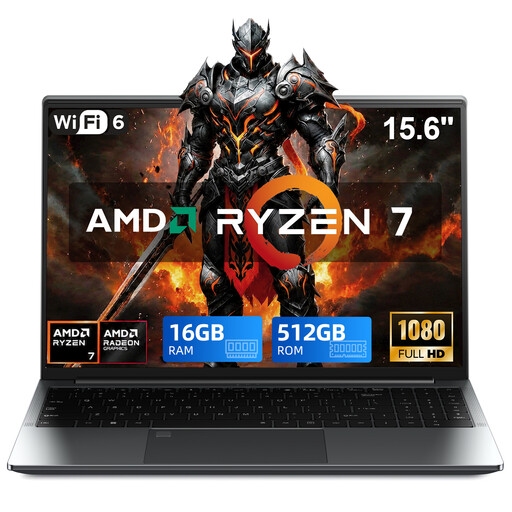
An option to compare for preliminary editing and viewing or handling footage. Check that your chosen software is compatible with this configuration.
Ryzen 7 5825U, 16 GB DDR4 memory, 512 GB SSD and Windows 11 Pro.
15.6-inch FHD touchscreen with 360° hinge and Radeon graphics.
 No image available
This configuration has a large amount of local storage. Compare it with the size of your project and the tasks you’ll actually do on the laptop.
18-inch UHD+ Mini LED screen, Intel Core Ultra 9 285HX, 64 GB DDR5 memory, 6 TB SSD and RTX 5090 laptop GPU with 24 GB.
Windows 11 Pro.
 No image available
An option to compare if you process project files locally and value a 16-inch screen. Choose a configuration that suits your editing software.
Intel Core Ultra X7 358H, 32 GB LPDDR5x memory, 1 TB SSD and Intel Arc graphics.
16-inch 2.8K OLED screen with 120 Hz and 100% DCI-P3 colour coverage; Wi-Fi 7 and Windows 11 Home.
 No image available
Could suit anyone who wants to view media files and manage project files on a 16-inch laptop. Check that the storage suits your workflow.
Intel Core Ultra 5 135H, 16 GB DDR5 memory, 512 GB SSD and Intel Arc graphics.
16-inch WUXGA anti-glare IPS screen, Thunderbolt 4, USB-C, HDMI and SD card reader. The stated weight is approximately 1.70 kg.
No. Adobe says that everyone needs access to the same media. Agree where the source footage will be stored and test access from both computers.
First decide what editing you’ll do on the laptop and where the media files will be stored. Then compare the exact GPU and storage configuration; these can vary between versions of configurable laptops. Without details of the footage and software, there’s no one-size-fits-all answer.
Agree in advance which project version you’ll use, where the original files are stored and who has access. Adobe explains that everyone working on a Premiere Team Project needs to be able to access the media themselves; sharing a timeline doesn’t automatically transfer the source files.
According to ACM ConsuWijzer, the seller is responsible for the statutory guarantee if a product turns out to be faulty sooner than expected under normal use. There isn’t simply one fixed two-year time limit; an additional manufacturer’s warranty doesn’t replace this right.
Not without checking the applicable privacy rules. The Dutch Data Protection Authority says the GDPR applies when someone films or publishes on behalf of an organisation for professional or commercial purposes, and also when filming at an event. Before sharing footage, check who is recognisable, what the footage will be used for and which legal basis applies.