You don’t always need an extra streamer: if the theatre recording you want already plays on your TV, you can keep using your existing set-up. Otherwise, choose a device based on the app or casting method supported by the service, how it can be operated by multiple viewers and the connections available on your TV. Check the subtitles and picture and sound options for each performance too; a device’s specifications don’t guarantee them.
Who is this choice relevant to?
Viewers with a particular theatre title in mind
These viewers want to know in advance whether that specific recording will play through their service and TV set-up. National Theatre at Home distinguishes between access to the service and the availability of individual titles.
Households sharing control
These households want to start and control a performance together on the TV, without having to rely on one person’s phone all the time. Using a TV app with a remote and casting from a phone are two different ways to watch.
Viewers who need subtitles
These viewers want to check which subtitles are available for each performance and how to turn them on using their chosen device. National Theatre at Home says that subtitles aren’t available for every video.
What should you look for when choosing?
Start by checking whether the title you want is available. Then consider the controls, connections, accessibility and any extra equipment you may need to find the right set-up.
| What to consider |
What should you check? |
Who is this important to? |
| Access to the recording you want |
First, search for the specific title and check whether it’s available in the Netherlands. Then see which TV apps or casting methods the service supports. |
I want to know whether the performance I want to watch is available on my TV through the chosen service, not just whether an app exists. Around 29% of consumers put access to their chosen title first. |
| Control for multiple viewers |
Check whether the service has an app for your exact TV platform and whether phones used for casting can find the receiver on the network. |
When watching together, you want to be able to start and pause the performance without constantly passing one phone around. Around 23% of consumers prioritise shared control. |
| Connection by the TV |
Check the HDMI port, power supply and available network connection where the TV is located. If you’re casting, also make sure the phone and receiver are on a network they can both access. |
I want to know whether the connection where my TV is located will work with my set-up. Around 18% of consumers prioritise their network and TV connections. |
| Subtitles and audio |
Check the language and audio options available for the specific performance, and how to turn them on using your chosen device. |
If you need subtitles or a particular audio option, what matters is what’s available for the performance itself. Around 18% of consumers prioritise accessibility and audio options. |
| Additional equipment |
First, compare your options with your existing TV or computer. Then check which cables are included and what type of access the theatre service requires for the title. |
I don’t want to buy a streamer if my current TV is already suitable, and I want to know in advance what extra equipment I’ll need. Around 12% of consumers prioritise avoiding unnecessary purchases and extra viewing equipment. |
Common buying mistakes
-
Assuming a 4K or Dolby logo guarantees the same quality for a performance
A streamer’s output specifications don’t tell you which picture and audio options are available for a specific recording.
Check the title, service, TV and any audio equipment before choosing a device for these features.
-
Assuming every Cast receiver works with a theatre service
National Theatre at Home lists specific Chromecast models; this doesn’t automatically confirm support for every later Google TV box.
Check the exact receiver model and, if possible, test the recording you want using the app you plan to watch it on.
-
Planning to buy only the streamer
You may also need a suitable HDMI cable or access to the theatre service.
Check what’s included in the box and how you’ll access the performance. Also see whether your existing TV or a computer connected via HDMI will do the job.
Brands and platforms to consider
Fire TV
A good option if you want to control a theatre service directly through a Fire TV app on your shared TV.
- National Theatre at Home lists a Fire TV app for its service.
- Check that the app is available for your exact device and that the title you want is available.
Apple
Apple TV is a good option if you want to use apps on your TV and control them with a remote.
- National Theatre at Home describes access through Apple TV; NPO Start also lists an Apple TV app.
- Apple lists built-in Gigabit Ethernet for the fourth-generation Apple TV 4K. An HDMI cable isn’t included.
Google TV
The Google TV Streamer (4K) is a box with a remote and built-in Ethernet connection.
- Google lists Cast from compatible apps, HDMI and Ethernet.
- National Theatre at Home doesn’t list this specific model in its published Chromecast support list. Google says an HDMI cable is sold separately; check that your chosen app and title are supported.
STRONG
The LEAP-S3PRO is a Google TV box for a fixed viewing spot, where a backlit remote or Ethernet connection could come in handy.
- STRONG lists Google Cast, Ethernet and backlit buttons on the remote.
- The product information mentions both Android 12 with an upgrade path and Android 14. Check which software version comes with the device; its specifications don’t confirm that a specific theatre title will work.
Joybuy product picks
The products below range from a smart TV and a projector to a portable Android TV device. First decide whether you’re looking for a screen or a device to use with your existing viewing set-up; these aren’t like-for-like streamers.
 No image available
XGODY N7 Cine Smart Projector, White
For anyone looking for a projector with streaming apps and remote control.
The product name lists 1000 ANSI lumens, native 1080p, 4K input support and 2 GB + 16 GB.
View at Joybuy
 No image available
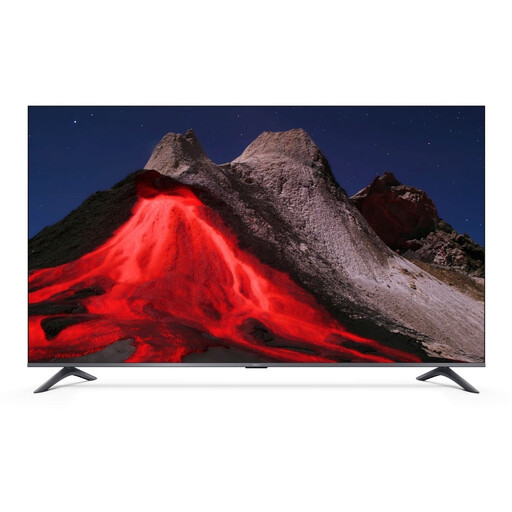
Xiaomi TV A Pro 55, 55-inch
An option if you want to use apps directly on a smart TV rather than choosing a streamer for an existing screen.
The product name lists Google TV, a 55-inch (140 cm) 4K UHD QLED screen and 2 GB + 8 GB.
View at Joybuy
 No image available
Rokid Station Portable Android TV Device
For anyone looking for a portable device with an Android TV interface and remote for streaming video.
The product name describes a portable Android TV device.
View at Joybuy
Frequently asked questions
Can I watch a theatre recording without an extra streaming device?
Yes, if the service and title you want already work on your TV. National Theatre at Home also describes watching in a browser and connecting a computer via HDMI; test your specific set-up before buying any equipment.
What should I check if casting from the shared room isn’t working?
First, check that your phone and Google streaming device are on the same Wi-Fi network. Also make sure the theatre app you’re using is supported by the receiver.
Are Dutch subtitles always available?
Not necessarily for every title. National Theatre at Home explains how to turn on subtitles on each device and says that subtitles aren’t available for every video. Check the performance and language you want in advance.
What are my rights if a streamer I bought online isn’t suitable?
When you buy online from a professional seller, you’ll generally have a 14-day cooling-off period from delivery, subject to legal exceptions. Your statutory guarantee if a product develops a fault too soon under normal use is separate from any manufacturer’s or seller’s guarantee.


