
Viewers sitting in different places
You want people sitting at the edge of the seating area to be able to follow the on-screen action clearly too. That makes the specific TV’s viewing angle and reflections important.


Choose your screen size based on your viewing distance, and check how the picture looks from the outer seats too. OLED is a sensible option for dark scenes and spread-out seating. In a bright room, an LCD or mini-LED TV is also worth considering, although viewing angles and reflections vary by model. Also check how you’ll play your recordings, and whether the TV’s sound is good enough or you’ll need an audio system.
You want people sitting at the edge of the seating area to be able to follow the on-screen action clearly too. That makes the specific TV’s viewing angle and reflections important.
You often watch with the lights dimmed and want to compare contrast and detail in dark scenes, without assuming that every model using the same screen technology will perform identically.
You want to know in advance whether the built-in speakers will be good enough, or whether you can connect the TV to your existing sound system.
| What to consider | What should you look for? | Who is this important for? |
|---|---|---|
| Viewing angle and reflections | Watch the same picture from the outer seats. Also look out for lamps and windows reflected in the screen. | When we watch together, I want to be able to follow the on-screen action clearly from the side too. Around 36% of consumers give viewing angle and reflections their top priority. |
| Dark scenes and contrast | Compare both dark and brightly lit scenes under lighting similar to that in your own room. | With the lights dimmed, I want to make out dark scenes clearly without losing sight of the bright stage lighting. Around 29% of consumers prioritise dark scenes and contrast. |
| Dialogue and singing | Listen from several seats. If you use a sound system, check that both devices have a suitable connection, such as HDMI-ARC or HDMI-eARC. | I want to hear speech and singing clearly, even when I’m not sitting directly in front of the TV. Around 21% of consumers make clear sound their top buying priority. |
| Screen size and playback | Measure your viewing distance and check which connection and features your playback device and recording require. | Before choosing a screen size, I want to know whether the TV will suit my viewing distance and how my recordings will be played. Around 14% of consumers prioritise screen size and playback connections. |
In a shared space, the picture and reflections can look different from each seat.
Assess the model from the outer seats too, and under the lighting you normally use.
Screen technology alone doesn’t determine how a particular TV handles dark and bright scenes, or how the picture looks from the side.
Compare the same scenes and viewing angles on the models you’re considering. Treat manufacturer claims as claims, and assess the specific TV for yourself.
A separate audio system may need extra space and connections, so your finished setup could look different from one with just the TV.
First listen to dialogue and singing through the TV, then check the connections on the TV and any sound system you’re considering.
In the Netherlands, there is no fixed statutory warranty period. A manufacturer’s warranty does not replace your statutory rights if a product does not meet the terms of the agreement.
Compare any additional cover with your statutory rights, and contact the retailer if there’s a fault.
The Dutch OLED C6 product range is worth looking at if you’re considering OLED for dark scenes and different seating positions. The model listed is the 55-inch OLED55C68LA.
The 55-inch QE55QN90FATXXN is a mini-LED model to compare if ambient light and reflections are a concern.
According to Philips, the 55OLED761/12 combines an OLED screen with Ambilight, for anyone who also wants ambient lighting.
The Dutch 55C7K is a QD-mini-LED model to compare with TVs using other screen technologies.
The 65-inch BRAVIA 8 K65XR80PAEP is an OLED option if its size suits your viewing distance.
This selection of Joybuy products includes TVs for shared viewing and a bundle with a separate audio system.
 No image available
The 65-inch model is worth considering for a shared viewing space; check how the picture looks from the outer seats too.
Listed features: 4K UHD, HomeOS U9.5, Dolby Vision HDR and energy class D.
 No image available
This TV is worth considering for comparing dark and bright scenes in your own room; also check how the sound carries from different seats.
Listed features: 4K, Google TV, Dolby Vision, HDR10+, 144 Hz VRR and Onkyo 2.1 sound.
 No image available
The OLED screen makes this model worth considering for comparing dark stage scenes. Check how the picture looks from the seats in your room.
Listed features: 55-inch screen, 4K, OLED and Graphite Black.
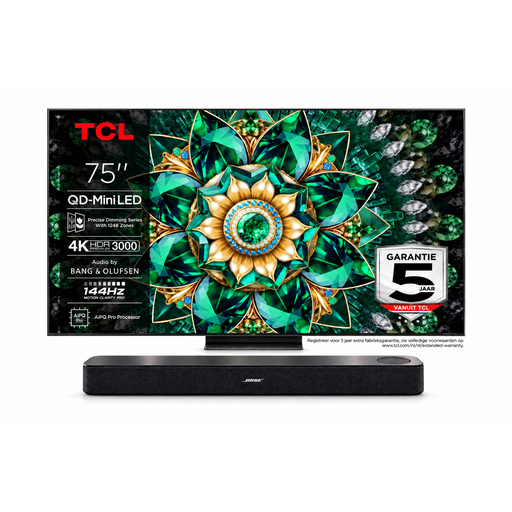 No image available
This combination is worth considering if you want to look at a TV and a separate sound system together. Check that the size and connections suit your room and setup.
Listed features: 75-inch 4K Mini-LED TV, Bose soundbar and HDMI ARC/eARC.
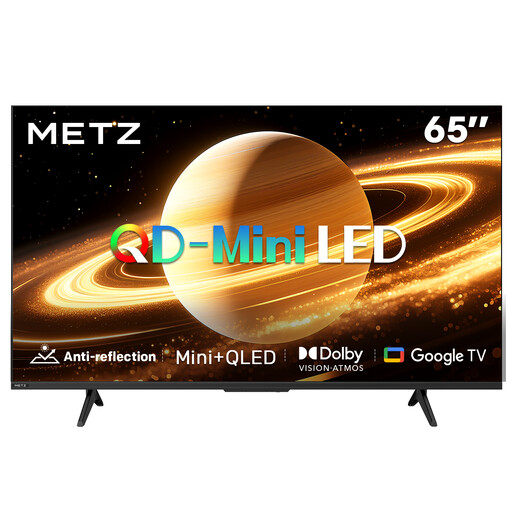 No image available
Described as having a matte screen, this model is worth considering if reflections are a concern in your room. Check how it performs under your usual lighting.
Listed features: matte screen, 60 Hz, Dolby Vision, Dolby Atmos and Google TV.
Measure from eye level at each seat to the planned position of the screen. The Consumentenbond suggests a viewing distance of about 2.4 times the screen’s diagonal as a starting point, not a fixed rule; also check the view from the furthest seat.
You’ll usually connect a Blu-ray player via HDMI. For a compatible sound system, use the TV’s HDMI-ARC or HDMI-eARC connection, and check that the system supports the same connection. An optical connection may be an alternative if both devices have one.
Not necessarily, but don’t leave a still image on screen for longer than necessary. In a 2022 test, the Consumentenbond reported image retention after a still image had been displayed for an exceptionally long time, and did not rule out burn-in. That test does not establish the risk for a current model.
There is no fixed statutory guarantee period in the Netherlands; contact the retailer if a product does not meet the terms of the agreement. The Rijksoverheid distinguishes between statutory rights and any additional guarantee.
According to the European Commission, the energy label for electronic displays, including televisions, uses a scale from A to G and also provides energy information for HDR. Compare the label for the exact model you’re considering.