What should you look for?
First, measure the distance to the screen and the space available. Then compare each model’s motion handling, viewing angle and options for watching the tournament.
| What to consider |
What should you check? |
Who is this most important for? |
| Motion handling |
Compare reviews of the specific model for sport and watch footage from a source similar to the one you use at home. |
During fast rallies, I want to keep track of the ball and players, not just see a sharp still image. Motion handling is the top priority for around 26% of consumers. |
| Viewing angle |
Check the picture from the seats furthest to the side, and consider light from windows and lamps. |
If we sit beside the sofa, I want to be able to follow the match from an angle too. A good viewing angle is the top priority for around 21% of consumers. |
| Shared use |
Compare the energy label in kWh per 1,000 hours and check separately which service is showing the tournament. |
If we share the TV, I want to take both electricity use and access to tennis services into account. Shared running costs are a priority for around 21% of consumers. |
| Access to tennis |
Find out who is showing the specific tournament and check which app or connection the TV model requires. |
For a particular match, I want to know in advance which service and connection we’ll need to watch it. Access to the broadcast is the main concern for around 16% of consumers. |
| Suitable screen size |
Measure the viewing distance and available width. Also check the dimensions, including the stand. |
With limited space, I want the viewing distance and available spot to determine how large the screen can be. A suitable screen size is the top priority for around 16% of consumers. |
TVs for different viewing setups
These Joybuy products offer a range of screen sizes and specifications to weigh up against your viewing distance, the space available and how you want to watch tennis.
 No image available
Philips 55PUS8001, 55-inch 4K TV
Consider the screen size in relation to the viewing distance and the space available in your shared room.
The product information lists 4K, Titan OS, a digital tuner, 60 Hz, Game Mode, VRR and ALLM.
View at Joybuy
 No image available
Philips 43PUS8001/12, 43-inch 4K TV
The 43-inch size is worth comparing with your viewing distance and the space the screen will take up.
The product information lists 4K, Titan OS, a digital tuner, 60 Hz, Game Mode, VRR and ALLM.
View at Joybuy
 No image available
Hisense 55A6S, 55-inch 4K LED TV, 2026, energy class E
Consider the 55-inch size in relation to your viewing distance and the space available.
The product information lists a 60Hz panel, AI Smooth Motion and MEMC. These are product specifications, not an independent assessment of sport performance.
View at Joybuy
 No image available
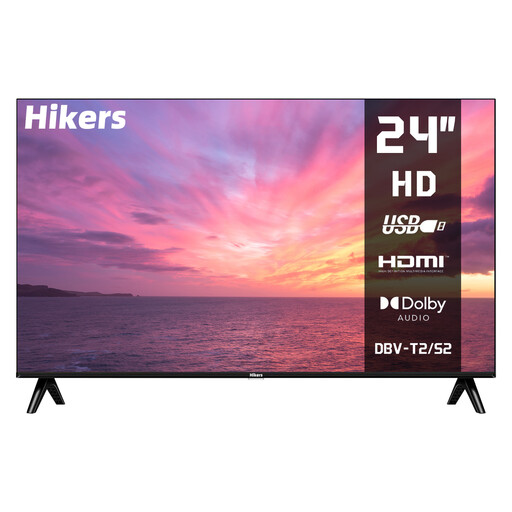
Hikers HD TV, 24-inch, non-smart
Its compact size is worth considering if you have limited space.
The product information lists a resolution of 1366 × 768, a DVB-T2/S2/C tuner and HDMI. You’ll need an external solution to stream via a TV app.
View at Joybuy
 No image available
METZ 86MQE8000Z, 86-inch QLED TV
With an 86-inch screen, it’s important to measure the viewing distance and available space carefully in advance.
The product name lists QLED, 4K and a stated panel refresh rate of 144 Hz. This refresh rate isn’t an independent assessment of sport performance.
View at Joybuy
Frequently asked questions
What screen size will suit our room?
Measure from your usual viewing position to where the screen will go. Consumentenbond suggests dividing the viewing distance by 2.4 as a guide to estimating the screen diagonal in centimetres. Also measure the available width and check the dimensions, including the stand.
Does a tennis broadcast have to be in 4K to watch on a 4K TV?
No. A 4K TV can also display broadcasts in other source qualities. You’ll only get the extra detail of a 4K source if the specific broadcast is available in 4K.
Can you watch every tennis tournament on one sports service?
No. Check where each tournament is being shown and whether your subscription includes access. For its Dutch offering, Ziggo lists different services for Wimbledon and other tournaments. Also check which app or connection the exact TV model requires.
How should you set up the TV in a shared room?
Start with the home viewing mode rather than the shop setting. Watch familiar content in the lighting you usually use, then adjust the picture mode and brightness. According to Consumentenbond, changing picture settings can also affect energy consumption.
How do you compare the energy use of TVs?
Compare the energy labels and stated consumption in kWh per 1,000 hours for the exact models. Energielabel.nl recommends using this figure for comparison; how much electricity a TV uses in your home also depends on how many hours you watch it.


