What should you look for when buying?
Start with the position of your seat and the light in the room. Then compare motion handling and decide which screen size suits your viewing distance.
The breakdown below is for consumers looking for a TV to watch tennis from a seat at the side. Each row links one key buying concern to the relevant need.
| What to consider |
What should you check? |
Who is this most relevant to? |
| Viewing angle from the side |
Compare the picture from the seat you actually use and look at viewing-angle measurements for the specific model. |
When I sit at an angle to the screen, I want to be able to see colours and contrast clearly. Around 36% of consumers put viewing angle first. |
| Movement of the ball and players |
Watch sports footage on the exact model and compare independent tests; a Hz figure alone cannot tell you how it will look during a tennis match. |
During fast rallies, I want to follow the ball without relying on a specification alone. Around 29% of consumers give motion handling top priority. |
| Daylight and reflections |
Consider where windows and lamps are in relation to the screen, and compare brightness and reflection tests for the model. |
When I watch during the day, I want to take reflections into account alongside the picture from my seat at the side. Around 21% of consumers put daylight and reflections first. |
| Screen size and total costs |
Measure the viewing distance from the seats that matter and check the dimensions and energy label for the exact version. |
I want to choose a size that suits my viewing distance and assess any additional costs. Around 14% of consumers start with size and total costs. |
The Consumentenbond gives viewing distance divided by 2.4 as a rough guide to screen diagonal in centimetres. Use this as a starting point, then check that the set-up also works for seats at the side.
Joybuy products
This selection includes OLED models and LCD or Mini LED alternatives to compare for watching tennis from a seat at the side. Suitability depends, among other things, on your seating position, the light in the room and how the exact model displays the picture.
 No image available
LG OLED55C68LA 55-inch OLED evo AI C6 4K TV
An OLED option to compare if viewing angle from your seat matters; this isn’t a viewing-angle measurement for this specific model.
The product name lists 4K and 120 Hz native; a stated refresh rate alone doesn’t prove how it displays tennis footage.
Joybuy
 No image available
Samsung GQ55S85FAU 55-inch OLED 4K TV
An OLED model to compare with other options if you mainly watch from a seat at the side; check the viewing angle of this version.
The product name lists a 55-inch OLED screen and 4K.
Joybuy
 No image available
METZ 55MNE8000Z 55-inch QD-Mini LED TV
A QD-Mini LED alternative to compare with OLED if you also need to consider daylight; assess the viewing angle of this version separately.
The product name lists 144 Hz, Sports Mode and MEMC. These claims aren’t an independent test of how it displays tennis footage.
Joybuy
 No image available
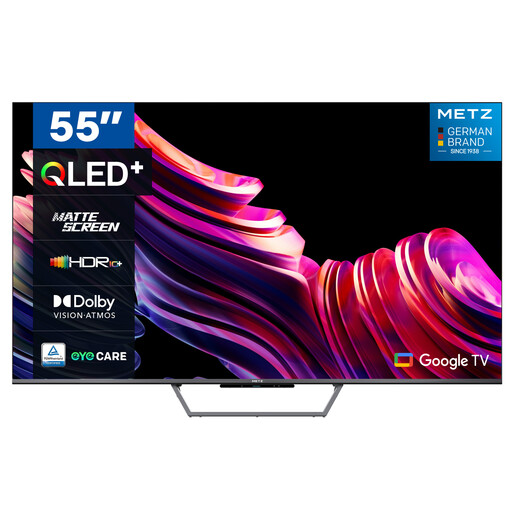
Metz 55MQE7600Y 55-inch QLED+ 4K TV with matt screen
An LCD alternative to compare if reflections are a concern; check how this model looks in your room and from your seat at the side.
The product name lists QLED+, 4K UHD and a matt screen.
Joybuy
 No image available
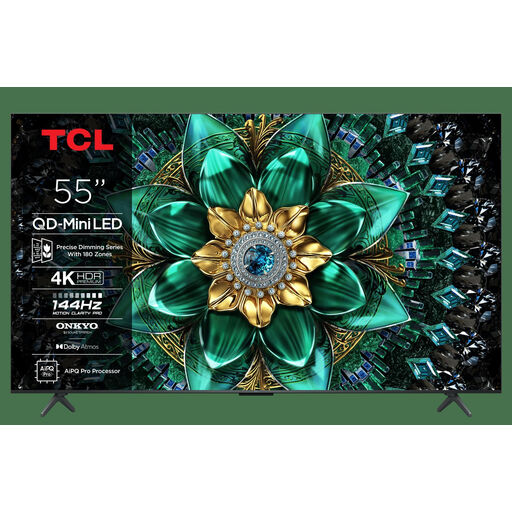
TCL 55Q6C 55-inch QLED Mini LED TV
An LCD and Mini LED option to compare with OLED, particularly if you want to weigh up daylight and viewing angle together.
The product name lists 4K and Motion Clarity Pro 144 Hz; that specification alone doesn’t tell you how it will display tennis footage.
Joybuy
Frequently asked questions
How do you choose a screen size if your sofa is at an angle?
Measure the distance from the seat at the side to where the screen will be, not just from the middle seat. The Consumentenbond gives viewing distance divided by 2.4 as a rough guide to the diagonal in centimetres. Then check that the positioning and viewing angle work for every seat.
Does 144 or 165 Hz mean a tennis ball will automatically stay sharp?
No. That figure alone doesn’t tell you how the exact TV processes a broadcast. Compare moving sports footage and independent tests of the model you’re considering.
What should you check before mounting the TV?
Check the VESA size, weight and space needed for connections on the version you’ve chosen. For example, Sony lists VESA 30,0 × 30,0 cm and a weight of around 17,1 kg without the stand for the K-55XR80; don’t use these figures for another model.
How can you reduce potential issues when watching sport for hours with a fixed score bar?
Vary what you watch and follow the maintenance advice for your chosen model. In a 2017 test, the Consumentenbond found temporary image retention on OLED TVs after prolonged display of static images; that test doesn’t predict the risk for any specific current model.
What energy information can you compare when choosing a TV?
Compare the EU energy label and product information sheet for the exact version. The European Commission describes an energy label for TVs with an energy class from A to G and information about HDR playback.


