
Vandaag of morgen in huis

Kwaliteit gegarandeerd

Welkomstaanbiedingen ontgrendelen: GRATIS bezorging | Tot 80% korting | Gratis 30 dagen JoyPlus-proefperiode
Download de app
Looking for a new Android tablet without the premium price tag? The market can be overwhelming, and it's not always easy to navigate the technical specifications. Brands like Teclast offer compelling options with a great price-to-performance ratio, but which model is the right choice for you?
As a Joybuy Product Recommendation Officer, I'm here to guide you. In this article, we'll compare the specifications of several popular Teclast tablets. This will help you make an informed decision that meets your needs, whether you're looking for a tablet for study, work, or entertainment.
Before we dive into the models, it's helpful to know which specifications are important. Here are a few practical points to consider.
The screen size largely defines the user experience. A compact 10-inch tablet is easy to carry, while a larger 12 or 13-inch screen is more comfortable for watching movies or working with multiple apps simultaneously. Also, pay attention to the refresh rate, expressed in Hertz (Hz). A screen with 120Hz, like on the Teclast T65 Plus, provides noticeably smoother visuals when scrolling and in games.
Random Access Memory (RAM) is crucial for smooth multitasking. More RAM means you can switch between apps more seamlessly. Many modern Android tablets, including those from Teclast, use virtual RAM. This is a clever technique where a portion of the storage space is temporarily used as extra working memory. As for storage: 64GB is a great starting point for basic use, but if you plan to store many apps, photos, or videos, 128GB or 256GB is a more comfortable choice.
Consider where you'll be using the tablet most. If it's primarily at home or in the office with Wi-Fi, a Wi-Fi-only model will suffice. Are you often on the go and want to be always online? Then consider a tablet with 4G. This allows you to insert a SIM card into the tablet and use mobile internet anywhere, which is ideal for students or travelling professionals.
Based on specifications and use cases, we've selected some compelling Teclast models.
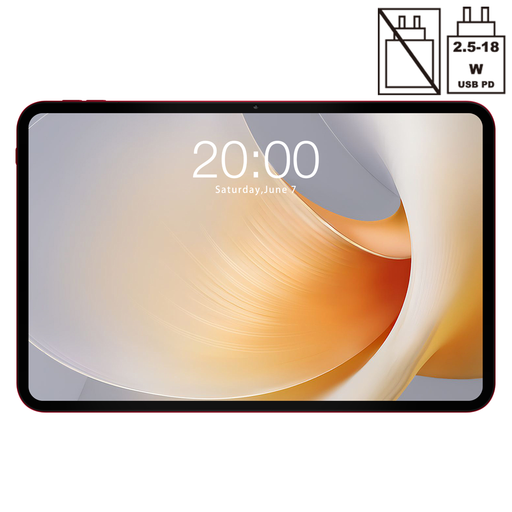
Why this model stands out The Teclast T65 Plus is aimed at users seeking a large, smooth display. Its 13.4-inch display with a 120Hz refresh rate makes it an excellent choice for media consumption and gaming. The Helio G99 processor delivers solid performance for most daily tasks and beyond.
Key Features
Who is this model for? This is an ideal tablet for those who enjoy watching movies and series, playing light games, or need a large screen for productivity. Thanks to its 4G functionality, it's also a great companion for on the go.
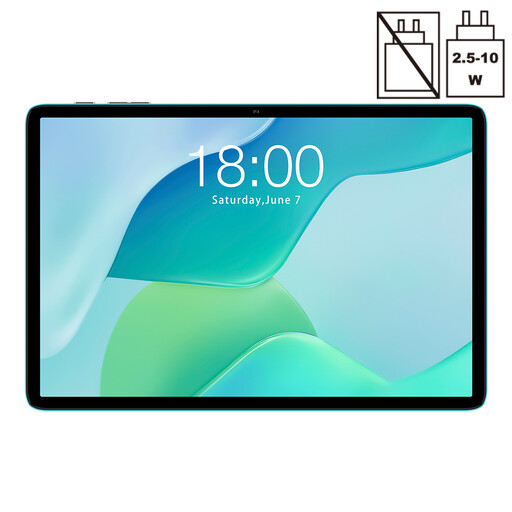
Why this model stands out The Teclast P33 is an excellent budget-friendly tablet for basic use. With its 10.1-inch screen, it's compact and easy to handle. It's designed for everyday tasks like browsing, emailing, and watching videos.
Key Features
Who is this model for? Perfect for families as a general-purpose tablet, for students on a tight budget, or for anyone looking for a simple and affordable tablet for entertainment and browsing.

Why this model stands out The Teclast ArtPad Pro comes as a complete package. With an included stylus, protective case, and Bluetooth keyboard, this is a tablet with a stylus that's ready for creative work or productivity right out of the box. The large 12.7-inch screen offers plenty of space for your projects.
Key Features
Who is this model for? An excellent choice for creative users, digital artists, and students who take a lot of notes. It's also ideal for professionals looking for an affordable and complete set for light office work.
The world of tablets is diverse, with different styles, colours, and specifications. For example, are you looking for a specific design, like a 2020 rose gold tablet? Check out our wider range for more options that might better suit your personal style.
1. Is a Teclast tablet a good choice for students? Yes, Teclast offers several models that are suitable as a tablet for students. The P33 is a budget-friendly option for reading study materials and browsing. With its included stylus and keyboard, the ArtPad Pro is an excellent choice for taking notes and writing papers.
2. What exactly is virtual RAM? Virtual RAM is a feature where the tablet uses a portion of its internal storage (ROM) as temporary working memory. When the physical RAM is full, for instance, when you have many apps open, virtual RAM helps keep the tablet running smoothly. It's a smart way to enhance the performance of an Android tablet without additional hardware costs.
