
Taking part from a noisy space
You’re speaking in a meeting while colleagues or other noises are nearby. Focus on the microphone, not just on noise reduction for your own ears.


If you’ll be speaking during the meeting, focus on the microphone, connection and wearing comfort. In a noisy workspace, microphone noise reduction is a different consideration from ANC for your own ears. If several people in the same room need to speak through one device, room audio is a better fit than a personal headset. Before buying, check the exact version and make sure the connection is compatible with your device.
You’re speaking in a meeting while colleagues or other noises are nearby. Focus on the microphone, not just on noise reduction for your own ears.
You want to join meetings without having to manage a battery, and need a headset that works with your computer and meeting app.
Several people in the room need to be heard by remote participants. In this case, choosing between a personal headset and room audio equipment matters more than the headset model.
First decide whether only you will be speaking or whether several people in the same room will share one device. Then choose based on the microphone, connection and ease of use.
| What to consider | What should you check? | Who is this important for? |
|---|---|---|
| Clear speech with background voices | Look at the microphone setup and check whether the description specifically refers to the microphone. ANC for your ears alone doesn’t tell you what your microphone will pick up. | If I’m speaking from a noisy workspace, I want others to be able to follow what I’m saying, so I look at the microphone and not just at ANC. Around 36% of consumers prioritise clear speech when there are background voices. |
| Connection and controls | Check whether it uses USB-A or USB-C, how to mute the microphone, and whether the version on offer works with your computer and meeting app. Microsoft Support explains how to select your preferred microphone in Teams. | I want to connect the headset to my computer without any hassle and use the right microphone during calls. Around 29% of consumers give connection reliability and controls top priority. |
| Comfort and freedom of movement | Compare the fit with how long you’ll wear the headset and whether you want to move around during one-to-one calls. Wireless use also means you’ll need to charge it. | If I’m in long meetings or move around during the day, I want a fit and connection that suit the way I work. Around 21% of consumers prioritise comfort or freedom of movement. |
| Several speakers in one room | Decide whether participants will each use their own device or share one room connection. Microsoft Support describes room audio as a separate audio source in Teams. | I want several people at the same table to be able to speak through one connection. In that case, I look for room audio rather than a personal headset. Around 14% of consumers make this their top priority. |
ANC reduces the noise you hear; the microphone determines how much of your surroundings other people hear. These are separate things to consider when choosing.
Check the microphone setup and microphone information separately from any ANC features.
A headset for one speaker isn’t the same as audio equipment for a shared room. In Teams Room mode, the room’s microphone and speaker are used, and voice isolation is turned off.
Before buying, decide whether participants will each use their own device or share one room connection.
Versions can differ in their connection, adapter, charging accessory or app certification.
Compare the full model name, connection and what’s included in the box with the information for the specific version.
Zone Wired is a wired USB option for one-to-one calls from a workspace.
The wired Blackwire 5200 series includes personal headsets; the 5220 is stereo and the 5210 is mono.
The UH46 is a wired USB headset available in mono and dual versions.
The Evolve2 65 Flex is a wireless, foldable personal headset for anyone who switches between workspaces or devices.
IMPACT 860T is a personal headset designed for use in an open-plan office.
These products are intended for individual participation in calls and include wired and wireless options. If several people in one room will speak through the same connection, room audio is a different type of product to consider.
 No image available
For individual calls using a wired connection. Check whether your device has a compatible USB-C port.
USB-C connection and in-line microphone controls. The product information lists a built-in microphone for calls.
 No image available
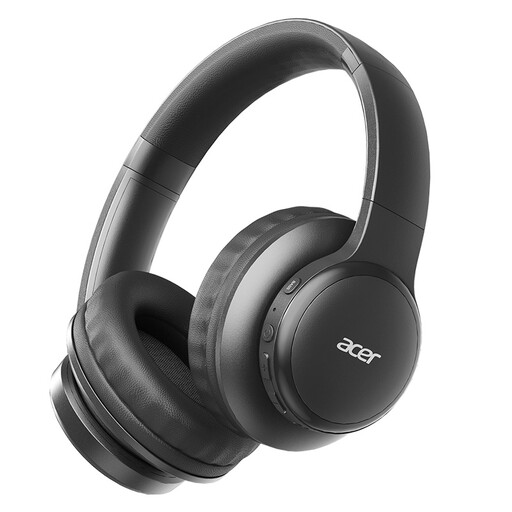
A wireless over-ear option for individual calls. Check whether the Bluetooth connection works with your computer and meeting app.
Bluetooth, four microphones for calls and a quoted battery life of up to 60 hours.
 No image available
For individual wireless calls. Before buying, check that Bluetooth 5.3 works with your device and that the fit suits your preferences.
The product information lists Bluetooth 5.3, a foldable design and a microphone for calls.
 No image available
A wireless in-ear option for individual calls. Check compatibility with your device and meeting app.
The product information lists active noise cancellation and six microphones with DNN technology for calls.
 No image available
For individual calls over Bluetooth. Check that the available connection works with your computer and meeting app.
Bluetooth 5.3, multipoint pairing and an included audio cable are listed. The product information mentions built-in microphones for hands-free calls.
For several speakers in one room, room audio is a better choice. In Teams Room mode, the room’s microphone and speaker are used and voice isolation is turned off, so other people in the room can be heard.
When joining, select your preferred audio source and check the selected speaker and microphone separately in the device settings. Microsoft Support explains these audio settings; the available options may vary depending on your organisation’s or IT department’s policies.
No. ANC is designed to reduce the noise you hear; the microphone determines which sounds from your surroundings may be picked up by the people you’re speaking to. So check the microphone information separately from ANC.
Check the quoted talk time for the settings you use and charge the headset according to the model’s instructions. For example, Jabra quotes different maximum talk times for the Evolve2 65 Flex with ANC and the busylight off or on. These figures apply to that model and aren’t a general battery-life benchmark.