Choose a USB stick that connects to both your device and your client’s, with enough space for the files. If the teaching materials contain personal data, check whether you’re allowed to share them and what security measures are appropriate before handing them over. The Dutch Data Protection Authority stresses that the purpose and privacy risks should be taken into account. Keep a separate copy and test it, so the stick you hand over isn’t your only way to recover the files; the National Cyber Security Centre advises testing backups.
Who is this transfer for?
Sharing sensitive teaching files
Before handing over files, check whether documents contain personal data, whether sharing them with your client is consistent with the original purpose, and what security measures are appropriate. The Dutch Data Protection Authority stresses that the purpose and privacy risks should be taken into account.
Transferring files between different laptops
You want the stick to connect to both your device and the recipient’s. So compare USB-A, USB-C and models with both connectors; SanDisk and Transcend product specifications describe these connection options.
Keeping a recoverable copy
You don’t want to rely on the stick you hand over after the transfer. Keep a separate copy and test that you can open files from it; the National Cyber Security Centre advises checking that backups can be restored.
What should you look for when buying?
First, decide which files you’re allowed to transfer and what security measures are appropriate. Then check the ports and storage capacity, and keep a tested copy.
| What to consider |
What should you check? |
Who is this important for? |
| Permitted and secure transfer |
Check for personal data, including hidden data, and assess whether sharing it is consistent with the original purpose. Decide what security measures are appropriate. |
If my teaching files may contain personal data, I want to know what I’m allowed to share and how to protect it before copying. Around 30% of consumers put protection first. |
| Connects to both devices |
Check the ports on your device and your client’s. Choose USB-A, USB-C or a stick with both connectors to suit those ports. |
I want to be able to open the files on my device and my client’s using one stick. Around 30% of consumers give access on both devices their highest priority. |
| Capacity and write speed |
Add up the files and compare their total size with the capacity of the model you’ve chosen. For large files, check the stated write speed too. |
If I’m transferring a large collection of presentations, images or videos, I want to know whether everything will fit and how quickly it should copy according to the specifications. Around 20% of consumers put storage space and copying time first. |
| Recovering files after the transfer |
Keep a copy somewhere else and open test files from the backup to check that they’re readable. |
I want to keep my own working copy after handing over the files. Around 20% of consumers make recoverability their top priority. |
Common buying mistakes
-
Assuming encryption means you’re allowed to share files
Securing data and deciding whether it can be shared are two different things. Documents may also contain hidden personal data. The Dutch Data Protection Authority highlights the importance of checking files and using appropriate security measures.
Before copying, decide which files you’re allowed to share with your client, then choose appropriate security measures.
-
Keeping the handed-over stick as your only copy
If the stick is lost or the files can no longer be read, you may not have a recoverable copy. The National Cyber Security Centre advises making and testing backups.
Keep a separate copy and open a few important files from it to check that they’re readable.
A separate backup requires extra storage and regular checks.
-
Looking only at read speed or capacity
Read speed doesn’t tell you how quickly files will be written to the stick. A capacity figure on its own also doesn’t guarantee that the whole folder will fit.
Add up the files and compare their total size with the model you’ve chosen. If you have lots of large files, check the stated write speed and make sure the stick connects to both devices.
Brands to consider
Kingston
The DataTraveler Exodia is a USB-A range, while the IronKey Locker+ 50 G2 is a separate USB-A range with hardware encryption.
- Kingston specifies XTS-AES-256 encryption and Windows and macOS support for the Locker+ 50 G2. Check that the recipient can unlock the stick on their system.
- The Locker+ 50 G2’s security features don’t automatically apply to the DataTraveler Exodia.
SanDisk
The Ultra Dual Drive Luxe and Extreme PRO Dual Drive are separate ranges with USB-A and USB-C connectors, for devices with different ports.
- For the 256 GB Extreme PRO Dual Drive, SanDisk specifies read speeds of up to 1.000 MB/s and write speeds of up to 900 MB/s.
- These are the manufacturer’s figures for that model, not measured speeds or specifications for the Ultra Dual Drive Luxe.
Transcend
According to its product specifications, the JetFlash 930C combines USB-A and USB-C.
- Transcend lists 128, 256 and 512 GB models, with read speeds of up to 420 MB/s and write speeds of up to 400 MB/s.
- Check the capacity of the model you’ve chosen and make sure its connectors suit both parties’ devices.
Verbatim
The Dual QuickStick is a USB-A and USB-C option for transferring files between devices with different ports.
- For the 128 GB model, Verbatim specifies read speeds of up to 510 MB/s and write speeds of up to 460 MB/s.
- Verbatim says the included Nero Backup software is compatible with Windows only; the stated speed is not an independent measurement.
USB sticks at Joybuy
This product selection includes USB-A sticks and models with USB-A and USB-C for storing and transferring teaching materials.
 No image available
Kingston DataTraveler Exodia, 128 GB
A USB-A option for transferring files between devices with a compatible port.
The product information lists USB 3.2 Gen 1 and backwards compatibility with USB 2.0.
View at Joybuy
 No image available
Kingston Technology DataTraveler 512GB Metal USB 3.2 Gen 1 SE9 G3
The stated capacity may suit a large collection of folders, provided the files fit within the available space.
The product information lists a Type-A connector, read speeds of up to 220 MB/s and write speeds of up to 100 MB/s.
View at Joybuy
 No image available
MOVESPEED USB Flash Drive 256GB, YSUYC-256GSN
USB-A and Type-C provide connection options for devices with different ports; also check that the recipient can open the files.
The product description lists 256 GB, USB 3.2 Gen 1, read speeds of up to 550 MB/s and write speeds of up to 500 MB/s. It also mentions AES-256 encryption and fingerprint access.
View at Joybuy
 No image available
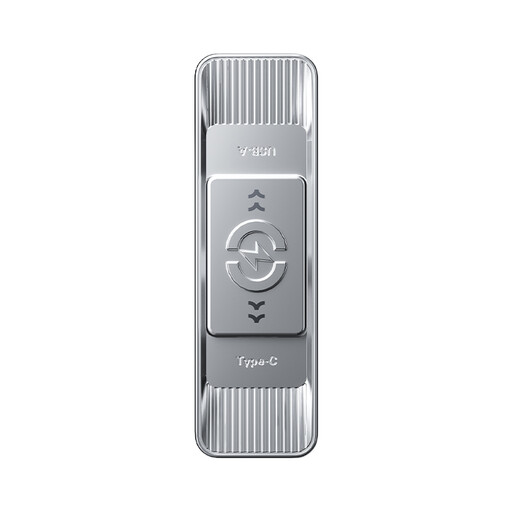
MOVESPEED USB Flash Drive 512GB, YSUSP05-512GSR
The USB-A and Type-C connectors can be useful when your device and your client’s have different ports.
The product information lists 512 GB and read speeds of up to 570 MB/s. The description states write speeds of up to 520 MB/s.
View at Joybuy
 No image available
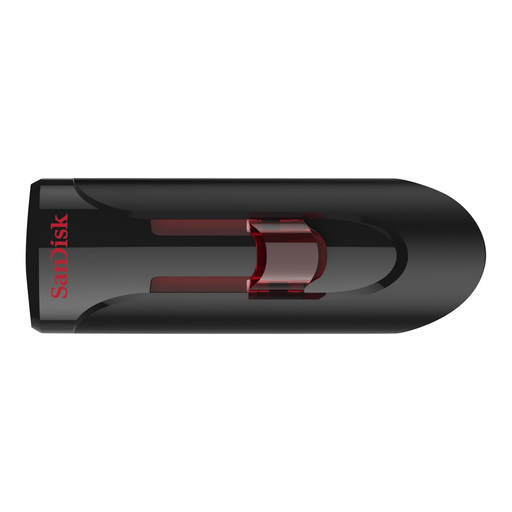
SanDisk Ultra 64GB USB 3.0 Flash Drive
A USB-A option for transferring files to and from computers with this type of port.
The product description lists 64 GB and read speeds of up to 80 MB/s. It also mentions 128-bit file encryption via SecureAccess software; according to the description, a software download is required for Mac.
View at Joybuy
Frequently asked questions
Can I simply hand teaching materials containing personal data to my client?
Assess whether sharing is appropriate first; this depends, among other things, on the original purpose. The Dutch Data Protection Authority highlights the need to check that the new purpose is compatible and to look for hidden personal data in documents. Also decide what security measures are appropriate for the processing and privacy risks.
How can you check that a backup works before transferring files?
Open a few important files from the copied stick and check that they’re readable. The National Cyber Security Centre recommends opening files from a backup as a functional check; if possible, also test them on the device the recipient will use.
Can the USB stick you hand over be your only backup?
For important files, keep a separate copy too, so you’re not relying solely on the stick you hand over. The National Cyber Security Centre advises keeping three versions of important business data: the originals and two backups. Test that you can open files from the backup.
What should you look for in an encrypted USB stick?
Check that the recipient can unlock the model on their system and knows how to access it. Encryption doesn’t replace the need to assess whether the files can be shared; the Dutch Data Protection Authority stresses that appropriate security depends on the processing and the privacy risks.


