
Map and text reader
You read lots of menus, descriptions and small map symbols. So pay attention to readability and how you can position the screen.


Start with text that’s comfortable to read from your viewing distance and a screen you can position easily. The highest refresh rate isn’t automatically the most important feature for long tactical RPG sessions. An adjustable QHD IPS screen is a practical choice if you spend a lot of time reading menus and map details. QD-OLED is a better fit if contrast in dark scenes matters more to you than possible text fringing and the effect of ambient light. Also check which resolution and refresh rate your PC or console supports through the connection you plan to use.
You read lots of menus, descriptions and small map symbols. So pay attention to readability and how you can position the screen.
You want to position the screen comfortably for long gaming sessions and reduce distracting reflections.
Contrast in dark scenes is a priority for you, but you also want to consider small in-game text and the lighting conditions in your room.
A good fit for reading lots of interface text and being able to adjust the screen position.
Trade-off small text isn’t automatically comfortable to read from every viewing distance; also check which refresh rate the chosen connection supports.
A good fit for players who prioritise contrast in dark game worlds and can assess how text looks on the exact model.
Trade-off Tweakers notes colour fringing around text on the Gigabyte MO27Q2A and observes that black can look greyer in ambient light.
A good fit for anyone looking for higher resolution and OLED contrast together, after checking what their system can handle.
Trade-off 4K and a high refresh rate are only usable in combinations supported by your device and connection; also consider readability from your viewing distance.
For long tactical RPG sessions, readability, screen positioning, contrast and compatibility with your system are the main things to weigh up. The percentages below show, for each row, how many consumers in this use case put that need first.
| What to consider | What should you look for? | Who does this matter most to? |
|---|---|---|
| Readable text and map details | Compare screen size, resolution, scaling settings and reflections. Assess text from your viewing distance; resolution alone doesn’t determine how readable it will be for you. | If I read lots of in-game text and map symbols, I want to check that they stay clear from my viewing distance. Around 31% of consumers prioritise readability. |
| Screen positioning | Check height adjustment, tilt, stand dimensions and any VESA mounting options. Also consider windows and lamps in the room. | I want to position the screen comfortably for long sessions and reduce distracting reflections. Around 31% of consumers put screen positioning first. |
| Contrast versus text clarity | Assess the exact panel with small text and under lighting similar to your gaming space. Tweakers’ findings on text and ambient light apply to the Gigabyte MO27Q2A. | If dark scenes matter most to me, I also want to check how small interface text looks. Around 23% of consumers put contrast first. |
| Connection and source device | Check the combination of monitor variant, port, PC or console, and desired resolution. For the MAG 272QPF E20, MSI lists a maximum of 200 Hz at QHD via DisplayPort and 144 Hz via HDMI. | I want to know whether my device supports the setting I want through the connection I use. Around 15% of consumers give system compatibility top priority. |
The maximum refresh rate may depend on the resolution and port you use. For the MAG 272QPF E20 at QHD, MSI specifies a different maximum via HDMI than via DisplayPort.
Before buying, compare the stated combination of resolution, connection and source device for the exact monitor variant.
If the required connection isn’t available, you may need to use another suitable connection or cable.
Tweakers notes colour fringing around text on the Gigabyte MO27Q2A and observes that black can look greyer in ambient light. These findings for one model don’t automatically apply to every OLED screen.
Check menus and map labels on the exact model, under lighting similar to that in your gaming space.
Not every stand will suit every setup. An additional commercial warranty doesn’t replace your statutory rights and may come with different terms.
Check the stand and any VESA measurements for the exact monitor, and read the applicable warranty and returns terms.
A suitable monitor arm may be a separate purchase if the included stand doesn’t suit your setup.
The MAG 272QPF E20 is a QHD Rapid IPS example for anyone who reads text and wants to adjust the screen height.
The Q27G4ZR is a 27-inch QHD Fast IPS option with an ergonomic stand.
The MO27Q2A is a QHD QD-OLED example for players who value contrast in dark scenes.
The AW2725Q is a 27-inch 4K QD-OLED option for anyone looking to combine resolution with OLED contrast.
The UltraGear 27G610A-B is a QHD gaming monitor with a stated maximum of 200 Hz.
This selection includes QHD gaming monitors with IPS or QD-OLED panels. Compare text clarity, adjustability and connections against your gaming space and PC or console.
 No image available
A QHD QD-OLED model to compare if contrast matters to you and you want to assess text clarity on the exact screen.
26.5 inches; 2560 × 1440; 240 Hz; 3rd Gen QD-OLED; adjustable stand.
 No image available
A QHD IPS option to compare if you read interface and map details; check how the text looks from your viewing distance.
27 inches; 2560 × 1440; IPS; up to 200 Hz.
Check the stand and connection options on the exact version.
 No image available
An adjustable QHD Fast IPS option to compare if screen positioning and interface details matter to you.
27 inches; 2560 × 1440; 240 Hz, overclocked to 275 Hz; HDMI 2.0 and DisplayPort 1.4.
The stated 275 Hz is the overclocked mode; check which combination your device and connection support.
 No image available
A WQHD QD-OLED model to compare if contrast and adjustable screen positioning are important to your choice.
26.5 inches; 2560 × 1440; 240 Hz; height, tilt, swivel and pivot adjustment.
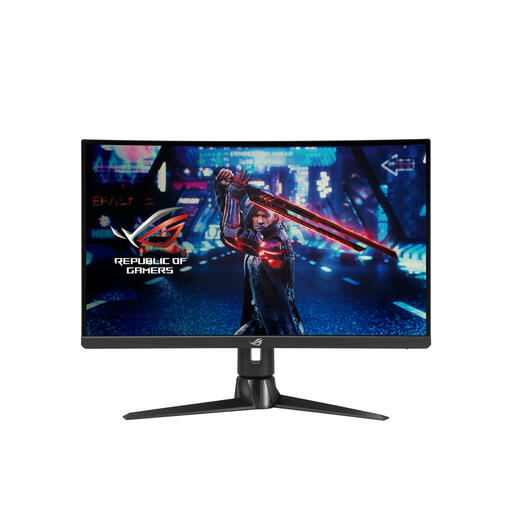 No image available
A QHD IPS model to compare if you read map details and want to adjust the screen position.
27 inches; 2560 × 1440; IPS; 170 Hz; height, tilt and swivel adjustment; VESA mounting.
No. Start with readability, screen positioning and a connection that supports the setting you want. For the MAG 272QPF E20 at QHD, MSI lists a different maximum via HDMI than via DisplayPort, so look beyond the highest figure alone.
Position the screen so the text is easy to read and light sources don’t cause distracting reflections. Use the height adjustment or a suitable mount to change its position. Arboportaal covers readability, lighting and screen-based work; workplace rules for employers aren’t automatically legal requirements for gaming at home.
A manufacturer’s or seller’s warranty is in addition to your statutory rights. According to Rijksoverheid and ACM ConsuWijzer, there’s no fixed statutory guarantee period in the Netherlands. If a product is faulty, the assessment depends partly on what you could reasonably expect and whether it has been used normally. The seller is your point of contact if there’s a problem. For OLED, check the specific commercial warranty terms too.
For a standard online consumer purchase, you generally have a statutory cooling-off period of up to 14 days after delivery, with some exceptions. ACM ConsuWijzer explains this cooling-off period; read the terms that apply to your order before buying and handle the monitor carefully when assessing it.
Yes. The energy label gives you product information alongside gaming features. The European Commission states that monitors are covered by EU energy labelling rules for electronic displays; don’t use the label as an indication of gaming performance.