
Player who uses lots of shortcuts
Wants to control several frequently used game commands with their thumb. A clearly laid-out, customisable button panel matters more than simply having a high total number of buttons.


Start by deciding how many commands you actually want to control with your mouse, and only choose extra thumb buttons that you can tell apart by touch. Then compare the shape and grip, check whether you can adjust the lighting, and consider how a wireless model charges.
Wants to control several frequently used game commands with their thumb. A clearly laid-out, customisable button panel matters more than simply having a high total number of buttons.
Prioritises a comfortable fit and grip over the maximum number of buttons, and checks that the buttons are easy to reach.
Wants to adjust the mouse lighting to suit their preferences and checks whether the chosen model offers the right settings.
First, choose based on the commands you want to control while playing. Then compare the fit, lighting and power options.
| What to consider | What to look for | Who should prioritise this? |
|---|---|---|
| Accessible programmable commands | Count the commands you want to assign, then see how many side buttons you can reach and tell apart. | If I want to control several game commands directly with my thumb, I want to be able to distinguish between the buttons easily. Around 36% of consumers prioritise the number of commands they can access directly. |
| Fit and button reach | Compare the shape with your hand preference and grip, and check where the side buttons are positioned. | During long gaming sessions, I want the mouse shape and buttons to suit my hand, even if that means fewer extra buttons. Around 29% of consumers prioritise fit and reach above all else. |
| Lighting in a dark room | Check which zones light up, and whether you can adjust and save the effects or lighting settings. | If I play in a dark room, I want to adjust the lighting myself so it isn't distracting. Around 21% of consumers prioritise adjustable lighting. |
| Connection and power | Check the connection options for the exact version, and what you need for wireless use or charging. | If you want to play without a cable or would rather not worry about charging, consider the connection and power options. Around 14% of consumers prioritise these above all else. |
The Logitech G502 HERO has eleven programmable buttons in total. Corsair, by contrast, describes the Scimitar RGB Elite as having a panel with twelve side buttons; that's a different layout.
Compare the position and number of side buttons you can reach, rather than focusing only on the biggest number in a product name or description.
Light-up zones and how settings are saved vary by model. Logitech mentions G HUB for the G502 HERO, while Corsair describes hardware profiles for the Scimitar RGB Elite.
Check which zones you can adjust and whether you can save the settings you want for the way you use the mouse.
For wireless charging of the Naga V2 Pro, Razer states that the Wireless Charging Puck and Mouse Dock Pro are sold separately.
Check what's included with the version you choose and whether its charging method suits the way you use it.
You may need to buy separately sold accessories to use the wireless charging option mentioned.
Naga models are worth considering if you want to control lots of commands with your thumb; the available layout varies by model.
The wired Scimitar RGB Elite is an option if you want to position an extensive thumb panel to suit your reach.
The wired G502 HERO is worth considering if you want customisable buttons and RGB without a 12-button thumb panel.
The Aerox 9 Wireless combines a wireless design with a side panel for multiple commands.
The ROG Pugio II is worth considering if you're looking for a shape that ASUS describes as suitable for either hand.
This selection includes wired and wireless gaming mice, from models with a handful of programmable buttons to one with interchangeable thumb plates. Check whether the lighting is adjustable on the version you choose, and whether you can reach enough buttons for your game.
 No image available
A wired option if you're looking for a symmetrical shape and a handful of commands you can access directly.
Six programmable buttons, adjustable RGB lighting and a stated weight of 53 g. The description also mentions included grip tape.
 No image available
A wireless option if you want several programmable buttons and a choice of connection options.
Seven programmable buttons, Bluetooth 5.0, 2.4 GHz and USB-C. The product name lists a PAW3311 sensor, 12,000 DPI, an 8 kHz polling rate, a weight of 67 g and a 400 mAh battery.
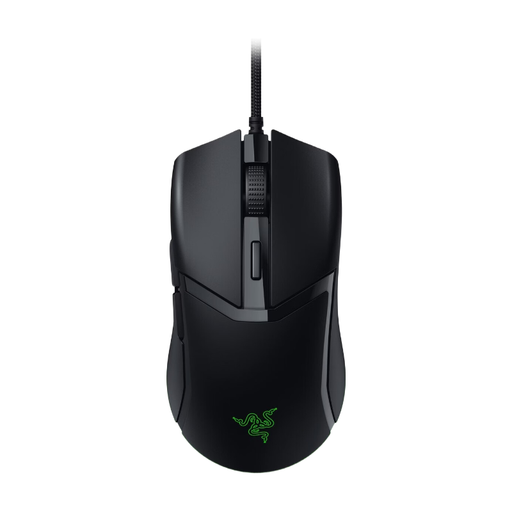 No image available
A wired option if you want a handful of programmable buttons and don't need an extensive thumb panel.
Six programmable buttons, adjustable Chroma RGB lighting and a stated weight of 58 g. The description mentions an ambidextrous shape and configuration through Synapse.
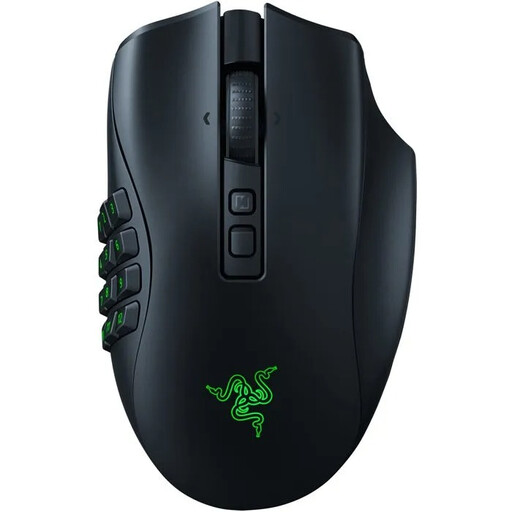 No image available
An option if you want to choose a side plate with more or fewer buttons to suit the commands you need.
The interchangeable side plates have layouts with 2, 6 or 12 buttons. The description mentions multiple connection modes and adjustable Chroma RGB lighting. Razer states that accessories for wireless charging are sold separately.
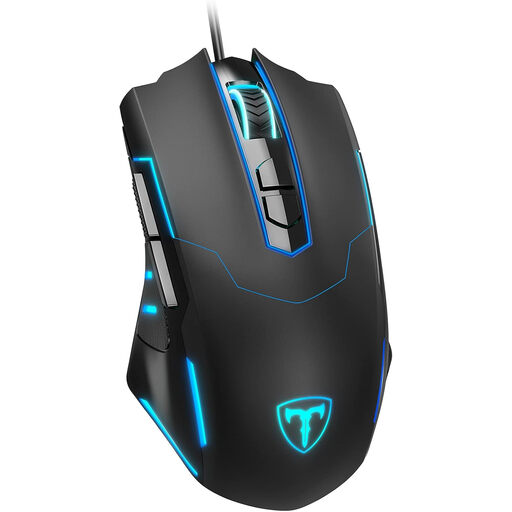 No image available
A wired option if you want several programmable buttons and the option to switch off the lighting.
Seven programmable buttons. The description lists adjustable DPI from 1200–7200, an adjustable polling rate of 125–1000 Hz, an ergonomic contour and a rubberised texture.
Not necessarily. Count the commands you actually want to assign in your game, and see whether you can tell the buttons apart by touch. A mouse with fewer extra buttons may be enough if you only use a handful.
Use the software designed for the exact model, and check that it works with your computer and game. Logitech mentions G HUB for the G502 HERO; Corsair describes iCUE for button assignments and hardware profiles on the Scimitar RGB Elite.
No. Razer states that the Wireless Charging Puck and Mouse Dock Pro are sold separately. Check what's included with the version you choose if you want to use that charging method.
When you buy online from a business, you will often have a 14-day cooling-off period, although there are exceptions. The Dutch government also states that you are entitled to a product that is fit for purpose; the Netherlands has no fixed statutory guarantee period. If a product is faulty, contact the seller.