
Reading together at the table
If you discuss essays with text and images while someone looks on beside you, screen space and comfortable positioning on the table are important considerations.


For reading essays together, a screen of around 13 inches is worth considering. A larger model takes up more table space and is less portable than a smaller one, as the Consumers’ Association also points out. If you often make notes on PDFs, check which stylus and app work with the exact tablet model, what’s included in the box, and how you can save and share your annotations.
If you discuss essays with text and images while someone looks on beside you, screen space and comfortable positioning on the table are important considerations.
If you want to add comments or sketches directly to a document, check that the stylus, app and saving and sharing options suit the way you work.
If you take your tablet with you often, your choice comes down to balancing document viewing with a handy size and the accessories you need.
Choose this option if: you often discuss text and images with someone sitting beside you. Samsung lists a 13.1-inch screen for the Galaxy Tab S10 FE+; Apple lists a 13-inch screen for the iPad Air.
The trade-off: larger tablets need more space and are less portable. The Consumers’ Association highlights this downside of extra-large tablets.
Choose this option if: you want to make a note of your comments on an essay as you discuss it. Apple Support explains how to annotate PDFs using Markup; Samsung describes adding notes to PDFs in Samsung Notes.
The trade-off: check stylus compatibility for each configuration, which accessories are included, and whether your chosen app saves and shares your annotations in the way you want.
Choose this option if: you take your tablet with you often or mostly read on your own. Lenovo lists an 11-inch screen for one Idea Tab configuration; Xiaomi lists an 11.2-inch screen for the Pad 8.
The trade-off: a smaller page gives you less room to look at content together and may mean more zooming or scrolling. Lenovo’s information about the stylus bundle also makes it worth checking the exact configuration.
First compare the screen space you need at the table, then check whether the stylus, app and full bundle suit the way you work.
| Concern | What to look for when buying | Who is this important to? |
|---|---|---|
| Viewing text and images together | Compare the same essay on screens of around 11 and 13 inches. Check that it’s easy to see from both seats, and look out for reflections in the room. | When I discuss an essay with others, I want to be able to view the text and images from both seats. Around 33% of consumers give reading together their highest priority. |
| Adding comments to PDFs | Check the full tablet model, compatible stylus, what’s included in the bundle, and whether a test PDF with annotations can be saved and shared in a useful format. | When I take notes during a discussion, I want to be able to keep my comments with the document. Around 27% of consumers prioritise PDF annotation. |
| Portability and table space | Compare the dimensions and stated weight of the exact configuration, and allow for a case or stand if you use one. | If I take my tablet with me often, a handy size matters more to me than maximum screen space; around 20% of consumers make portability their main buying concern. |
| Weighing up the tablet and essentials together | Check what’s included in the box for each configuration and which accessories you need before weighing up the total purchase. | I want to know in advance which stylus or other essentials I’ll need for my setup. Around 20% of consumers give the total cost of the tablet and essentials the greatest weight. |
Stylus support doesn’t automatically mean one is included in the box. Apple lists an iPad and USB-C cable in the box for the 13-inch iPad Air; the stylus is a separate accessory. The Idea Tab page we consulted from Lenovo lists both “+ Pen” and says that the stylus is optional.
Ask the retailer to confirm which stylus comes with the exact configuration, and check compatibility before ordering.
A compatible stylus may be a separate essential accessory.
A larger screen gives you more room for a document, but also needs more table space and is less portable. Screen specifications alone won’t tell you whether your own essay will be easy to read from both seats.
View one of your own essays on the screen sizes you’re considering, and check the positioning and reflections in the room where you plan to use it.
ACM ConsuWijzer explains that statutory rights exist alongside any warranty offered by the retailer or manufacturer. What you can reasonably expect from a product depends, among other things, on normal use.
Keep your purchase and product information, and contact the retailer if the product is faulty.
The iPad Air range includes 11- and 13-inch models for anyone who wants iPadOS and is choosing between a more portable size and extra screen space.
The Galaxy Tab S10 FE and FE+ offer screen sizes to compare if you want to use S Pen features.
The Idea Tab is an 11-inch option worth comparing if a more portable size and stylus use matter to you.
According to Xiaomi, the Pad 8 combines an 11.2-inch screen with a 3:2 aspect ratio.
The products below have 12.7- or 13-inch screens, making them a good fit for looking at essays together. If a tablet supports a stylus, check which stylus is compatible and what’s included with your chosen configuration.
 Image unavailable
The 13-inch screen is well suited to looking at essays together around the table.
Screen resolution: 2732 × 2048 pixels. Apple Pencil Pro support is listed; check the stylus model and what’s included separately.
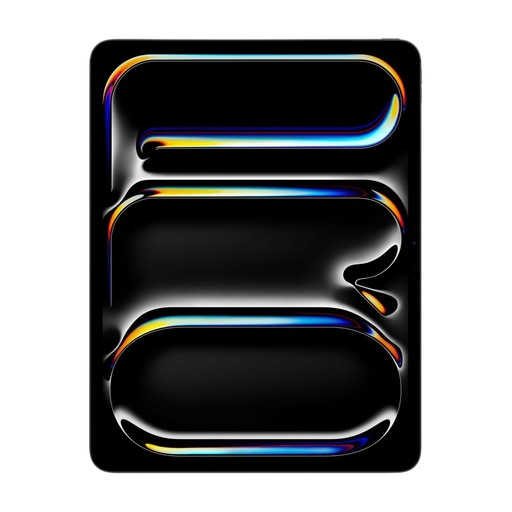 Image unavailable
The 13-inch screen is an option worth comparing for documents you look at together around the table.
Tandem OLED display with a resolution of 2752 × 2064 pixels. The product information lists Apple Pencil support; check the compatible model separately.
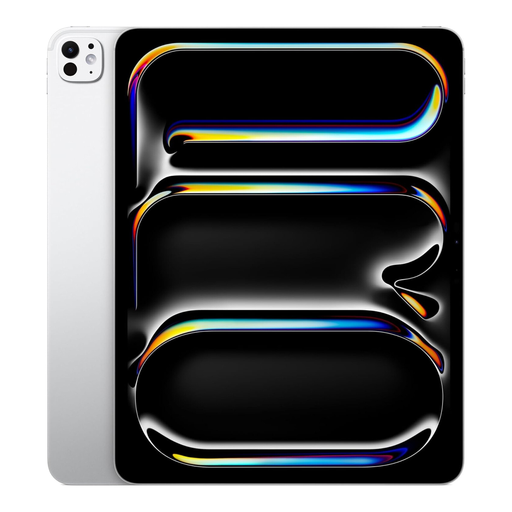 Image unavailable
The 13-inch screen suits anyone who wants to look at essays together around the table.
OLED display with a resolution of 2752 × 2064 pixels. The product information lists Apple Pencil Pro support; check the stylus model and bundle.
 Image unavailable
The 12.7-inch screen gives you a large format to compare with other tablets for reading essays around the table.
The product information lists a resolution of 2944 × 1840 pixels and an included Lenovo Tab Pen Plus.
 Image unavailable
The 12.7-inch size is a large-screen option for viewing documents at a shared table.
The product title lists a 2K screen, 256GB storage and an included stylus. The stated 20GB RAM comprises 8GB RAM and 12GB of virtual memory.
Try it with a copy of one of your own PDFs: add a comment, then check the saved or shared file. Samsung explains how to import, annotate, save and share PDFs in Samsung Notes; Apple describes annotating PDFs with Markup in supported apps.
Apple lists Apple Pencil Pro and Apple Pencil (USB-C) for the iPad Air we consulted; Xiaomi lists the Focus Pen Pro as compatible with the Pad 8 series. Before buying, check the exact tablet model and stylus, and see separately whether the stylus is included.
No. Statutory rights aren’t automatically limited to two years: according to ACM ConsuWijzer, they depend on what you could reasonably expect from the product under normal use. A manufacturer’s or retailer’s warranty is separate; if a product is faulty, the retailer is responsible for providing an appropriate solution.
For online consumer purchases, you generally have a statutory cooling-off period of up to 14 days after delivery, and you don’t need to give a reason, according to ACM ConsuWijzer. Check the relevant exceptions and conditions for unpacking and trying out the tablet before using it.