Start by choosing a tablet and apps that let you make the files and maps you need available offline before you set off. Apple Support distinguishes between files stored locally and those in iCloud Drive, while Google Maps Help explains how to download map areas separately. If you’ll use the tablet in wet conditions regularly, check the protection terms for the exact model. Samsung bases the Galaxy Tab S10 FE and its included S Pen’s IP68 rating on laboratory conditions involving fresh water. A larger screen can be useful for reading lots of PDFs and making notes, while a compact model is easier to carry. However, manufacturers’ specifications can’t tell you how easy a screen will be to read at your particular fieldwork location.
Who is this for?
Field researcher working without a signal
You want to save notes, PDFs and, if needed, maps in advance so you can find them without a network connection. Apple Support explains how to store files locally on an iPad, while Google Maps Help shows you how to download map areas for offline use.
Researcher working in wet terrain
You regularly use your tablet outdoors, so exposure to moisture and long working days are factors when choosing protection and managing battery life. Samsung provides model-specific information about protection for the Galaxy Tab S10 FE and battery swapping on the Tab Active5 Pro.
Note-taker on the move
You switch between carrying, reading and annotating, so screen size, weight and a suitable pen are all practical considerations. Apple lists the iPad mini’s dimensions and weight, while Lenovo describes an Idea Tab bundle that includes a pen.
What should you consider when choosing?
First, decide which documents and maps you’ll need to access without a signal. Then weigh up exposure to moisture, the screen space you need and how easy the tablet is to carry.
| What to consider |
What should you check? |
Who is this important for? |
| Offline files and maps |
Check where your files are stored and, before setting off, switch to aeroplane mode to test that you can open your PDF, note and map in the right apps. Google Maps Help says that downloading map areas may be restricted in some regions. |
If I’m working out of range, I want my notes, PDFs and any maps ready in advance and accessible without a network connection. Around 33% of consumers put offline access first. |
| Moisture and working time |
Read the protection terms for the exact model and check its charging or battery-swapping options. Samsung bases the Galaxy Tab S10 FE and included S Pen’s IP68 rating on laboratory conditions involving fresh water. The mAh rating alone doesn’t predict battery life with your apps and settings. |
When I regularly work in wet terrain, I want to know what conditions the device can withstand and how to plan a long day in the field. Around 27% of consumers give protection and working time top priority. |
| Carrying it on a field trip |
Compare the dimensions and weight of the exact version with how you’ll carry the tablet and the size of your documents. Apple lists the iPad mini Wi-Fi version as 8.3 inches and 293 grams. |
If I often look things up while on the move, how easily I can carry the tablet matters; a smaller screen leaves less room to view a full PDF page. Around 20% of consumers put portability first. |
| Reading and annotating |
View a representative PDF on the screen you’re considering, and check pen compatibility and what’s included with each version. Lenovo lists an 11-inch screen, 128 GB of storage and a pen for the Idea Tab bundle reviewed. |
If I want to read PDFs and make notes, I need enough screen space and a pen that’s compatible with the version I’ve chosen. Around 20% of consumers give reading and annotation top priority. |
Pitfalls to avoid
-
Assuming a cloud file or map app is available offline
A file that links to a cloud service isn’t automatically stored on your device. Downloaded map areas and documents also need to be available separately in the apps you use.
Before setting off, test the actual documents and map areas with your device disconnected from the network.
-
Assuming IP68 means unlimited protection in a marsh
Samsung says the Galaxy Tab S10 FE and included S Pen’s IP68 rating applies under specified laboratory conditions involving fresh water. It isn’t a blanket guarantee for every field situation.
Check the terms for the exact model and make sure its protection is suitable for the conditions in which you’ll use it.
-
Assuming every version comes with a suitable pen
The Lenovo pen is listed as part of a specific Idea Tab bundle. Apple says the iPad mini supports certain Apple Pencil models, but that doesn’t mean a pen is included with every version.
Before buying, check both pen compatibility and what’s included with the version you’ve chosen.
Brands to consider
Samsung
The Galaxy Tab S10 FE is worth comparing if screen space, pen use and model-specific protection are all important to you. The Tab Active5 Pro offers a different set of features, including battery swapping that may be useful during long working days.
- Samsung lists an S Pen and an IP68 rating for the Galaxy Tab S10 FE and pen under specified laboratory conditions involving fresh water. The brand also lists up to 800 nits in High Brightness Mode and microSD expansion.
- Samsung lists a 10,100 mAh battery and Dual Hot-Swap support for the Tab Active5 Pro.
- These specifications aren’t independent measurements of outdoor readability or battery life with your apps. For protection, check the terms for the exact model.
Apple
Consider the iPad mini if a compact device is important when looking up files on the move. The iPad with A16 is a separate option to explore if you’d prefer a larger screen.
- Apple lists an 8.3-inch screen and a weight of 293 grams for the Wi-Fi version of the iPad mini. The tablet supports Apple Pencil Pro and Apple Pencil (USB-C).
- Check which pen and storage option best suit the way you work and the version you’re buying. The specifications listed don’t establish water resistance.
Lenovo
The Idea Tab bundle reviewed is worth comparing if you want to read documents on an 11-inch screen and use the included pen.
- Lenovo lists 128 GB of storage, a 500-nit screen and a pen for this bundle.
- These specifications apply to the bundle described and aren’t based on independent outdoor testing. Don’t assume it has IP68 protection or that other versions include the same items.
Joybuy products for field notes and offline materials
These products are suited to viewing or annotating field materials. The product information covers both rugged models and tablets that aren’t recommended for use in damp conditions. Check the protection offered by the exact version before making your choice.
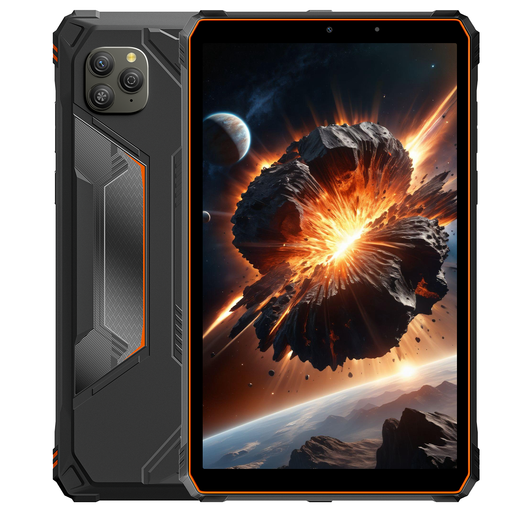 Image unavailable
Blackview Active 5 tablet, 8.68 inches, 128 GB, orange
The listed GPS and compact screen may be useful for looking up field information on the move. Check that your files and apps work offline.
The product title describes the tablet as waterproof. Don’t treat this as proof that it’s protected in your conditions; check the terms for the exact model.
The title lists 128 GB of storage and an 8.68-inch screen.
View at Joybuy
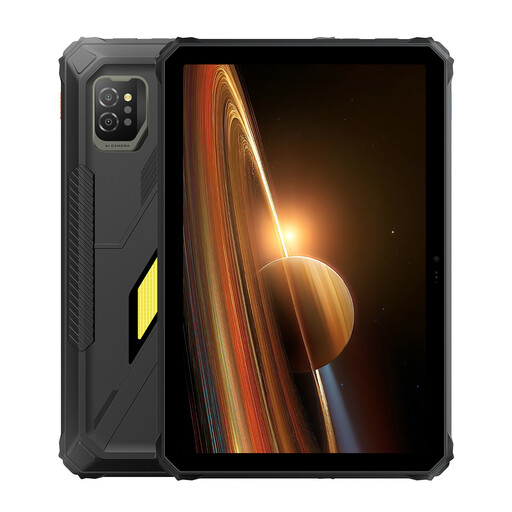 Image unavailable
Blackview Active 7 rugged tablet, 11 inches, 128 GB
The product description lists GPS and an 11-inch screen, which may suit viewing documents and location data if your apps support them.
The same description mentions a rugged design and IP68/IP69K ratings. These are product specification claims, not independent test results; check the terms for the conditions you expect to encounter.
The product information lists 128 GB of storage.
View at Joybuy
 Image unavailable
iFLYTEK AINOTE 2, 10.65-inch E-Ink tablet
The product description lists a stylus and locally stored notes, which may be useful if you want to refer to handwritten field notes.
The title lists a 10.65-inch E-Ink screen. According to the product description, speech-to-text requires an internet connection, so don’t count on using this feature offline.
View at Joybuy
 Image unavailable
TECLAST ArtPad Pro, 12.7-inch 2K, 256 GB, with stylus
The large screen and included stylus are suited to reading and annotating prepared documents, provided you use the tablet in appropriate conditions.
The product information advises against using the tablet in damp conditions. This makes it less suitable if it could be exposed to moisture during fieldwork.
The title lists 256 GB of storage and a 12.7-inch screen with 2K resolution.
View at Joybuy
 Image unavailable
Teclast P33 Case Tablet, 10.1 inches, 64 GB, accessory bundle
The title lists a stylus and a bundle that includes a case, keyboard, mouse and stand. Check that these accessories suit the way you take notes.
The product information advises against using the tablet in damp conditions. Bear this in mind if you want to use it in wet terrain.
The title lists 64 GB of storage and a 10.1-inch screen.
View at Joybuy
Frequently asked questions
How can you check whether a PDF is actually stored offline on an iPad?
Open the file in Files under ‘On My iPad’: Apple Support distinguishes between files stored locally and those in iCloud Drive. Before setting off, try opening a sample file without a network connection.
Are downloaded Google Maps maps the same as having all your field maps and notes offline?
No. Google Maps Help explains how to use downloaded map areas offline and notes that regional restrictions may apply. Check documents and data in your own fieldwork app separately.
Can you use an IP68-rated tablet in any wet area without taking extra precautions?
No. Samsung bases the Galaxy Tab S10 FE and included S Pen’s IP68 rating on specified laboratory conditions involving fresh water. Assess the conditions on site and take extra steps to protect the tablet where necessary.
Who can help if a tablet bought in the Netherlands turns out to be faulty?
According to the Dutch government, you’re entitled to a legal guarantee and the seller—not the manufacturer—must provide a solution if there’s a problem with the product. An additional warranty package doesn’t replace these rights.
Does the GDPR apply to downloaded field notes?
It depends on what they contain. The Dutch Data Protection Authority lists location data relating to individuals and recognisable images as examples of personal data; the GDPR may apply in those cases. Data relating only to a location or species isn’t automatically personal data.


