If you mainly write longer passages, start with a tablet and keyboard you find comfortable to use; for quick thoughts, pen support may matter more. Check that your document app and any business software are compatible with the operating system, and weigh screen space against the size and weight of the complete setup. A Windows 2-in-1 is worth considering if you need specific Windows software; for other ways of working, an iPad or Android tablet may be a better fit.
Who is this guide for?
Speechwriter who does a lot of typing
You write longer passages between appointments and want to assess the keyboard, document app and overall carrying weight first. The Consumers' Association points out that a laptop may be more convenient for word processing.
Gathering ideas on the go
You jot down individual sentences or notes during short breaks and weigh pen support against size and weight.
User of business software for Windows
Your speech is part of an existing Windows workflow, and you want to check that the software you need works on the model you’re considering.
What should you look for?
First decide whether you’ll mainly type longer passages, jot down quick ideas or need existing software. Then consider the size, accessories and document app.
iPad with keyboard
A good fit if: you mainly write in compatible iPad apps and want a portable setup.
Consider: check that your documents and workflow work in the apps you choose; the keyboard and pen are extra items to carry.
Android tablet with pen or keyboard
A good fit if: you want to jot down quick ideas with a pen or type on an Android tablet.
Consider: accessories vary by model, so check what’s in the box, the keyboard layout and your document app.
Windows 2-in-1
A good fit if: your speech depends on specific Windows software that you’ve checked works on the model you’ve chosen.
Consider: if you’re using Windows on Arm, check that essential apps and peripherals work; the keyboard and pen may be sold separately.
| What to consider |
What should you check? |
Who should pay particular attention? |
| Typing longer passages |
Try the keyboard layout and stability; check that the case fits the tablet and is included. |
If you write longer passages between appointments, you’ll want to type without any hassle. Around 33% of consumers prioritise being able to write continuously and comfortably. |
| Portability |
Compare the size and weight of the tablet and case with where you travel and work. |
If you need to carry your tablet around often, a larger screen can give you more room but also add weight. Around 27% of consumers prioritise carrying a lightweight device. |
| Documents and software |
Test a representative document in the app you plan to use; check editing, local storage and syncing. |
If you work with existing documents or specific business software, try out that workflow in advance. Around 20% of consumers focus mainly on compatibility with the software they already use. |
| Notes and data |
Check pen support and whether the pen is included; follow your organisation’s security policy when handling client data. |
A pen can be handy for jotting down quick ideas. If the device holds personal data, security matters too. Around 20% of consumers prioritise note-taking or handling data carefully. |
Common pitfalls
-
Judging the tablet on its own
For longer pieces, the keyboard can make all the difference to how comfortable it is to work.
Compare the complete compatible setup and check which accessories are included with the exact model.
A compatible keyboard or pen may be sold separately.
-
Assuming a bigger screen is automatically better for travelling
More screen space means a larger tablet, and weight varies by model too.
Consider the tablet and case together, based on where you usually travel and write.
-
Assuming every Windows app works the same on Arm
Microsoft explains that some apps are made for Windows on Arm, while others run through emulation. A general compatibility statement doesn’t tell you whether your particular app is suitable.
Before you buy, check that your essential app and peripherals work with the exact model.
Brands to consider
Apple
The iPad Air is an iPadOS option available in 11- and 13-inch sizes, with support for Apple Pencil and the compatible Magic Keyboard.
- Apple lists the Wi-Fi models as weighing 464 grams for the 11-inch version and 616 grams for the 13-inch version, without accessories.
- Check that your documents and workflow are suited to iPad apps, and find out which accessories you’ll need.
Samsung
The Galaxy Tab S11 reviewed here is an Android option for anyone looking to combine S Pen note-taking with tablet use.
- Samsung lists a pen that doesn’t need charging and a DeX view.
- These features don’t necessarily mean it’s comfortable to type longer passages; assess a keyboard separately.
Microsoft
The Surface Pro reviewed here is a Windows option with a detachable keyboard.
- Microsoft says the Surface Keyboard and Slim Pen are sold separately.
- Microsoft says most Windows apps work on Windows on Arm, some through emulation. Check that your required apps and peripherals work with the exact model.
Lenovo
The Idea Tab Plus is an Android option for using a pen and typing. The Dutch bundle reviewed here includes a pen and folio keyboard.
- Lenovo lists that bundle as having a QWERTY keyboard with a US International layout, and the tablet alone weighs around 530 grams.
- If you’re considering a different bundle, check again which accessories are included.
Xiaomi
The Pad 8 is an Android option with support for the Focus Pen Pro and an 11.2-inch screen.
- Xiaomi lists a weight of 485 grams and a typical battery capacity of 9200 mAh.
- The usage times quoted by Xiaomi are for video and online meetings, not writing a speech.
Products at Joybuy
This selection includes Android tablets, an iPad and a Windows 2-in-1 for typing, taking notes or working with existing software. Check the size, included accessories and overall carrying weight for each model.
 No image available
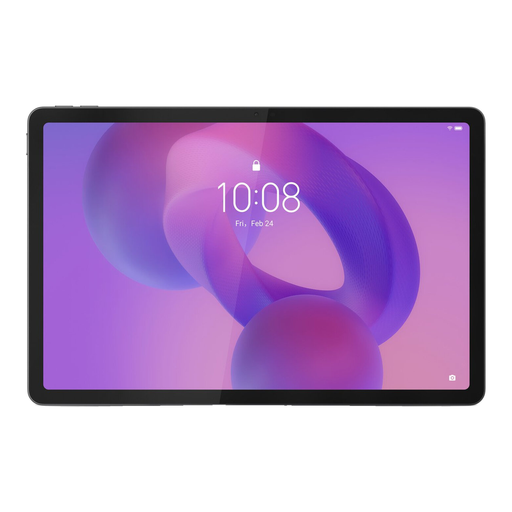
Lenovo Idea Tab, 11 inch, 256 GB, Wi-Fi, Android 15, grey, with stylus
A model with a stylus for jotting down quick ideas by hand.
11 inch, 256 GB storage, Wi-Fi and Android 15. According to the product information, the charger must be purchased separately.
View at Joybuy
 No image available
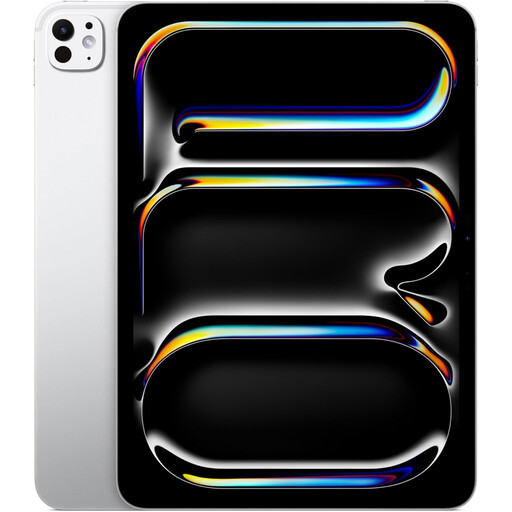
Apple iPad Pro M5 (2025), 11 inch, 1 TB, Wi-Fi, silver
An option for anyone who wants to work on iPadOS and use a keyboard or pen with their tablet.
11 inch, 1 TB storage and Wi-Fi; the product information lists support for Magic Keyboard and Apple Pencil.
View at Joybuy
 No image available
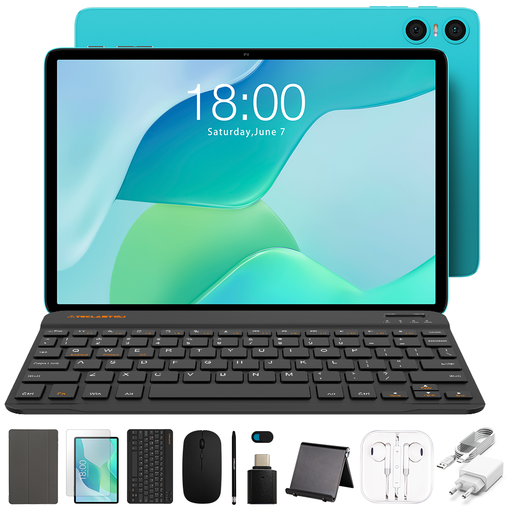
Teclast P33 Case, 10.1 inch, 64 GB, with English Bluetooth keyboard and stylus
This bundle is aimed at anyone who wants a keyboard and stylus to go with their tablet.
10.1 inch, 64 GB storage and 9 GB RAM, described as 3 GB RAM plus 6 GB virtual expansion. The title also lists a Bluetooth mouse and tablet stand.
View at Joybuy
 No image available
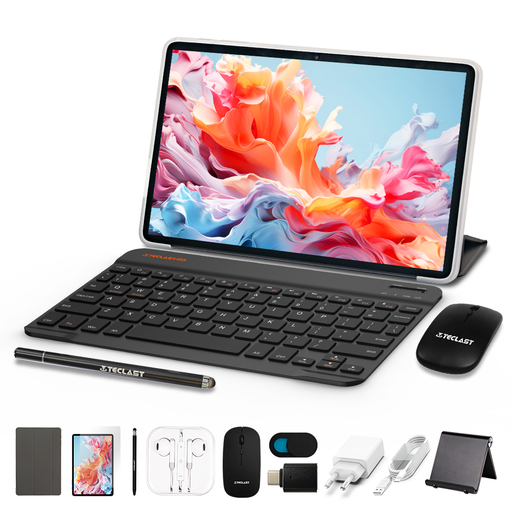
TECLAST P30TCase, 10.1 inch, Android 16, 128 GB, with keyboard case and stylus
A model with a keyboard case and stylus for anyone who wants to type and make quick notes.
10.1 inch and 128 GB storage. The title lists 3 GB RAM plus 13 GB virtual expansion, and a mouse in the bundle.
View at Joybuy
 No image available
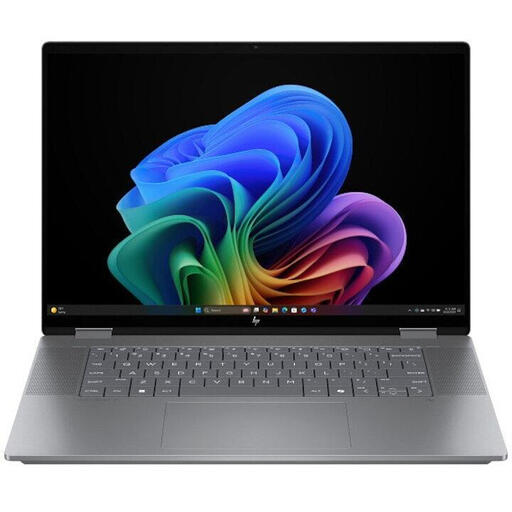
HP OmniBook X Flip NG AI PC 16-ar0070nd, QWERTY keyboard
A 2-in-1 option for anyone who prefers a keyboard-focused workflow and is happy with the size of the device.
The product information lists a 16-inch screen and a weight of 1.890 g. According to the product information, the charger must be purchased separately.
View at Joybuy
Frequently asked questions
Can I carry on working on my speech without an internet connection?
It depends on the app and whether the document is available on your device. Microsoft describes autosave for supported mobile Office apps. Before you set off, check that you can edit your document offline and that it syncs when you reconnect.
Do I need a keyboard as well as a pen for my tablet?
Not necessarily for quick notes, but it’s worth trying the keyboard setup yourself if you’ll be writing longer passages. Check whether the pen and keyboard are included with each model: the Lenovo bundle reviewed here includes both, while Microsoft sells the Surface Keyboard and Slim Pen separately.
Will my Windows software work on a Surface running Windows on Arm?
You’ll need to check for the specific app and model. Microsoft says some Windows apps run through emulation; also test any peripherals you need for work.
Can I hold a tablet while driving to edit my speech?
No. According to the Government of the Netherlands, you must not hold a mobile electronic device while driving; tablets are specifically included. Only use the device once you’ve stopped safely.
What should I consider if my draft contains client data?
If your organisation processes personal data, it must protect it appropriately according to the risks, as advised by the Dutch Data Protection Authority. Follow your organisation’s policy and pay particular attention to access security and regular updates.


