Tablets at Joybuy
These Joybuy tablets are suited to word puzzles on the go and include a range of screen sizes and versions. Check whether Wi-Fi is enough for your app and how much screen space you want.
 No image available
Samsung Galaxy Tab A11 X135 64GB Silver
An option to compare if you’re looking for a tablet for puzzles on the go. The product name lists 64 GB of storage; check the product page to see which network version is available.
Joybuy
 No image available
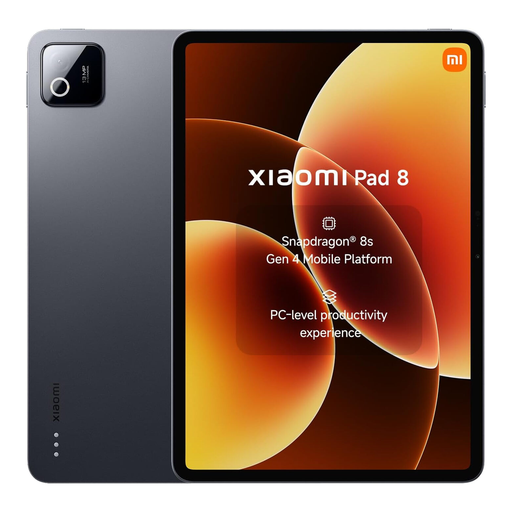
Xiaomi Pad 8 Grey, 8 GB RAM, 256 GB storage
A tablet option to assess based on your puzzle app and preferred screen size. The product name lists 8 GB RAM and 256 GB storage; those details alone don’t tell you how a specific app will perform.
Joybuy
 No image available
Lenovo Tab 4G Mediatek LTE, 10.1 inches, 128 GB
The listed 10.1-inch screen may suit you if you want more reading space than a compact model offers. The product name also lists LTE, 4 GB RAM, 128 GB storage and Android 14; check whether your app needs mobile data.
Joybuy
 No image available
TECLAST T65, 13.4 inches, Dual SIM 4G, 128 GB storage
The listed 13.4-inch screen is worth comparing if screen space matters more to you than portability. The product name lists Dual SIM 4G and 128 GB storage; the stated 20 GB RAM consists of 6 GB RAM and 14 GB of virtual memory.
Joybuy
 No image available
TECLAST T70 Pro, 14 inches, 2.2K, Dual 4G
According to the product name, this model has a 14-inch screen. Compare its size with the screen space your puzzle app needs and how easy you want the tablet to be to carry. The title also lists 2.2K, Dual 4G and 128 GB storage.
Joybuy
Frequently asked questions
Can I play word puzzles without Wi-Fi at the terminal?
That depends on the app and the game mode you choose, not just the tablet. A Dutch-language word search app we reviewed in the Apple App Store lists offline play and in-app purchases. Download and test your chosen game without a network connection before you set off.
Do I need to buy an LTE tablet for puzzles on the go?
Not if your game works offline and you don’t need any other online features. If you do, compare an LTE version with Wi-Fi and a phone hotspot, and check your data plan and the connection available where you’ll be.
What should I check when setting up and charging the tablet?
Install your chosen app beforehand, download any game content you need and test the offline features. Also check which charging accessories come with the exact version; the Samsung Wi-Fi page we reviewed mentions a USB-C cable, but no mains adapter.
What are my return and warranty rights when buying online in the Netherlands?
According to the Dutch Government, distance purchases are often covered by a 14-day cooling-off period. If a product is faulty, the seller must provide a solution; there is no fixed statutory warranty period in the Netherlands. Check any additional cover separately from these rights.
Does an EU energy label apply to every tablet?
Not to every tablet indiscriminately. The European Commission says that, from 20 June 2025, energy labelling rules apply to categories including slate tablets placed on the EU market from that date, and distinguishes these from certain tablet computers. For a model covered by the rules, check its label and product information sheet.


