
Vandaag of morgen in huis

Kwaliteit gegarandeerd

Welkomstaanbiedingen ontgrendelen: GRATIS bezorging | Tot 80% korting | Gratis 30 dagen JoyPlus-proefperiode
Download de app
Do you love the flexibility of a tablet but miss the convenience of a physical keyboard for your studies, work, or typing long emails? A laptop is often bulky and expensive, while a standard tablet isn't always practical for productivity. The solution is a tablet with keyboard: a versatile combination that offers the best of both worlds.
As a Joybuy Product Recommendation Officer, I'm here to help you navigate the options. In this article, you won't find marketing fluff, just practical information and a selection of complete sets that are ready to use right out of the box. We'll look at models suitable as a tablet for school, for light professional use, or as a handy device for the whole family.
Before you make a choice, it's helpful to know which specifications are important. Here are a few key points to help you find the right set for your needs.
The screen size largely defines the user experience. A larger screen (11 inches or more) is more comfortable for multitasking and watching movies, and can be a great laptop replacement tablet. A more compact screen (around 10 inches) is lighter and more portable. Also, pay attention to the resolution. A Full HD (1920x1080) or 2K resolution provides a sharp and clear picture, which is easier on your eyes during long study sessions or workdays.
The processor and RAM determine how smoothly the tablet runs. For everyday tasks like browsing, emailing, and word processing, 4GB of RAM is often sufficient. If you plan to use multiple apps simultaneously or enjoy gaming, 8GB of RAM or more is a better choice. Many modern Android tablets offer virtual RAM expansion, which can give performance an extra boost. The storage space (ROM) determines how many apps, documents, and photos you can save. 128GB is a good starting point, ideally with the option to expand it with a microSD card.
A tablet with case and keyboard is built for mobility. A large battery (measured in mAh) is therefore essential. A capacity of 6000mAh or more ensures you can get through the day without constantly searching for a power outlet. Also, consider how you want to connect. Wi-Fi is standard, but if you want to be online on the go without relying on public networks, a model with 4G/5G support (Dual SIM) is worth considering.
Based on the criteria above, we have selected a few compelling options. These are complete sets that include the keyboard, so you can get started immediately.
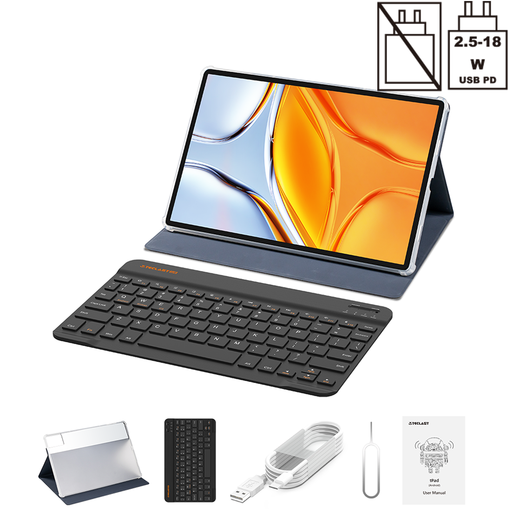
Why It Stands Out: The Teclast T70 immediately catches the eye with its massive 14-inch 2.2K screen. This size makes it a serious contender for anyone looking for a tablet for work who deals extensively with documents or spreadsheets. The combination of a powerful battery and generous specs makes this a productivity-focused model.
Advantages:
Who is this tablet for? Ideal for students and professionals who need a large screen for multitasking and productivity. It's a strong option if you're looking for an affordable alternative to a traditional laptop.
View the Teclast T70 on Joybuy.nl
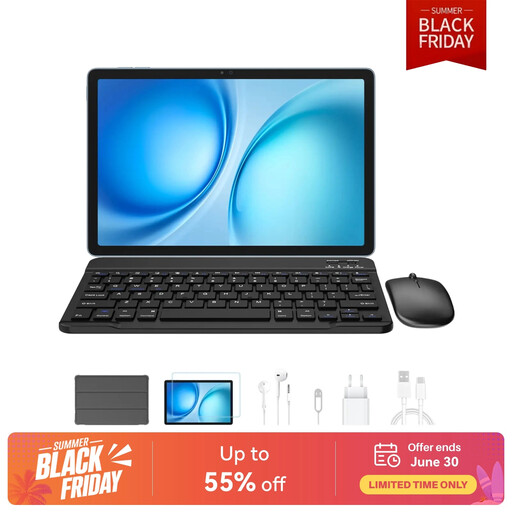
Why It Stands Out: The Blackview Zeno 10 is a very complete package that includes not only a keyboard but also a stylus. With an 11-inch 2K screen featuring a 90Hz refresh rate, it offers a smooth visual experience. The PC Mode, which the manufacturer claims provides a desktop-like interface, makes it a versatile Android tablet with keyboard.
Advantages:
Who is this tablet for? Suitable for users seeking an all-in-one package for both productivity and creativity. The included stylus and PC Mode make it a flexible choice for students and creative professionals.
View the Blackview Zeno 10 on Joybuy.nl
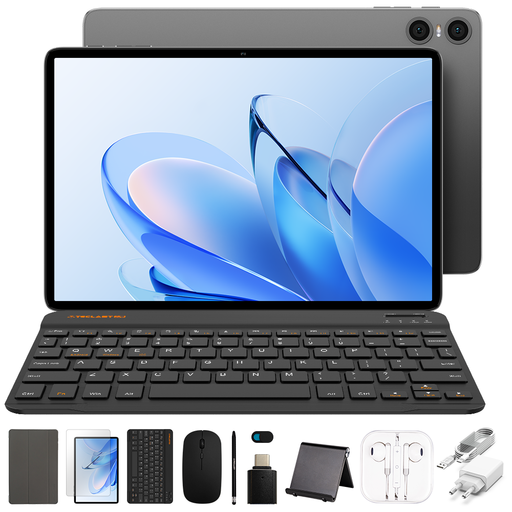
Why It Stands Out: Are you looking for a budget-friendly tablet with keyboard that still offers a complete experience? The Teclast P30T set is a highly accessible option. This bundle includes not only a tablet and a keyboard case but also a separate mouse and stylus. This makes it an ideal starter kit for basic use.
Advantages:
Who is this tablet for? Perfect for students, families, or anyone looking for an affordable and complete set for light tasks like browsing, emailing, attending online classes, and editing documents.
View the Teclast P30T Set on Joybuy.nl
Our selection extends beyond these three recommendations. Are you looking for a different size, a specific feature, or do you just want to compare more options? Then take a look at our full category. There you will find a wider range of tablets with keyboards to suit various needs and budgets.
View all tablets with keyboards
For many tasks, yes. For word processing, email, browsing, creating presentations, and video calls, a tablet with keyboard is an excellent, and often lighter and more affordable, alternative. For demanding software like video editing, complex graphics programs, or specific business applications, a laptop is typically more powerful.
An Android tablet with keyboard offers access to millions of apps via the Google Play Store, a user-friendly interface, and often a more favorable price than alternatives. The integration with Google services like Drive, Docs, and Gmail is seamless, making it a convenient device for both study and work.
Yes, most tablets can connect to a universal keyboard via Bluetooth. However, the advantage of a tablet with case and keyboard as a complete set is that the fit is guaranteed, the case provides protection, and the bundle is often more cost-effective than purchasing the accessories separately.
