If reflections from your window make it difficult to see waterway scans, start by looking for a tablet whose specific version has a matte or anti-reflective screen option. A high brightness rating alone won’t eliminate reflections. You’ll also want enough screen space for map details, so test your own scan to see whether your preferred app supports zooming and annotation. If you want to search for text in a scan, you may need OCR first.
Who is this guide for?
Reading beside a bright window
If you view archive scans in a fixed spot where window reflections fall across text or maps, compare the specific matte or anti-reflective screen versions. Apple Netherlands, Lenovo Netherlands and Huawei Netherlands describe these options for certain models or versions.
Looking closely at maps and scans
If you often zoom in on waterways, labels and small text, weigh screen space against weight and ease of handling. The Consumers’ Association notes that extra-large tablets offer more screen space, but are less easy to carry around.
Annotating archive documents
If you want to highlight passages or make notes, test your own files with the app and stylus you plan to use. Adobe describes OCR as a way to make text in scanned PDFs searchable; the Samsung Galaxy Tab S10 Lite is listed with an S Pen.
What should you look for?
Matte or PaperMatte version
Choose this option: if reflections are your main concern, compare a specific matte Lenovo model or the PaperMatte version of the Huawei MatePad 11.5 2025 with your own scan.
Bear in mind: matte versions are not the same as standard models; also check that your preferred apps are available.
iPad Pro M5 with nano-texture glass
Choose this option: if you need iPadOS and specifically want nano-texture glass.
Bear in mind: Apple lists this option only for 1 TB or 2 TB storage versions; peak brightness of 1600 nits applies to HDR content, not as an SDR rating for scans.
Tablet with a stylus
Choose this option: if notes and a stylus matter more to you than a built-in matte screen, as with the Galaxy Tab S10 Lite, for example.
Bear in mind: a stated peak brightness does not prove that window reflections will disappear; test the screen where you’ll be using it.
When viewing waterway scans beside a bright window, reflections, detail, working with files and ease of handling all come into play. Decide which of these matters most to you.
| What to consider |
What to look for |
Who should pay particular attention? |
| Window reflections |
Check whether the specific version is described as Matte, PaperMatte or nano-texture glass; view your own scan in similar lighting. |
If I need to avoid certain ingredients |
| Scan details |
Open a representative map or scan and assess small labels, lines and how much you need to zoom in. |
If I need to read small labels, I want enough screen space and detail. Consumers who prioritise scan details make up around 27% of consumers with that priority. |
| Files and notes |
Test whether the app opens your files and supports zooming and annotation; check whether text in scans is searchable. |
If I want to highlight or find passages again, my particular combination of scan, app and stylus needs to work. Consumers who prioritise annotation and working with files make up around 20% of consumers with that priority. |
| Ease of handling |
Compare the size and stated weight, and hold the tablet in your usual reading position. |
For longer reading sessions, I want a tablet that’s comfortable to hold without giving up more screen space than necessary. Consumers who prioritise ease of handling and battery life make up around 20% of consumers with that priority. |
Common purchasing pitfalls
-
Assuming a product family has just one screen version
PaperMatte and Standard are separate versions of the Huawei MatePad 11.5 2025. Apple offers nano-texture glass for the iPad Pro M5 only on models with 1 TB or 2 TB of storage.
Before ordering, check the full model and version name, as well as the screen specification.
-
Assuming HDR peak brightness applies to ordinary scans
Apple lists peak brightness of 1600 nits for HDR content and separately states a maximum SDR brightness of 1000 nits for the iPad Pro M5.
Compare brightness ratings on a like-for-like basis and assess reflections using your own scan.
-
Mistaking an image-only scan for a tablet problem
Text in a PDF scanned from paper may need OCR before you can search it.
First, test whether you can select or search for text. If not, look into OCR before making it a factor in your tablet choice. This may require extra time or software.
-
Assuming a stylus or screen protector is included without checking the model
The matte Lenovo bundle lists a stylus, while another Idea Tab Pro version has a glossy screen. Samsung’s anti-reflective screen protector is designed for the Tab S10 Ultra and S9 Ultra, not automatically for the S10 Lite.
Check what’s included in the specific offer and whether accessories are compatible with the full model number. An accessory that’s missing or doesn’t fit may need to be bought separately.
Brands to consider
Apple
Worth considering if you want iPadOS and are looking at a specific iPad Pro M5 version with nano-texture glass.
- Apple Netherlands lists an anti-reflective coating and up to 1000 nits SDR brightness for the 11-inch and 13-inch iPad Pro M5.
- Nano-texture glass is optional on models with 1 TB or 2 TB of storage. The stated peak of 1600 nits applies to HDR content.
Lenovo
Worth considering if you want a large Android tablet with an explicitly matte screen version and a stylus.
- Lenovo Netherlands lists a 12.7-inch screen with 2944 × 1840 pixels, 400 nits and an included Tab Pen Plus for the matte Idea Tab Pro bundle.
- Check that the offer is for the matte version; another Idea Tab Pro listing describes a glossy screen.
Huawei
Worth considering if you’re looking at the 11.5-inch MatePad 11.5 2025 with a PaperMatte screen.
- Huawei Netherlands distinguishes between the PaperMatte and Standard versions and lists a resolution of 2456 × 1600 pixels for the model.
- The reduced-reflection claim comes from Huawei and relates to the PaperMatte version; it isn’t an independent comparison. Check that the app you need is available through an installation method you can use.
Samsung
Worth considering if an included stylus and a 10.9-inch screen are important to you.
- Samsung lists Vision Booster, an included S Pen and up to 600 nits peak brightness for the Galaxy Tab S10 Lite.
- Peak brightness is not an independent measurement of reflections beside a window. Check that accessories are compatible with the exact model.
TCL
Another option to explore if you’re interested in the NXTPAPER 11 Plus and its paper-like screen approach.
- TCL Netherlands lists an 11.5-inch screen with 2.2K resolution for the NXTPAPER 11 Plus.
- The paper-like display description comes from TCL; check the exact version and assess it where you’ll be using it.
Joybuy tablets for scans and notes
Explore these Joybuy products as options for viewing or annotating scans. For each model, check that the screen and the apps you need suit your workspace and files.
 No image available
Apple iPad Air (M4), 13-inch, Wi-Fi, 128 GB, Starlight
A 13-inch iPad Air for viewing scans on a larger screen; the product information lists ultra-low reflectivity for the Liquid Retina display.
Apple Pencil Pro and Magic Keyboard are sold separately.
View at Joybuy
 No image available
iFLYTEK AINOTE Air 2
An E-Ink tablet with a stylus for making notes alongside archive material; the product information describes the screen as no-glare. Assess the effect with your own scans and lighting conditions.
Check that your preferred app supports the file formats you use and annotation.
View at Joybuy
 No image available
Lenovo IdeaTab, 11-inch, 8 GB, 128 GB
An 11-inch tablet with an included Lenovo Tab Pen for viewing scans and making notes.
IPS screen, 2560 × 1600 pixels, 90 Hz, 500 nits and Android 15. The charger isn’t included and must be bought separately.
View at Joybuy
 No image available
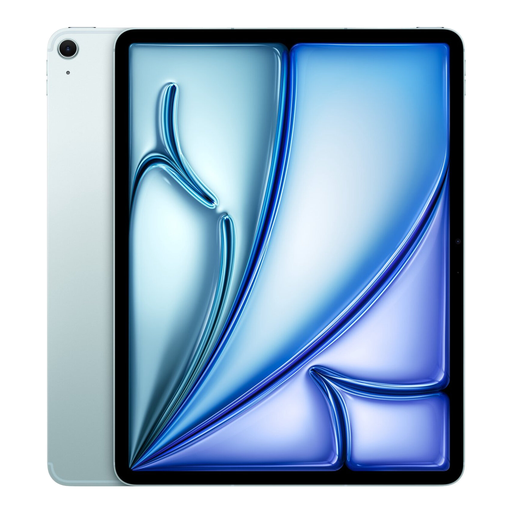
Apple iPad Air (M3), 13-inch, Wi-Fi + Cellular, 512 GB, Blue
A 13-inch iPad Air for viewing map details on screen; the product information lists an anti-reflective coating.
Resolution: 2360 × 1640 pixels. Test it with your own scan to see whether the display and the app you need suit the way you use it.
View at Joybuy
 No image available
iFLYTEK AINOTE 2, 10.65-inch, E-Ink
An E-Ink tablet for reading scans and making notes; the product information mentions handwriting-to-text conversion.
The product information describes the screen as no-glare. Assess readability with your own files and in the lighting conditions where you’ll be using it.
View at Joybuy
Frequently asked questions
Can I search for text in every digitised archive scan?
No, it depends on the file. Test whether you can select or search for text; Adobe describes OCR as a way to make text in a PDF scanned from paper searchable.
How can I test a tablet for use beside a window?
Open a representative scan of your own in similar lighting, and compare reflections, zooming and ease of handling. The Consumers’ Association recommends choosing a tablet size that suits the way you’ll use it and trying tablets out.
Does a tablet with a paper-like screen always come with a stylus?
No, check the exact version and what’s included in the offer. Lenovo lists a Tab Pen Plus with the matte Idea Tab Pro bundle, and Samsung lists an S Pen with the Galaxy Tab S10 Lite. A stylus being mentioned for a model doesn’t confirm that it’s included with every version.
What are my rights in the Netherlands when I buy a tablet online?
According to the ACM, online consumer purchases generally come with a cooling-off period of up to and including 14 days after delivery, subject to legal exceptions. The seller is also responsible for the statutory guarantee if a product is faulty; a manufacturer’s guarantee does not replace this legal right.


