
People who study in short sessions
If you mainly revise individual words or flashcards and often take your tablet with you, a compact model could be practical. The Consumers’ Association describes smaller tablets as handy for use on the go.


For short revision sessions at a small café table, a compact tablet is an obvious choice. Just check that your vocabulary app works with the model’s operating system. A larger screen is more convenient if you want to view long lists or notes at the same time, but it’s less portable. Choose a model with mobile data only if Wi-Fi, offline practice or your phone’s hotspot won’t do the job.
If you mainly revise individual words or flashcards and often take your tablet with you, a compact model could be practical. The Consumers’ Association describes smaller tablets as handy for use on the go.
A larger screen gives you more room to view text or keep notes alongside it. The trade-off is that a larger device is less portable.
If you don’t want to rely on the café’s Wi-Fi, check that your app and vocabulary lists are available offline in advance and sync later.
First, choose between a compact size for short sessions and more screen space for longer lists. Then check which app and type of connection you need.
| What to consider | What to look for | Who is this important for? |
|---|---|---|
| Portability | Compare the dimensions and weight of the exact model, and try out the text size in your own app. | If you often take your tablet with you and mainly revise short vocabulary lists, portability matters. Around 33% of consumers put portability first. |
| Reading space | View an actual list at your preferred text size and weigh up screen size and weight together. | If you want to view longer lists or notes at the same time, extra screen space is worth considering. Around 25% of consumers prioritise reading space. |
| Offline use and mobile data | Test whether your app and lists work offline. If you need your own internet connection, check whether the model is an LTE or cellular version and which mobile service it supports. | If you want to practise without café Wi-Fi, first check your app’s offline features. You’ll need a compatible model for mobile data without Wi-Fi. Around 25% of consumers prioritise connectivity or offline access. |
| Running costs and apps | Check what’s in the box, whether you need any extra accessories, and which app features are paid. Also check that your existing app and lists are available on the operating system you choose. | If you want to avoid extra spending on accessories, apps or a mobile service, check what you need before choosing. Around 17% of consumers put total running costs first. |
Wi-Fi and LTE or cellular models are different versions. A SIM card alone won’t give a Wi-Fi model its own mobile connection.
Check the full model name and decide first whether offline practice or your phone’s hotspot will be enough for you.
Extra space can help with long lists, but a larger device is less portable. The Consumers’ Association specifically recommends smaller tablets for use on the go.
Compare the weight of the exact model and check how your list appears on screen.
Offline features can vary between apps. Accessories you need, such as a stylus or adapter, may also be sold separately from the tablet.
Check which app features you use and what’s included with the exact model.
A mobile service, paid app tier or separately purchased accessory could affect your choice and running costs.
The Galaxy Tab A11 range includes compact Wi-Fi and LTE models. Compare the exact version with your need for a separate mobile connection.
The Tab One is a compact Android option where the model code and configuration matter.
The Redmi Pad 2 is a larger alternative for people who want to view longer lists.
The 11-inch iPad (A16) is worth considering if your vocabulary app or existing workflow requires iPadOS.
The Pad Lite is an 11-inch Android option to compare if screen space is your priority.
These tablets are suited to short revision sessions, extra reading space or a need for mobile data. Check that the connection and vocabulary app on each version suit the way you plan to use it.
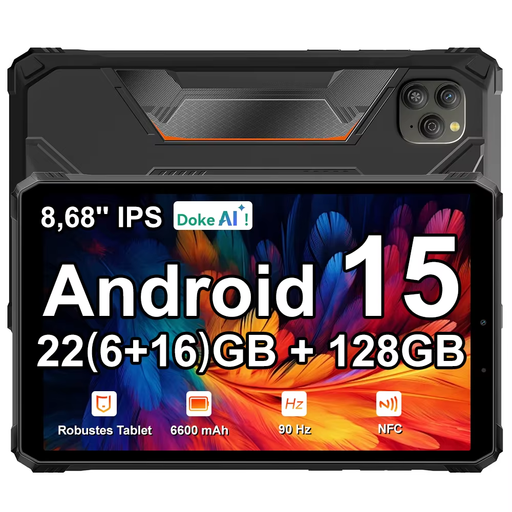 No image available
Its compact size suits short revision sessions on the go. Check that your vocabulary app works on Android.
8.68-inch IPS screen, 90 Hz, 128 GB ROM and Android 15.
 No image available
This compact LTE model could suit you if you want your own mobile connection as well as a tablet for short sessions. Check which mobile service you’ll need.
8.7-inch screen, 4 GB RAM and 64 GB storage.
 No image available
The title specifies 5G, which may suit you if an independent mobile connection is important. Check that your vocabulary app and preferred lists work on this model.
8 GB RAM and 256 GB ROM.
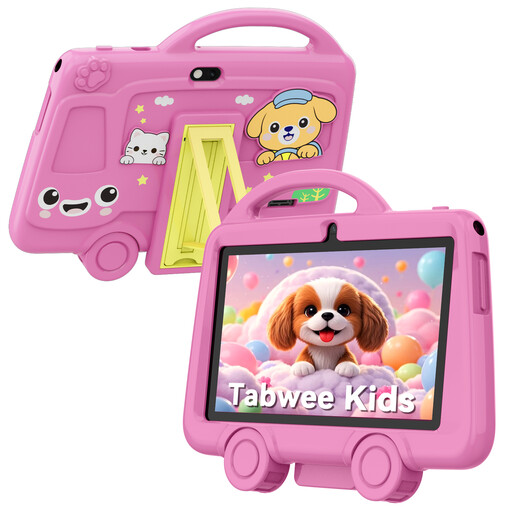 No image available
The 7-inch size suits short sessions on the go. Check that text in your vocabulary app is comfortable to read on this screen.
2 GB RAM and 32 GB storage.
 No image available
An 11-inch screen could suit you if you want to view longer lists, but bear in mind that a larger device is less portable.
11-inch screen, 128 GB storage and Wi-Fi.
That depends on your app and whether your lists are available. Wozzol says its Android and Apple apps work offline temporarily and sync later. Try your own lists offline before you go.
Not if you practise offline or use Wi-Fi. To use mobile data directly on your tablet, you’ll need a suitable LTE or cellular model and a compatible mobile service. Buying a SIM card alone won’t add this capability to a Wi-Fi model.
Make your lists available in advance, check the battery level and install any available software updates. Battery life depends on settings and use; a manufacturer’s estimate isn’t a guarantee of how long it will last at your chosen screen brightness in a café.
According to the Dutch government, the seller is responsible for providing a remedy under the Dutch statutory guarantee. The Netherlands has no fixed statutory guarantee period; in many cases, online purchases from a business also come with a 14-day cooling-off period.
According to the European Commission, energy labelling and ecodesign requirements apply to eligible slate tablets placed on the EU market from 20 June 2025. Whether they apply depends on the product category and when it was placed on the market, so check the information for the specific model.