
Traveller with short study sessions
Wants to carry vocabulary lists easily and go over them by hand in their hotel room. The choice is between a compact screen and the extra reading space offered by larger models.


Choose a tablet to suit how you use your vocabulary lists: go for a compact screen if portability and ease of holding matter most, a larger screen for long lists, or a model with a compatible pen if you take notes. Before you buy, check that your files and learning app work on the device you choose. Save your lists for offline use if you don’t want to rely on hotel Wi-Fi.
Wants to carry vocabulary lists easily and go over them by hand in their hotel room. The choice is between a compact screen and the extra reading space offered by larger models.
Wants to see more words at once and checks that files are easy to open and read on the tablet they choose.
Wants to use existing lists without an internet connection and checks the offline features of their learning app in advance.
| What to consider | What should you check? | Who is this important for? |
|---|---|---|
| Portability or screen space | Compare the screen diagonal and weight of the exact model. If possible, view one of your own vocabulary lists on the screen. | If I’ll mainly be carrying the tablet and revising short lists by hand, I’ll weigh up portability against the space available for text. For consumers who prioritise portability, this accounts for around 33%. |
| Reading longer lists | Open a sample of your own file and check the font size, zoom options and reading view in your app. | For long lists, I want enough text on screen without having to zoom in all the time. Around 25% of consumers prioritise screen space as their main need. |
| Offline access | Check that your specific app and lists work offline, download them in advance and test them without an internet connection. | If the hotel Wi-Fi is unreliable, I want to be able to open my saved lists without an internet connection. For consumers who prioritise offline access, this accounts for around 25%. |
| Taking notes | Check pen compatibility, what’s included in the bundle you choose and whether your app saves annotations. | If I want to highlight words or write notes, I’ll also check that the pen is compatible with my app and tablet model. Around 17% of consumers make note-taking their top priority. |
Offline access depends on the app and on saving the right lists in advance. Quizlet describes offline sets in its iOS and Android apps, but this feature isn’t automatically available for every app or set.
Check the terms for your own app and test your lists with your connection switched off before you leave.
A tablet may work with a pen without including one in the model you choose. The Dutch product listing for the Lenovo Tab M11 model we looked at includes a Pen; Apple lists Pencil compatibility for specific iPad models.
Compare the exact model and bundle description, and check that the pen is suitable for the app you want to write in.
If your chosen bundle doesn’t include a suitable pen, you may need to buy one separately.
The Rijksoverheid states that the statutory warranty has no fixed time limit. Assuming a standard number of years could therefore give you the wrong idea of what applies to the product.
Read the terms of any additional warranty and contact the retailer if something goes wrong.
The Galaxy Tab A11 Wi-Fi 64 GB model we looked at is an Android option with an 8.7-inch screen.
The Redmi Pad 2 we looked at has an 11-inch screen, making it an option to compare if screen space is your priority.
The Tab M11 ZADA0134SE we looked at is worth considering if you want to highlight words or take notes.
The iPad (A16) is an iPadOS option if your files and learning apps work with that system.
These tablet options are suited to anyone who wants to read vocabulary lists on a larger screen, with or without mobile data.
 No image available
The LTE model could suit you if you want mobile access as well as pre-downloaded lists; check that you have a data plan and coverage.
The product name lists 6 GB and 128 GB of storage.
 No image available
The 8.7-inch screen is a compact option for short lists. If you often read long lists, compare the available screen space with your own files.
The product name lists 4 GB RAM, 64 GB of storage and LTE.
 No image available
The product name lists an 11-inch screen. If you want to read more text at once, compare how it displays one of your own vocabulary lists.
The product name lists 128 GB of storage and Wi-Fi.
 No image available
The product name lists an 11-inch screen and 4G LTE. Check that mobile access suits the way you use your tablet and the connectivity available while travelling.
The name lists 32 GB RAM, made up of 6 GB and 26 GB of virtual memory, and 128 GB ROM.
 No image available
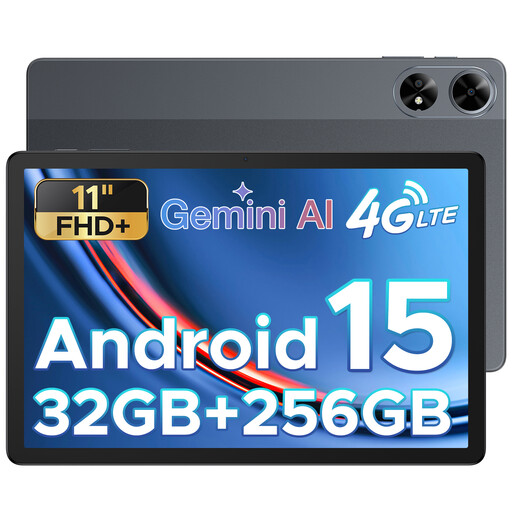
The product name lists an 11-inch screen and a SIM card slot. Check which mobile connection and app compatibility you need.
The name lists Android 15, 32 GB RAM and 256 GB ROM.
Yes, as long as your app and lists are available offline. Quizlet describes how to save sets for offline use in its iOS and Android apps. Test your own set with your connection switched off before you leave, as not every app or set works offline automatically.
Not if you save the lists in advance and don’t need online access for anything else. If you want to sync without Wi-Fi, check the mobile data model, your plan and coverage at your destination.
Check that the exact model supports a suitable pen, what’s included in the bundle and whether your app saves annotations. Lenovo lists a Pen with the Tab M11 model we looked at; Apple documents Pencil compatibility for the iPad (A16) and PDF annotations in the Books app.
The Rijksoverheid recommends using a VPN on public Wi-Fi. You don’t need to connect to the hotel Wi-Fi to use vocabulary lists saved in advance; you can test them offline before you leave.
According to the Rijksoverheid, there’s no fixed time limit for the statutory warranty in the Netherlands. The European Commission states that energy labelling rules have applied since 20 June 2025 to slate tablets covered by the rules and placed on the EU market from that date. The rules distinguish between slate tablets and certain tablet computers.