
Vocabulary learner on the go
You look at short lists or flashcards at a library table and value portability over a large screen. According to Samsung Netherlands, the Galaxy Tab A11 Wi-Fi is an 8.7-inch model.


Choose a compact tablet if you mainly look at short vocabulary lists or flashcards and want something easy to carry around. A larger screen is better if you also read longer lists or make notes. Before you buy, check that your learning app and materials work offline, and whether you really need a stylus or mobile connectivity.
You look at short lists or flashcards at a library table and value portability over a large screen. According to Samsung Netherlands, the Galaxy Tab A11 Wi-Fi is an 8.7-inch model.
You want plenty of space to view words, definitions and study materials, so you’re comparing larger screens. Apple Netherlands lists an 11-inch screen for the iPad (A16), while Xiaomi Netherlands lists an 11-inch screen for the Redmi Pad 2.
You want to add handwritten notes while you study, so you check both stylus compatibility and what comes with the tablet. Samsung says the Galaxy Tab S10 Lite includes an S Pen; Apple lists support for specific Apple Pencils for the iPad (A16).
Best for: looking at short vocabulary lists or flashcards and taking a small device with you.
Consider: Samsung Netherlands lists an 8.7-inch screen with a resolution of 1340 × 800 pixels for the Galaxy Tab A11 Wi-Fi; the Wi-Fi version reviewed does not have mobile connectivity.
Best for: combining vocabulary lists with handwritten notes or annotations.
Consider: Samsung lists a 10.9-inch screen and an S Pen included with the Galaxy Tab S10 Lite. A larger device takes up more space, so check that you’ll actually use the stylus.
Best for: getting more room to read and choosing according to your app preferences.
Consider: Apple Netherlands lists the Wi-Fi iPad (A16) at 477 grams; a compatible Apple Pencil is a separate purchase. Xiaomi Netherlands lists an 11-inch screen with 2560 × 1600 pixels for the Redmi Pad 2, but that specification doesn’t tell you how easy your vocabulary-list app will be to read.
| What to consider | What should you check? | Who should consider this? |
|---|---|---|
| Portability or reading space | Compare the screen size with the length of your lists and see how the app displays text. | If I’m revising short flashcards, I want a tablet that’s easy to carry; around 33% of consumers are expected to prioritise portability. |
| Offline access and learning app | Test your own lists and media to see if they’re available locally, and check which apps are compatible with the operating system. | If I don’t want to rely on Wi-Fi in the library, I want to be able to download my materials in advance; around 25% of consumers are expected to prioritise offline access. |
| Handwritten notes | Check that the stylus is compatible with the version you’ve chosen and whether it’s included in the box. | If I want to write down words or translations by hand, I want to know whether I need to buy a stylus; around 25% of consumers are expected to prioritise note-taking. |
| Total cost and your purchase rights | Compare the tablet version with the accessories you need, and keep your purchase details. | If I add up the cost of the tablet and accessories, I also want to know who to contact if something goes wrong; around 17% of consumers are expected to prioritise total cost. |
Lists and media need to be available locally if you want to use them without an internet connection. Syncing with a second device is a separate step.
Download your own lists and media, then try a normal study session with your connection switched off. Sync again before continuing on another device.
The Samsung and Apple versions reviewed differ in what the manufacturers say about the stylus and packaging.
Check the exact version, what’s included in the box and compatibility before choosing a stylus.
A compatible stylus may be an extra purchase, so compare the complete set you need.
According to the Dutch government, there is no single fixed statutory guarantee period for all products in the Netherlands. If a product is faulty, the retailer is your point of contact for a solution.
Keep your purchase details, and distinguish your statutory rights from any additional manufacturer’s or retailer’s guarantee.
The Galaxy Tab A11 Wi-Fi is a compact option; the larger Tab S10 Lite is worth considering if you also want to use a stylus.
The 11-inch iPad (A16) is an option if you want a larger screen and iPad apps.
The Redmi Pad 2 is an Android option if you’re mainly looking for a generous screen for lists.
These Joybuy products are tablet options for viewing vocabulary lists, from compact versions to models with more screen space. Check whether your learning app and any accessories are suitable for the way you plan to use each model.
 No image available
An option for viewing vocabulary lists on a tablet; check that the exact version suits your learning app and study habits.
The product name lists 64 GB of storage and the colour silver.
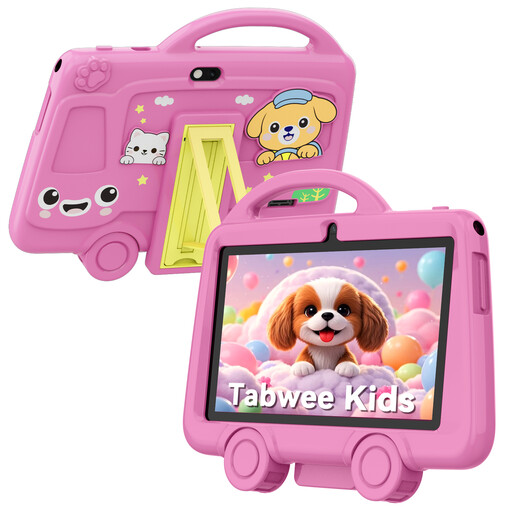 No image available
The 7-inch size may suit short lists or flashcards; check that your preferred learning app is available on this tablet before you buy.
The product name lists 2 GB RAM, 32 GB storage, 2.4 GHz Wi-Fi and a weight of 285 g.
 No image available
The product name lists a stylus, which may be useful if you want to take handwritten notes as well as read.
The product name lists a 12.1-inch screen, 2.5K, 8 GB RAM and 256 GB of storage. Check that the apps and stylus features suit the way you plan to use it.
 No image available
This version may suit you if you want to view vocabulary lists and also need mobile connectivity; check whether you need LTE for the way you’ll use it.
The product name lists an 8.7-inch screen, LTE, 4 GB RAM and 64 GB of storage.
 No image available
An option for viewing longer lists with more screen space; compare the screen size with how your learning app displays content.
The product name lists an 11-inch screen, 128 GB of storage and Wi-Fi.
Yes, as long as you make your lists and any required media available locally in advance. With Anki, you can use locally stored cards offline, but you’ll need a connection to sync between devices. Test your materials before you leave.
Anki lists AnkiMobile as the official app for iPad and AnkiDroid as a separately developed app for Android. Check that you’re installing the app you intend to use and that any app costs suit your budget.
It depends on the model and version. Samsung says the Galaxy Tab S10 Lite comes with an S Pen. Apple lists which Pencils the iPad (A16) supports; check the bundle you’ve chosen and make sure the stylus is compatible before ordering one.
According to the Dutch government, many online purchases from a business come with a 14-day cooling-off period. If a product is faulty, the retailer must provide a solution; the Netherlands does not have a fixed statutory guarantee period that applies equally to every product.