
Readers of technical diagrams
You view full-page drawings or small part numbers and want enough space to read the details at a hotel desk.


For full-page diagrams and small labels, a tablet around 11 inches or larger is often more practical for viewing your own PDFs. A compact model is easier to carry, but you may need to zoom in more often. The Consumers’ Association highlights this trade-off between screen space and portability. Download a sample manual in advance and test the search and zoom functions. Choose mobile data or a stylus only if you really need those features.
You view full-page drawings or small part numbers and want enough space to read the details at a hotel desk.
You want to save documents locally and find them easily, even when you can’t rely on the hotel Wi-Fi.
You mainly read short instructions and don’t mind zooming in if a smaller device is more convenient to travel with.
Start by opening a manual similar to the files you actually use. This will help you decide whether you need a larger screen for diagrams or whether a compact size with zooming will be enough.
| What to consider | What should you check? | Who is this important for? |
|---|---|---|
| Diagrams and small text | Open your own PDF on the screen you’re considering and look at both a full page and zoomed-in details. Screen size and resolution are different features. | If I want to view drawings and small labels alongside the instructions, I prioritise readability; around 36% of consumers put diagrams first. |
| Offline PDF use | Download a manual and test whether you can open and search it with Wi-Fi turned off. Scanned documents may not contain searchable text. | If I don’t want to rely on hotel Wi-Fi, I want to save my files in advance and test the PDF features; around 29% of consumers prioritise offline access. |
| Size for travel | Compare the dimensions and weight of the exact model and try your manual on a smaller screen. | If I want to travel light and usually read short instructions, I’m more willing to zoom in; around 21% of consumers prioritise travelling with a compact device. |
| Accessories and lifespan | Check what’s included, which accessories are compatible, and what software and update information applies to the model. | If I want to use the tablet for a long time, I want to know in advance which extras I really need; around 14% of consumers prioritise additional costs and lifespan. |
A compact screen may require more zooming for detailed diagrams. A larger screen won’t automatically make a poorly scanned manual readable.
Before you choose, test a representative page from your own manual on the tablet.
Hotel Wi-Fi may not always suit the way you work. This can make a manual that’s only available online difficult to open.
Save your files locally in advance. For online access over public Wi-Fi, Safe Internetting recommends using a VPN or a mobile data hotspot.
If you only download your manuals while travelling, you’ll use mobile data.
A tablet supporting a particular stylus doesn’t automatically mean that the stylus is included in the box.
Check what’s in the box and first see whether annotating with your finger is enough.
If you need one, a compatible stylus may have to be bought separately.
The iPad (A16) is an 11-inch option, available in 128, 256 and 512 GB versions, as well as a separate cellular version.
The 8.7-inch Galaxy Tab A11 is a compact option. The separate Galaxy Tab A11+ has an 11-inch screen and is available in a 5G version, among others.
The Redmi Pad 2 is an 11-inch option to compare if you want more screen space for PDFs.
According to Lenovo, the Tab Plus ZADX0054GB has an 11.5-inch screen and 128 GB of storage; Lenovo positions this model mainly for entertainment.
These product picks focus mainly on a larger screen for diagrams and PDF pages. One version also has mobile connectivity for anyone who wants to download manuals while travelling.
 Image unavailable
The stated screen size makes this an option to consider if you want more room for manual pages when reading at a table.
13 inches; Wi-Fi; 128 GB storage.
 Image unavailable
The large screen makes this an option to place alongside your own PDF if you mainly read at a table.
13.4 inches; 120 Hz; Android 16; 128 GB storage; Dual SIM 4G and Wi-Fi 5G according to the product name; folio case included according to the product name.
 Image unavailable
The stated storage capacity may be useful if you want to keep several manuals on your device.
12 GB RAM; 512 GB storage.
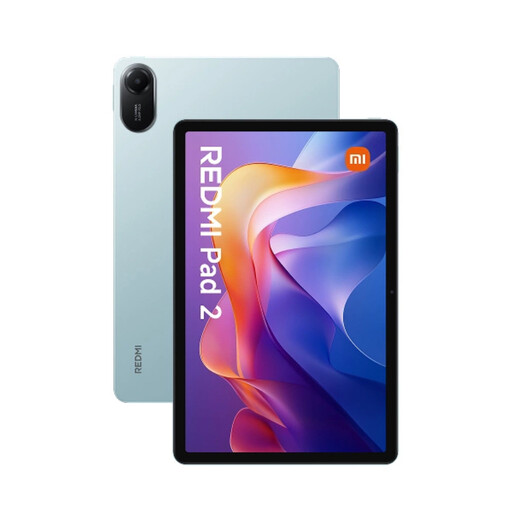 Image unavailable
The 11-inch version is worth comparing if you’re looking for more room to view manual pages.
11 inches; 2560 × 1600 pixels; 128 GB storage. The product description states that storage can be expanded via microSD.
 Image unavailable
The stated 5G version may suit you if you want to download manuals while travelling; you won’t need mobile data for PDFs saved in advance.
5G; 8 GB RAM; 256 GB storage.
Save a copy on your tablet in advance, then turn off Wi-Fi and test whether you can open and search the PDF. Google Help describes PDF features in Files by Google, including opening and searching; try them with your own file. For online access over public Wi-Fi, Safe Internetting recommends using a VPN or a mobile data hotspot.
Not necessarily: Google Help describes annotating in Files by Google with a finger or stylus. For precise notes on diagrams, check that the stylus is compatible with your tablet and included with the version you choose.
For long-term storage, Lenovo advises not putting the battery away fully charged or completely discharged, and recommends checking its charge regularly. This is Lenovo’s advice and may not be the same as the instructions for every brand.
According to ACM ConsuWijzer, online purchases generally come with a statutory cooling-off period of up to 14 days after delivery, although exceptions depend on the product and circumstances. You’re also covered by the statutory guarantee if a product used normally doesn’t meet the standard you could reasonably expect; a shorter manufacturer’s warranty doesn’t replace this right.