What should you look for?
First decide whether you’ll mainly be typing, handwriting, travelling light or opening your journal offline. Then compare the exact version and any accessories.
| What to consider |
What to check before buying |
Who should pay particular attention? |
| Typing longer entries |
Check the screen size, whether a keyboard is included and what layout comes with the bundle. |
If you want to update several paragraphs during your journey, screen space and a practical keyboard layout matter. Around 33% of consumers prioritise being able to type longer entries comfortably. |
| Handwriting |
Check pen compatibility for the exact model and whether the pen is included in the box or bundle. |
If you add sketches, annotations or handwritten impressions, you’ll need a suitable pen that works with the version you choose. Around 27% of consumers focus mainly on handwriting or sketching. |
| Easy to carry |
Compare the screen size and weight of the Wi-Fi or mobile version you’re considering. |
If you mainly make short notes on your lap or have limited room in your bag, a smaller size may matter more than extra screen space. Around 20% of consumers prioritise a compact, lightweight tablet. |
| Offline access |
Test whether your app opens the pages and photos you need without a connection, and check separately whether mobile data is required. |
If you want to open existing text and photos without a network connection, it’s worth testing offline access in advance. Around 20% of consumers prioritise access to their journal without reliable Wi-Fi. |
Apple lists the Wi-Fi version of the iPad mini as weighing 293 grams, with an 8.3-inch screen; the 11-inch iPad (A16) weighs 477 grams. These figures apply to these Wi-Fi versions, not every version in the product ranges. NS says that Wi-Fi is available on almost all Intercity trains, but not every train. So don’t rely on train Wi-Fi as the only way to access your journal pages and photos.
Tablets on Joybuy
This Joybuy selection includes tablets for updating a travel journal, with a range of screen and storage configurations and pens explicitly listed for some models.
 Image unavailable
Lenovo Yoga Tab ZAG60028PL, 11.1-inch, 3.2K, 144 Hz, 12 GB RAM, 256 GB, with Tab Pen Pro
If you want to add handwritten notes, the product name says that a Tab Pen Pro is included.
The product name lists an 11.1-inch screen, 256 GB of storage and Wi-Fi 7.
Joybuy
 Image unavailable
HONOR Pad X8b, 128 GB, Space Grey
If storage for typed journal entries and photos is your priority, 128 GB is the listed configuration.
The product name lists 128 GB of storage.
Joybuy
 Image unavailable
Lenovo Idea Tab, 11-inch, 8 GB RAM, 256 GB, Wi-Fi 5, Android 15, Grey
For handwritten notes, the product description says that a Lenovo Tab Pen is included.
The product name lists 8 GB RAM, 256 GB of storage and Wi-Fi 5. According to the product information, a charger isn’t included.
Joybuy
 Image unavailable
Lenovo Idea Tab Plus WiFi, 12.1-inch, 2.5K, 8 GB RAM, 256 GB, with pen, Rose
If you want to write notes or sketch with a pen, the product information lists a Lenovo Pen as included.
The product name lists a 12.1-inch screen, 8 GB RAM and 256 GB of storage.
Joybuy
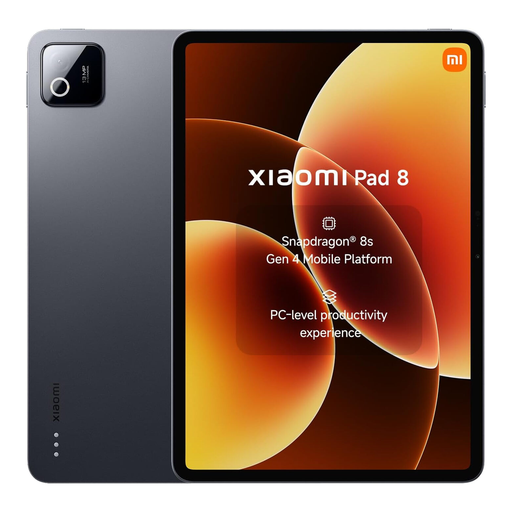 Image unavailable
Xiaomi Pad 8, 8 GB RAM, 256 GB, Gray
If you mainly want to store typed journal entries and photos, the product name lists a 256 GB storage configuration.
The product name lists 8 GB RAM and 256 GB of storage.
Joybuy
Frequently asked questions
Can I count on my journal app being online during the train journey?
No, not on every journey. NS says that free Wi-Fi is available on almost all Intercity trains, but not every train. Make the pages you need available in advance and test your app without a connection; Microsoft provides specific instructions for using OneNote on iPad.
How do I prepare photos in OneNote on iPad for a journey without a connection?
In OneNote, go to Settings and Sync and switch on the option to sync attachments automatically, as described by Microsoft. Before you leave, check that the pages and images you need are available; Microsoft says pending changes will sync again once you’re online.
Should I plan to use a plug socket on the train?
Don’t assume there’ll be one without checking. NS lists USB sockets in first and second class on ICNG trains; on ICM trains, it lists sockets in first class. Charge your tablet before you leave and check the facilities on your train.
If I buy a tablet online in the Netherlands, do I have a cooling-off period and a legal guarantee?
For online purchases, ACM ConsuWijzer says you’ll generally have a statutory 14-day cooling-off period from delivery; check whether an exception applies. You’re also entitled to a legal guarantee if the product doesn’t meet what you could reasonably expect with normal use. The retailer is your point of contact; this doesn’t mean there’s a fixed, general two-year guarantee period.


