
If you write by hand
You sketch or jot down short notes and want to check whether a pen works with the exact tablet model and is included with that version.


Choose based on how you write: handwritten notes call for a compatible pen, while longer pieces are better suited to a matching keyboard. Also weigh screen size against portability, and check the storage, the contents of the exact accessory bundle and your connectivity options. A larger screen isn’t automatically more comfortable to hold on the go.
You sketch or jot down short notes and want to check whether a pen works with the exact tablet model and is included with that version.
You write longer pieces at a shared table and are looking for a keyboard that’s compatible with your tablet.
You take your tablet with you and add travel photos. Storage, portability and access to files without familiar Wi-Fi all play a part in your choice.
| What to consider | What should you check? | Who is this most relevant to? |
|---|---|---|
| Writing with a pen | Compatibility with the exact tablet; included accessories and any adapter. | If I sketch or make short notes, I want to know in advance which pen is compatible and what’s in the box. Around 29% of consumers prioritise handwritten notes. |
| Typing longer pieces | Keyboard compatibility with the model; keyboard layout and bundle contents. | If I write longer travel stories at a table, I want a compatible keyboard with a layout that works for me. Around 29% of consumers prioritise typing. |
| Taking and storing photos | The size and weight of the version; storage space and offline access to the files you need. | If I take my tablet with me often and add travel photos, I look for portability and enough storage. Around 21% of consumers prioritise this combination of needs. |
| Working privately and offline | Connecting through a phone hotspot; offline access in your journal app and screen-lock and backup settings. | If I use personal journal data in a shared workspace, I want to know how to work without public Wi-Fi and keep my files secure. Around 21% of consumers prioritise privacy and offline access. |
Pen support and what’s included in the box are two different things. Apple lists two compatible Apple Pencils for the iPad (A16), but the pen isn’t included in the stated box contents. For the Apple Pencil (1st generation), Apple also specifies an adapter for pairing and charging.
Before buying, check which pen is compatible with the exact version, whether it’s included and whether you need an adapter.
The Lenovo Idea Tab Pro bundle reviewed includes a pen and folio keyboard. You can’t assume that every Idea Tab Pro comes with the same items.
Compare the full product code with the listed contents of the version you want to choose.
A larger screen can give you more room to work at a table, but may be less comfortable to hold for long periods. Consumentenbond points out that larger tablets can be impractical to hold for a long time.
Consider the size and weight based on how you update your journal: mainly at a table, or while you’re out and about too.
Veilig Internetten recommends using a VPN or mobile data through a phone hotspot when using public Wi-Fi for activities involving personal data.
Check whether your phone can provide a hotspot and whether your journal app makes files available offline.
An iPadOS option if you want to keep using your existing iPad apps or need a tablet for both writing and note-taking.
An Android option to consider if you mainly want to write notes by hand on your tablet.
An Android option if you usually work at a table and are considering a larger screen or a specific pen-and-keyboard bundle.
These tablets are suited to handwritten notes and storing travel photos; some versions also list a keyboard or mobile connectivity.
 No image available
The listed Tab Pen Pro is suited to handwritten notes, while the stated storage capacity is worth considering for your travel photos.
11.1-inch; 3.2K touchscreen; 12 GB LPDDR5X; 256 GB UFS 4.0; Wi-Fi 7; Android 15.
 No image available
The product title lists a pen for anyone who wants to take notes; check whether the storage capacity suits the photos and files you want to keep.
12.1-inch; 2.5K; 8 GB RAM; 256 GB; pink version.
 No image available
The listed stylus makes this version worth considering if you want to take handwritten notes; also see whether the smaller screen suits the way you work.
8.2-inch E Ink screen; 32 GB storage.
 No image available
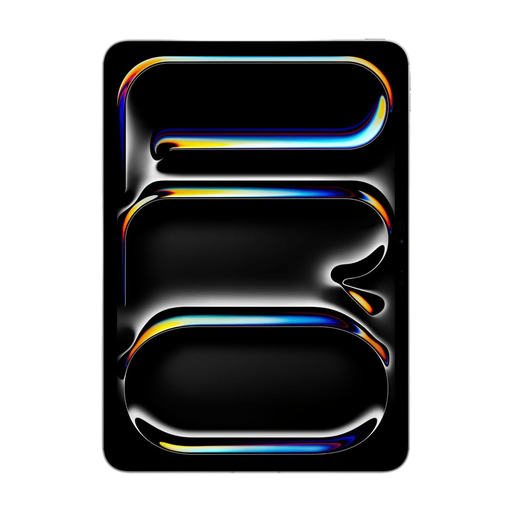
This version lists support for Apple Pencil and Magic Keyboard; the product information states that these accessories are sold separately.
11-inch; Wi-Fi + Cellular; 256 GB.
 No image available
The title lists both a keyboard and a stylus, a combination worth considering if you switch between typing and writing at a table.
11-inch; 2K; 90 Hz; 128 GB ROM.
Apple lists Apple Pencil (USB-C) and Apple Pencil (1st generation) as supported pens. For pairing and charging the Apple Pencil (1st generation), Apple specifies a USB-C to Apple Pencil Adapter. Check which pen and adapter are compatible with and included with the version you’ve chosen.
Veilig Internetten lists a VPN or mobile data through a phone hotspot as alternatives to public Wi-Fi when you’re working with personal data. Also check whether your journal app makes files available offline.
Set up a screen lock and regular backups, and keep the device up to date. Before relying on an offline copy, check where photos and notes are stored in the app you’ve chosen.
According to ACM ConsuWijzer, online consumer purchases generally come with a 14-day cooling-off period after delivery. You’re also entitled to a legal guarantee; the law doesn’t set a fixed two-year period for this. What you can reasonably expect in terms of a product’s lifespan depends, among other things, on the product and normal use. These consumer rules don’t necessarily apply in the same way to business purchases.