
Back-seat player
You want to play tile-matching games on the go, so you’re looking at screen size and how comfortable the tablet is to hold. The compact models from Samsung Netherlands and Lenovo Netherlands give you specific sizes to compare.


If a passenger will mostly be holding the tablet, start with a compact model. Choose a larger screen if having more room to play matters more than portability. Mobile data is mainly relevant if the game you choose needs an internet connection while you’re travelling. Test your games in advance, and don’t mistake battery capacity or a video and web-browsing estimate for how long you can play a tile-matching game.
You want to play tile-matching games on the go, so you’re looking at screen size and how comfortable the tablet is to hold. The compact models from Samsung Netherlands and Lenovo Netherlands give you specific sizes to compare.
You often travel beyond Wi-Fi coverage and want to know whether your games work offline or need mobile data. Consumentenbond highlights 4G/5G mobile internet as something to consider; check the connection requirements of the game you want to play.
You’re looking for a tablet for a child travelling with you and want to manage app use and purchases. Apple Support explains some of the settings available on iPad; set them up for the account your child will use to play.
Choose this if: a passenger will often hold the tablet and you’ve checked that the games work offline.
Consider: you’ll have a smaller playing area, and a Wi-Fi-only model won’t have its own mobile data connection.
Choose this if: having more screen space for game tiles matters more than having a compact device.
Consider: compare the dimensions and weight, especially if the passenger will be holding the tablet for a long time.
Choose this if: the game you’ve chosen needs a connection during the journey and a hotspot isn’t a suitable option.
Consider: check the exact model and whether you’ll need a suitable data plan. Mobile data won’t make a game available offline.
| What to consider | What should you check? | Who is this important for? |
|---|---|---|
| Playing offline | Install the game you want in advance and test whether you can open it and keep playing without a connection. | If you don’t want to rely on Wi-Fi while travelling, you’ll want to know in advance how the game works without a connection. Around 27% of consumers give offline play top priority. |
| Ease of handling | Compare the size and weight of the exact model. If you’re using a holder, check that it fits too. | If you’ll be tapping tiles on a tablet in your hand during the journey, a compact size may matter more than extra screen space. Around 27% of consumers prioritise ease of handling. |
| Play time and charging | Compare the specifications for the exact model and plan how you’ll charge it during a break. | On a long journey, you’ll want to avoid a flat battery interrupting play. Around 20% of consumers give battery life top priority. |
| Screen space | See how the game appears on the screen and assess its readability and physical size. | If you prefer larger tiles or buttons, you’ll want to see how the game looks on a larger screen. Around 13% of consumers prioritise a larger playing area. |
| Parental settings | Check the settings for app use and purchases on the account your child will use to play. | If a child will be using the tablet, you’ll want to manage app use and any purchases in advance. Around 13% of consumers give parental settings top priority. |
A figure in mAh or an estimate for video and Wi-Fi browsing won’t tell you how long your tile-matching game will run on a single charge.
Compare figures for the same type of use and plan a way to charge the tablet on a long journey.
Manufacturers sometimes offer separate Wi-Fi and mobile data models within the same product range. Mobile data may also mean you need a suitable plan.
Check the full model name and first work out whether your chosen game needs internet access while you’re travelling.
According to ANWB, the tablet’s dimensions and weight are important when choosing a car holder.
Before using the holder, check that it fits the tablet, any case and the headrest.
The Galaxy Tab A11 is a compact 8.7-inch range, while the Tab A11+ is a separate, larger product range.
The Tab One is a compact option to compare if you’re looking for an 8.7-inch screen.
The Redmi Pad 2 is an 11-inch alternative if screen space matters more than a compact size.
The 11-inch iPad (A16) is an option if you want an iPad and are comparing the Wi-Fi and Wi‑Fi + Cellular models separately.
The Pad Lite is a larger-screen option to compare with compact tablets.
This selection includes compact tablets for passengers, with Wi-Fi and LTE models, as well as larger Wi-Fi tablets.
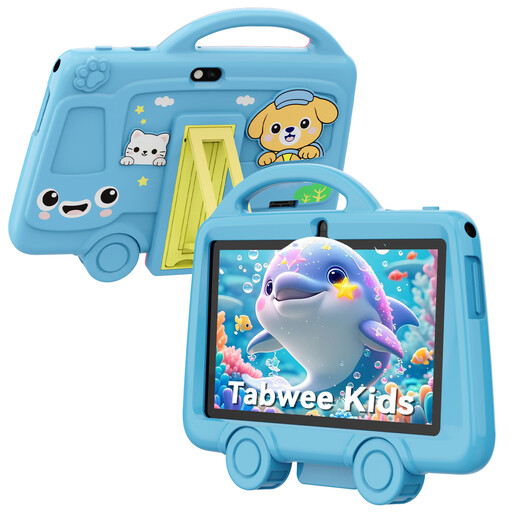 Image unavailable
The 7-inch size and stated weight of 285 g make this a good fit for a passenger who wants to hold a compact tablet.
The product name lists 2 GB RAM, 32 GB storage, a 3,000 mAh battery and 2.4 GHz Wi-Fi. Battery capacity doesn’t tell you how long a specific game will run.
 Image unavailable
The 8.7-inch model suits anyone looking for a compact screen that’s easy to hold on the go.
This is the Wi-Fi model; according to the product specifications, it has no SIM slot. This configuration has 4 GB RAM and 128 GB storage.
 Image unavailable
This compact model could be a good fit if you’re looking for an 8.7-inch tablet with LTE; check whether your chosen game needs a connection while you’re travelling.
The product name lists LTE, 4 GB RAM and 64 GB storage.
 Image unavailable
The 10.1-inch screen gives you a larger viewing area than the compact options; also consider whether it’s comfortable to hold.
The product name lists 4 GB RAM, 128 GB storage, Wi-Fi 5 and Android 14. This model is Wi-Fi-only and doesn’t support mobile networks.
 Image unavailable
This Wi-Fi model suits anyone who wants more screen space; check its size and weight for handheld use.
The product name lists an 11-inch screen and 128 GB storage.
No, it depends on the game. Install it in advance and test whether you can open it and keep your progress as you’d like without a connection.
According to the Dutch government, drivers must not hold a mobile device, including a tablet, while driving. This advice is for passengers; the driver must keep their attention on the road.
Check that the holder is suitable for the dimensions and weight of your chosen tablet, according to its specifications, and that it fits the headrest. Set up the holder before setting off.
Check the purchase options in the games and set up parental controls before you leave. Apple Support explains how to limit in-app purchases on iPad and, with the relevant family settings, use ‘Ask to Buy’.
According to the Dutch government, if there’s a problem with a product, you can ask for it to be repaired or replaced without paying extra. Discuss the specific issue with the seller and consider the solution offered for your purchase.