
Chapter writer
You write long passages and may want to keep using your existing computer-based workflow for references. Before you buy, check that the required software and keyboard are right for the configuration you’ve chosen.


Choose a Windows 2-in-1 if you type long chapters and need a computer-based workflow for references. An iPad or Android tablet may suit you if mobile writing and annotation are enough, and you can finish your references later on a computer. Zotero documents mobile PDF annotation and word processor plug-ins for computers. Make documents available offline before you leave, and check the required software and accessories for the exact configuration.
You write long passages and may want to keep using your existing computer-based workflow for references. Before you buy, check that the required software and keyboard are right for the configuration you’ve chosen.
You read sources on location, annotate PDFs and like to record observations with a pen. Also consider how you’ll incorporate those notes into your thesis later.
You sometimes work without internet access and want to make documents available locally in advance, without carrying more equipment than you need.
Start with the referencing workflow you need. Then decide whether you’ll mainly be typing, annotating sources or travelling as light as possible.
Best if: you write long chapters and rely on a computer-based word processor plug-in. Zotero documents such plug-ins for computers; test the software you use.
Bear in mind: with the Surface Pro 12-inch (1st Edition), the keyboard and pen are separate choices. Always check the accessories for the exact edition.
Best if: you mainly read, write and annotate PDFs on the go, and can leave a step for completing references until you’re back at a computer. Zotero explains how to process iPad annotations later on a computer.
Bear in mind: Apple says the iPad Air M4 is available in 11- and 13-inch sizes. Check the complete configuration and what’s in the box before choosing accessories.
Best if: you want to annotate PDFs and write on the go using Android apps that suit your workflow. Zotero explains Android annotations and how to process them later on a computer.
Bear in mind: the pen and keyboard vary by model and bundle. Check the exact configuration and keyboard layout.
| What to consider | What should you check? | Who should pay extra attention? |
|---|---|---|
| Writing and references | Test your own document, citation style, required plug-in and physical keyboard. | If I’m writing long chapters, I want to be able to complete my references using the software required by my university. Around 28% of consumers put writing and references first. |
| Working offline | Open your thesis and source PDFs in advance, test them without an internet connection and check they sync when you reconnect. | When I’m working somewhere without internet access, my documents need to be available locally. Around 22% of consumers prioritise offline access. |
| Portability and screen space | Compare screen size and the weight of the complete setup, including accessories. | If I do a lot of walking, I want a setup that’s easy to carry, even if that means less working space on screen. Around 17% of consumers prioritise portability. |
| Field notes and annotations | Check pen and app compatibility, and try taking an annotation from the source file through to the final text. | I want to record observations and comments directly alongside my sources, then use them later. Around 22% of consumers prioritise annotation. |
| Complete setup | Check each listing to see whether it includes a suitable keyboard, pen and, if needed, charger. | If I need to type and annotate, I want to know in advance which items are included with the configuration I’ve chosen. Around 11% of consumers start by considering the cost of a complete setup. |
Annotating PDFs on a mobile device and using computer plug-ins are separate steps. Don’t assume that an app on a tablet lets you add the same references as the workflow you use on a computer.
Before buying, use your own files to take a source PDF through to a cited paragraph.
Keyboards, pens and connections can vary by model and configuration. An accessory that fits one edition may not be suitable for another.
Compare complete, model-specific configurations and check the keyboard layout.
Microsoft recommends downloading and opening the documents you need before using them offline. Without preparation, a file may be out of reach during fieldwork.
Test your actual document and a source PDF without an internet connection, then check that your changes have synced once you reconnect.
The Surface Pro is a Windows 2-in-1 option worth exploring if you need a computer-like writing workflow.
The iPad Air M4 is an iPadOS option for writing and annotating on the go, provided the required apps and referencing workflow are right for you.
The Galaxy Tab S12+ is an Android option for reading and note-taking on a large screen.
A specific Idea Tab Pro Gen 2 bundle combines a tablet with a pen and keyboard.
The Pad 7 is a more compact Android option to consider alongside larger tablets for writing.
These product picks are aimed at writing on the go, reading sources and annotating during fieldwork. Check that the software and accessories you need for your workflow are suitable for each model.
 No image available
The product title lists Android 13 and 4G. Check that the writing and reference apps you need work on this configuration.
The title lists 16 GB (8 GB + 8 GB), 256 GB storage, a 22,000 mAh battery and a 10.36-inch HD screen.
Also listed: 48 MP and dual SIM.
 No image available
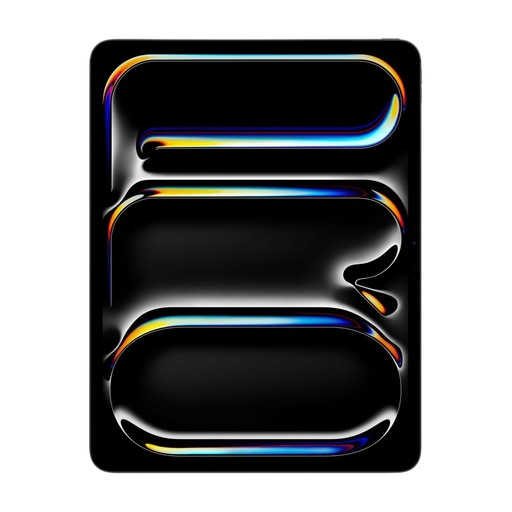
The 13-inch configuration gives you a larger screen for viewing source material and text. Check that your apps and referencing workflow are suitable for this iPad.
The product description lists support for Magic Keyboard and Apple Pencil Pro. According to the description, accessories are sold separately.
 No image available
The product description lists an E Ink screen, an included stylus, and features for reading and annotating PDFs.
The listed weight is 230 g. Check that the apps and features fit with the rest of your research workflow.
 No image available
The product description lists an included stylus. Check that the Android apps you need for fieldwork are suitable for this configuration.
The title lists 20 GB RAM (8 GB + 12 GB Virtual), 256 GB storage, 4G LTE, 5G Wi-Fi and a 10,000 mAh battery.
Also listed: Helio G99 and GPS.
 No image available
This configuration may suit you if you want to write on a 13-inch iPad and use a pen. Check that it supports the apps and workflow you need before buying.
The product description lists iPadOS, 5G and support for Apple Pencil and Magic Keyboard.
Yes, as long as the files are available locally in advance and your app supports working offline. Microsoft recommends downloading and opening the documents you need before going offline. Test your own file, then check that it syncs when you reconnect.
Don’t assume it does without testing it first. Zotero documents PDF annotation on iOS and Android, and describes processing annotations in a document with active references as a later step on a computer. Test your own workflow and software on the configuration you’re considering.
Open the documents and source PDFs you need in advance and test them without an internet connection. Also check that the pen and keyboard are suitable for the exact configuration, and whether they’re included. Accessories can vary by model and bundle.
For online purchases by consumers, ACM ConsuWijzer generally states that you have a statutory cooling-off period of up to 14 days after delivery, with some exceptions. This is separate from your rights if a product doesn’t meet what you could reasonably expect under normal use: ACM ConsuWijzer says the seller is legally required to resolve this. The statutory guarantee isn’t simply a fixed two-year period.