Who is a tablet for taking minutes on the train suitable for?

The frequent train typist

You write up longer meeting minutes and want a suitable keyboard that’s comfortable to use. Compare the complete set-up, not just the screen. The Consumers’ Association notes that a keyboard for a tablet may also be sold separately.

The offline minutes editor

You want to carry on working while travelling if your connection drops. Microsoft Support recommends downloading and opening documents on your device before using them offline. Also check how synchronisation works with your account.

The traveller with limited workspace

You want to view or add to your meeting minutes in a seat where space and portability matter. Factor in the keyboard too: the tablet alone doesn’t show how much room the complete set-up will take.

What should you look for in a tablet for taking minutes?

iPad with a compatible keyboard

Best for: if the work app you need is available on iPad and you mainly want to type or edit text. Apple lists keyboard support for iPad Air and iPad (A16), with different keyboards for each model.

Bear in mind: check which keyboard is compatible with your exact iPad model, and make documents available offline in advance.

Android tablet with a compatible keyboard

Best for: if the app you need works on Android and you’re considering a folio or Book Cover keyboard. Samsung lists a Dutch QWERTY keyboard for the Galaxy Tab S11, while Lenovo offers a folio for the Idea Tab Plus.

Bear in mind: check compatibility, layout and what’s included in the box for each model. Accessories aren’t necessarily interchangeable.

Windows 2-in-1

Best for: if you need a Windows working environment for taking minutes. Microsoft describes the Surface Pro 12-inch as a tablet that can be paired with a keyboard.

Bear in mind: Microsoft says the compatible keyboard is sold separately, and keyboards for the 13-inch Surface Pro aren’t compatible with the 12-inch model.

What to consider What to check before buying Who should prioritise this?
Editing longer documents Check model compatibility, keyboard layout and the combined dimensions of the tablet and keyboard. If I write up lots of meeting minutes while travelling, I want a keyboard that fits my tablet and is comfortable to use. Around 36% of consumers give typing top priority when buying.
Working offline Using your chosen app and account, test whether you can download, open and edit the document in advance, then synchronise it later. If I don’t want to rely on a stable connection, I want to be able to open and edit my meeting minutes offline too. Around 29% of consumers prioritise being able to work without a connection.
Space and portability Compare the dimensions and weight of the exact model, and allow for the space taken up by the keyboard. If I’m working in a cramped seat and carrying my tablet with me, I look for a set-up that’s practical in that space. Around 21% of consumers prioritise limited workspace and portability.
Complete working set-up Check what’s included and which compatible accessories you’ll need. If I want to put together a complete set for taking minutes, I compare the tablet with the accessories I need rather than looking at the device alone. Around 14% of consumers prioritise the total cost of purchase.

Common mistakes when choosing a tablet for taking minutes

  • Comparing tablets on their own

    A keyboard that fits the exact model may be essential for typing up longer minutes comfortably, and it isn’t always included.

    Check what’s in the box and compare the complete tablet and compatible keyboard set-up before choosing.

    A compatible keyboard or optional stylus may need to be bought separately.

  • Assuming every keyboard in the same product family will fit

    Compatibility can vary by model and size. Microsoft, for example, says keyboards for the 13-inch Surface Pro don’t fit the Surface Pro 12-inch.

    Compare the full model names and compatibility information for both the tablet and accessory.

    If the keyboard doesn’t fit, you may need to buy a different accessory after all.

  • Relying only on train Wi-Fi or automatic synchronisation

    NS says free Wi-Fi is available on almost all Intercity trains, but not every train. If a document isn’t available in advance, it may be difficult to open without a connection.

    Download and open the document before you set off, try editing it offline, then check that it synchronises afterwards.

Brands and models to compare

Apple

The iPad (A16) with Magic Keyboard Folio and the iPad Air with Magic Keyboard are different, model-specific options for working with text.

  • Apple lists the 11-inch iPad Air Wi-Fi as weighing 464 grams and supporting Magic Keyboard.
  • That weight is for the tablet, not the complete set-up. Check which keyboard fits the iPad you choose.

Samsung

The Galaxy Tab S11 is an Android option with a separately listed Book Cover Keyboard Slim in a Dutch QWERTY layout.

  • Samsung lists an S Pen and DeX for the Tab S11.
  • These are manufacturer specifications, not confirmation that your document workflow will work. Check the app, model and keyboard separately.

Lenovo

The Idea Tab Plus is an Android option for which Lenovo lists a dedicated folio and a bundle with a pen and keyboard.

  • According to Lenovo, the bundle reviewed includes a 12.1-inch Idea Tab Plus, a pen and a QWERTY folio.
  • The bundle title refers to an 11-inch Idea Tab, while the items in the bundle are listed as a 12.1-inch Idea Tab Plus. Check exactly what’s included before ordering.

Microsoft

The Surface Pro 12-inch is a Windows 2-in-1 option if you need a Windows working environment.

  • Microsoft describes the Surface Pro 12-inch as a tablet that can be paired with a compatible keyboard.
  • The keyboard is sold separately. Microsoft says keyboards for the Surface Pro 13-inch aren’t compatible with the 12-inch model; also check that your work app is supported.

Tablets with keyboards at Joybuy

These Android tablets come with a keyboard or keyboard case and are aimed at typing up meeting minutes while travelling. If you’ll be using one in a train seat, also consider the screen size and keyboard layout.

Teclast P33 Case 10.1-inch tablet with keyboard set

Teclast P33 Case Tablet, 10.1-inch, 64GB

An option to compare if you want a keyboard with your tablet; check that the English layout suits you.

The title lists 9GB RAM (3GB + 6GB virtual expansion), 64GB storage and an English Bluetooth keyboard. A case, mouse, stand, stylus and other accessories are also mentioned.

View at Joybuy

Teclast P30TCase 10.1-inch Android tablet with keyboard set

Teclast P30TCase, 10.1-inch, 128GB

An option to compare if you’re looking for an Android tablet with a keyboard set; check in advance that the document app you need works on your model.

The title lists Android 16, 128GB storage, a keyboard, mouse and stylus. The stated memory is 16GB (3GB + 13GB virtual); T610, 120Hz, HD and 6000mAh are also listed.

View at Joybuy
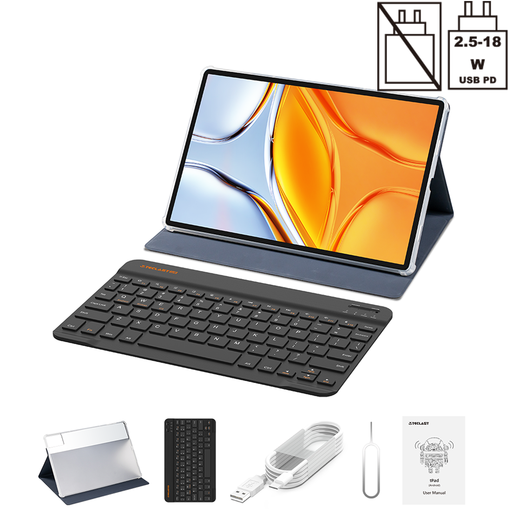
Teclast T70 14-inch tablet with folio case and keyboard

Teclast T70, 14-inch, 128GB

An option if you’re considering a keyboard set and have enough room in your seat for a 14-inch tablet.

The title lists a 2.2K screen, Helio G100, 128GB storage, Android 15 and a folio case with keyboard. The stated memory is 20GB (8GB + 12GB virtual); 10,000mAh and 18W PD are also listed.

View at Joybuy
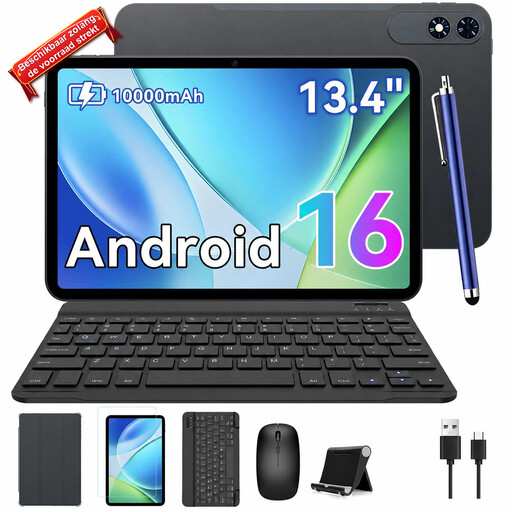
TABWEE T60Pro 13.4-inch tablet with keyboard

TABWEE T60Pro, 13.4-inch, 256GB

An option if you’re considering a tablet with a keyboard and can assess whether a 13.4-inch screen will fit in your seat.

The title lists Android 16, a keyboard, 256GB storage and 24GB memory (8GB + 16GB virtual). 120Hz and 2K FHD+ are also mentioned.

View at Joybuy
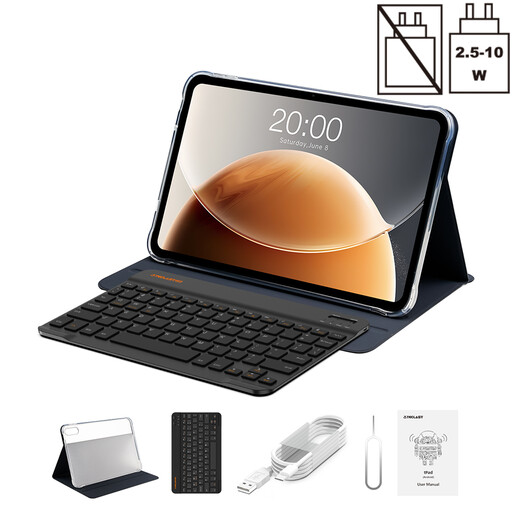
Teclast T65 13.4-inch tablet with Bluetooth keyboard

Teclast T65, 13.4-inch, 128GB

An option if you’re looking for a tablet with a case and Bluetooth keyboard; bear in mind how much room a 13.4-inch screen takes up.

The title lists Android 16, 120Hz, 128GB storage and a case with Bluetooth keyboard. The stated memory is 20GB (8GB + 12GB virtual); Dual SIM 4G and Wi-Fi 5G are also listed.

View at Joybuy

Frequently asked questions about editing meeting minutes on the train

Can I edit Word meeting minutes if the train connection drops?

According to Microsoft Support, you can carry on working on supported iPad and Android tablet versions if you download and open the document on your device in advance. Changes that are still waiting to be processed will synchronise when you’re back online. Test this in advance with your document and work account.

Does every NS train have Wi-Fi?

No. NS says free Wi-Fi is available on almost all Intercity trains, but not every train. Prepare documents for offline use in advance if you’ll need them while travelling.

How do I choose a keyboard for my tablet?

Check compatibility and keyboard layout for the exact tablet model and accessory. Lenovo says the Idea Tab Plus folio connects via the connector; Microsoft describes a magnetic connection for the separately sold Surface Pro 12-inch keyboard.

Do I need an additional warranty product?

You don’t need an additional warranty product to have statutory rights when buying as a consumer in the Netherlands. According to the Dutch government, the retailer is your point of contact if a product is faulty; there’s no fixed statutory warranty period. Compare any additional cover with the rights you already have.

Can I edit meeting minutes containing personal data on a personal tablet on the train?

That depends on your organisation’s rules and the security of the way you work. The Dutch Data Protection Authority considers editing personal data to be processing and says that security measures need to be tailored to the situation. Before you start, check which devices, storage and working methods are permitted.
