
Shared-tablet user
You take turns drawing diagrams and want a pen that works with the device you have and is ready to use without delay.


Start by checking the exact tablet model, then choose a stylus: Apple Pencil, Samsung S Pen, Xiaomi, USI and Surface pens are not interchangeable. For diagrams with lines, arrows and labels, ease of use and a convenient place to charge or store the pen may matter more than advanced drawing features. Only check for pressure sensitivity if you really need it, and make sure the pen, tablet and app all support it.
You take turns drawing diagrams and want a pen that works with the device you have and is ready to use without delay.
You write labels, draw arrows and add annotations, and want consistent lines and a practical place to keep the pen between sessions.
As well as diagrams, you create illustrations with varied strokes and look for pressure sensitivity and pen features on a compatible device.
First check your tablet model and which pens it supports. Then decide how the pen will be stored and charged between users, and only after that consider extra drawing features.
| What to consider | What should you check? | Who is this important for? |
|---|---|---|
| Compatibility | Make a note of the exact tablet model and check the manufacturer's compatibility information, including any software requirements. | If I use a shared tablet, I want to avoid getting a pen that doesn't work with the device we have. Around 36% of consumers prioritise compatibility. |
| Quick handovers | Compare how you turn the pen on and pair it, how it charges and where you can store it. Magnetic attachment does not always mean magnetic charging. | When several people take turns drawing, I want to be able to pick up and put away the pen quickly. Around 29% of consumers prioritise easy handovers. |
| Line control | Decide whether tilt is enough or whether you need pressure sensitivity; check that the drawing app you use supports the feature too. | If I want to draw fine details or vary my strokes, I check which input features my tablet and app support. Around 21% of consumers prioritise drawing control. |
| Tips and power | Check whether the pen tip can be replaced and whether you need a cable, battery or charger, or whether these are sold separately. | If a pen is going to stay in a shared space, I want to know what it takes to keep it ready to use. Around 14% of consumers prioritise maintenance and avoiding extra purchases. |
Pen features can depend on the device, the pen version and a specific protocol. So a general description such as ‘tablet stylus’ does not confirm that the pen will work with your tablet.
Make a note of the full tablet model and check the manufacturer's compatibility information before comparing features or models.
Logitech says the Crayon can adjust the line by tilting, but also states that the pen is not pressure-sensitive.
Choose based on the lines you want to draw, and check pressure input separately if you need it.
Charging methods vary by pen. Apple says the Apple Pencil (USB-C) pairs and charges via a cable, while the Apple Pencil Pro supports magnetic pairing and charging with compatible iPads.
Check how the exact pen is charged and whether this suits the device or accessory you have.
A separate charger may be needed for a Surface Slim Pen.
Apple Pencil models for different iPad generations; worth considering if your shared tablet is an iPad.
The Logitech Crayon (USB-C) is designed for writing and drawing on compatible iPads.
S Pen models are designed for specific Galaxy Tabs; features vary by pen version.
The USI Pen 2 Magnetic is designed for compatible Chrome OS devices with USI 2.0.
The Focus Pen Pro and REDMI Smart Pen 1S are designed for different tablet models, each listed separately.
This selection of Joybuy products includes pens for iPad, certain Samsung Galaxy Tabs and devices that support the specified pen protocols. Always check that your exact tablet model is compatible.
 No image available
For diagrams on a compatible iPad; check that your model is supported.
The listed compatible models include iPad Pro 11- and 13-inch (M4), iPad Air 11- and 13-inch (M2) and iPad mini (A17 Pro).
 No image available
For drawing and diagrams on a compatible iPad; check support for your exact model.
Apple Support Netherlands explains how to pair and charge it using a USB-C cable.
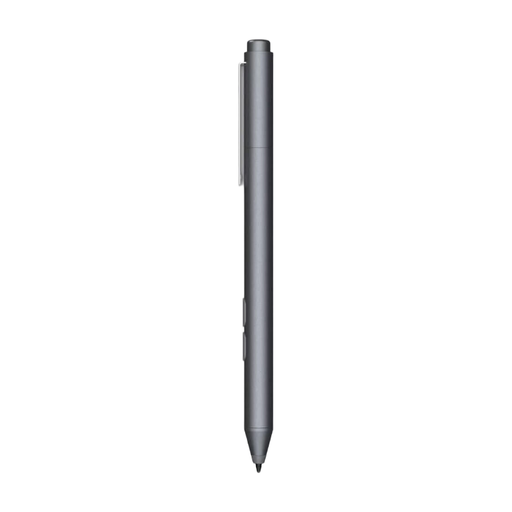 No image available
An option for drawing and note-taking if your HP or selected Microsoft device is compatible.
Check whether your device supports Microsoft Pen Protocol. The pen uses an AAAA battery.
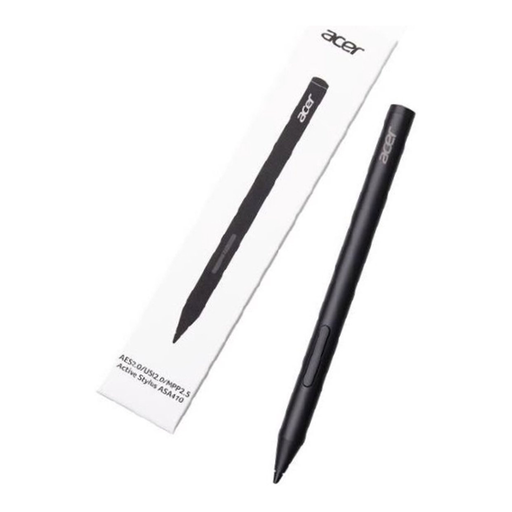 No image available
For drawing on a device that supports one of the specified pen protocols; check before you buy.
The AAAA battery is not included.
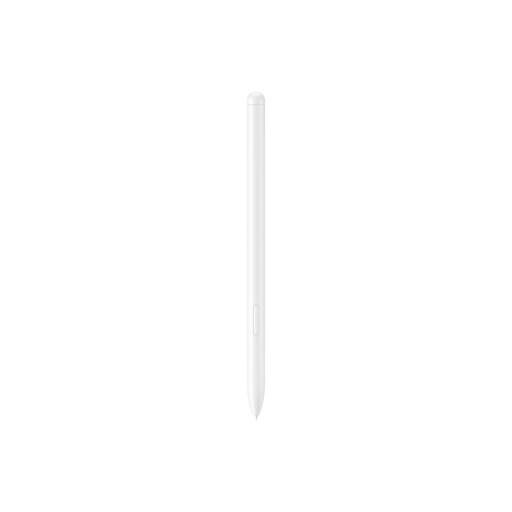 No image available
According to the listed compatibility information, this pen is designed for the Samsung Galaxy Tab S9 FE and Tab S9 FE+; check your exact tablet model.
No. Before ordering, check the manufacturer's compatibility information for your exact device and pen version, along with any software requirements.
Agree on a regular routine for storing and charging the pen. Logitech says that once switched on, the Crayon works with a compatible iPad without Bluetooth pairing, but cannot be used while charging. Other pens may pair or charge differently.
Check the care instructions for your model. Samsung explains how to replace the tip on the Galaxy Tab S10 Lite S Pen; check with the retailer whether replacement tips are available for your pen.
According to ACM ConsuWijzer, online consumer purchases generally come with a cooling-off period of up to 14 days after delivery, subject to legal exceptions. Your statutory rights are separate from the manufacturer's warranty: if a product is faulty under normal use, the retailer is responsible for providing an appropriate solution.
If the school uses the tablet or drawing app to process pupils' personal data, the Dutch Data Protection Authority says that GDPR rules apply to digital education tools. Schools should therefore assess how accounts and access are set up.