
Still-life painter with an iPad
You want to know whether pressure sensitivity matters for drawing outlines and adding shading. First, check which Pencil your exact iPad supports; Apple Support lists compatibility by model.


Start by checking your exact tablet model and drawing app: a stylus that isn’t compatible won’t help you with outlines or shading. Choose pressure sensitivity if you want to control brush strokes with hand pressure, or opt for a simpler stylus if tilt and brush settings are enough. Window glare needs a separate screen solution; changing your stylus won’t change the screen finish.
You want to know whether pressure sensitivity matters for drawing outlines and adding shading. First, check which Pencil your exact iPad supports; Apple Support lists compatibility by model.
You’re looking for a compatible or replacement stylus for detailed drawing, and don’t want to assume that every S Pen works with every Tab. Samsung lists compatibility by device and stylus model.
You want to see both your still life and digital canvas clearly. Stylus control and screen glare are separate considerations; for example, Samsung describes an anti-reflective film for the Galaxy Tab S11.
| What to consider | What should you check? | Who is this most important for? |
|---|---|---|
| Compatibility | Check the exact tablet model, generation and any system requirements. For EMR styluses, also check that the screen supports EMR. | If I want to keep using my current tablet, I’ll check the exact model and screen technology first. Around 36% of consumers put compatibility with their own tablet first. |
| Brush control | Check pressure sensitivity separately from tilt recognition, and make sure your drawing app supports the brush behaviour you want. | For outlines and shading, I want to know whether hand pressure can change the stroke. An estimated 29% of consumers prioritise controlling brush strokes with hand pressure. |
| Visibility in daylight | Check for glare where you usually draw, and make sure any anti-reflective film is compatible with your tablet. | If reflections make the canvas hard to see, I’ll look at the screen rather than extra stylus features. Around 21% of consumers prioritise being able to see the canvas clearly. |
| Charging and extra parts | Check how the stylus charges and whether you need a cable, adapter or compatible replacement nib. If you’re buying a first-generation Apple Pencil, also check whether your iPad needs an adapter. | For a long drawing session, I want to know whether charging or an extra part will interrupt my workflow. Around 14% of consumers prioritise ease of use and the parts they need. |
Apple lists compatibility for each Pencil and iPad. An adapter is required to use Apple Pencil (1st generation) with iPad (A16) or iPad (10th generation).
As well as a stylus, you may want to consider a suitable screen solution.
Consider stylus control and screen visibility separately before deciding what you need.
Apple Pencil models are designed for specific, compatible iPads.
Model-specific S Pen styluses are worth considering if you’re looking for one to suit your Galaxy Tab.
Noris digital is a battery-free option for compatible EMR screens.
Crayon is a USB-C rechargeable option for sketching on supported iPads.
Note+ is a stylus with pressure and tilt features for the iPads listed by Adonit.
This selection includes a battery-free EMR stylus for compatible e-ink tablets, as well as styluses for certain iPad models and other capacitive screens. Choose based on your exact tablet, drawing app and preferred pressure or tilt control.
 No image available
Designed for compatible e-ink tablets, including the reMarkable models listed and Kindle Scribe. Check that your specific screen supports EMR.
Zspeed lists 4,096 pressure levels and a battery-free design.
 No image available
An option for painting with pressure and tilt sensitivity, provided your iPad is one of the models supported by Apple.
Apple describes squeeze and barrel roll features, as well as magnetic pairing and charging on compatible iPads. Check the required iPadOS version too.
 No image available
Listed compatibility includes certain 12.9-inch and 11-inch iPad Pro models, iPad Air (4th and 5th generation) and iPad mini (6th generation).
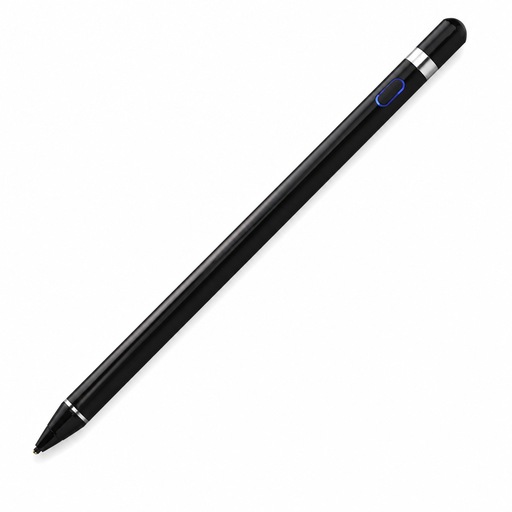
The product information lists magnetic attachment, pairing and charging. Before buying, check that your exact iPad is included in the listed model range.
 No image available
The product information describes pressure-sensitive use on capacitive tablet and phone screens. Check that it works with your device and drawing app.
According to the product information, the stylus has a built-in battery and pairs via Bluetooth with the companion app.
 No image available
A tilt-sensitive option for the listed iPad range if tilt is enough to vary lines and shading.
According to the product information, the stylus isn’t pressure-sensitive and charges via USB-C. Check that the listed compatibility matches your iPad.
No, a stylus won’t change the screen finish. If reflections are a problem, check whether an anti-reflective solution is available for your exact tablet model. Samsung describes a film for the Galaxy Tab S11, but this won’t necessarily work with other screens.
No. Apple describes magnetic attachment for storing the Pencil, but pairing and charging are done with a USB-C cable. For Pencil Pro, Apple describes magnetic pairing and charging on supported iPads.
According to STAEDTLER, no. Do check that your specific tablet screen supports EMR and that the pressure feature you want works in your drawing app.
When you buy online from a business, you generally have a 14-day cooling-off period, although exceptions and the type of sale may affect this. You’re also entitled to a product that is of satisfactory quality. The Dutch Government states that there is no fixed statutory guarantee period; contact the seller if there’s a fault.