
Sketcher with an existing tablet
You want to know whether a pen works with your specific iPad, Galaxy Tab or Windows device. Check the relevant manufacturer’s compatibility information to find out.


Start with your exact tablet model: an Apple Pencil, S Pen, EMR pen or Windows pen won’t automatically work with every device. Apple, Samsung and Wacom list compatibility for each pen and device, so check this before comparing extra drawing features. Then consider the input you need for contours and shading, as well as how the pen starts, charges and stores; tilt recognition doesn’t automatically mean pressure sensitivity.
You want to know whether a pen works with your specific iPad, Galaxy Tab or Windows device. Check the relevant manufacturer’s compatibility information to find out.
You want to work on contours and shading. Assess pressure and tilt input separately, and check whether your drawing app supports the features you need.
You may change workspaces or users, so you’ll want to know how the pen starts, charges and can be stored.
First, check that the pen and tablet are compatible. Then compare the drawing input you need, and consider how easy the pen is to store, charge and maintain.
| What to consider | What should you check? | Who should pay particular attention? |
|---|---|---|
| Compatibility | Check the exact device model and, where necessary, the pen protocol or software version. | If I want to keep using my existing tablet, I first want to make sure the pen is designed for it. Around 36% of consumers make compatibility their top priority. |
| Contours and shading | Check separately whether the pen offers pressure or tilt input, and whether your drawing app supports that feature. | When sketching costumes, I want to control how contours and shading are drawn. Around 29% of consumers prioritise control over lines and shading. |
| Use at a shared desk | Check how the specific version pairs and charges, and whether magnetic attachment is for storage only or also for charging. | If I work at a shared desk, I want to get started quickly after a changeover and store my pen easily. Around 21% of consumers consider use at their workspace the most important factor. |
| Replacement nibs and aftercare | Check which nibs are included and which replacements fit the pen. Also check the seller’s responsibilities if a product isn’t as it should be. | If I use my pen regularly, I want to know how to replace worn nibs and where to turn if something goes wrong. Around 14% of consumers make maintenance and aftercare their top priority. |
Compatibility may depend on the exact tablet model, pen protocol or screen technology. A pen that isn’t compatible with your device may not offer the features you want.
Note down the full device model and compare it with the pen manufacturer’s compatibility information before you buy.
Tilt and pressure input are different features. For the Noris digital, STAEDTLER says that pressure-controlled line width also depends on the app you use.
Check the pen, device and drawing app separately to make sure they support the input you want to use for contours or shading.
Apple describes the Pencil (USB-C) as attaching magnetically for storage, while pairing and charging take place via USB-C. Apple describes the Pencil Pro as pairing and charging magnetically.
Check how the exact pen version charges and pairs before relying on a dedicated storage or charging spot.
A commercial manufacturer’s warranty is separate from statutory consumer rights in the Netherlands. The Netherlands Authority for Consumers and Markets explains that there is no fixed time limit for the statutory guarantee in the Netherlands.
If a product doesn’t meet what you could reasonably expect, contact the seller and keep your proof of purchase.
The features listed apply to the pen ranges and compatible devices described here. A brand mention doesn’t in itself indicate whether a specific model is available.
Apple Pencil models are designed for specific iPads. Apple describes the Pencil Pro as offering extra drawing controls, and the Pencil (USB-C) as supporting tilt input.
The S Pen Creator Edition is designed for supported Galaxy devices and, according to Samsung, is also intended for drawing.
The Bamboo Ink Plus is designed for compatible Windows devices using Wacom AES or Microsoft Pen Protocol (MPP).
The Noris digital is a pencil-shaped pen for compatible EMR screens.
The Logitech Crayon is a drawing pen for supported iPads, designed to start up without Bluetooth pairing.
This selection of Joybuy products is aimed at sketching with compatible tablets and pen devices. Before you buy, check that the device, screen or pen protocol listed matches your own model.
 No image available
An option for sketching on compatible Wacom devices; the product name describes a battery-free pen with adjustable weight, grip and balance.
Listed compatible devices include the Wacom MovinkPad 11 and Cintiq Pro 17, 22 and 27.
 No image available
The product name lists use with Android and iOS devices and a capacitive touchscreen.
Listed features include fast charging, an LED indicator and magnetic attachment. Check that your screen and device are compatible with this stylus.
 No image available
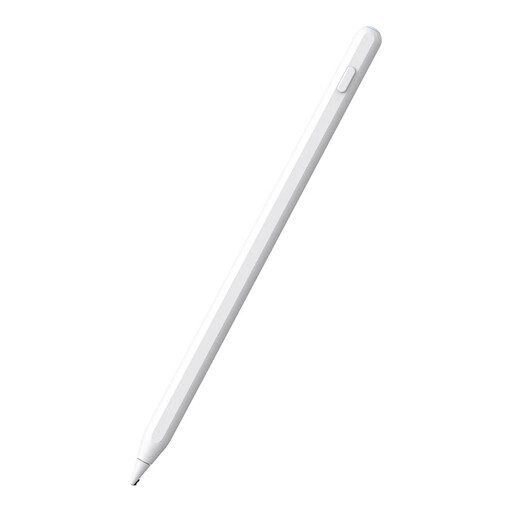
The product title lists compatibility with iPad models from 2018–2026, magnetic charging and support for palm rejection while drawing.
Check that your exact iPad model is included in the listed compatibility.
 No image available
An option for sketching on the listed devices: reMarkable 1, reMarkable 2 and Kindle Scribe.
The product name lists 4,096 pressure levels. The product description says it’s a battery-free pen with magnetic attachment for storage; check compatibility with your exact device.
 No image available
The product name limits compatibility to selected iPad models; check whether yours is included.
The product name lists USB-C charging, tilt detection, palm rejection and magnetic attachment. The description says it can be stored without Bluetooth or app pairing.
First, find your exact device model and compare it with the pen manufacturer’s compatibility information. Apple Pencil may also have iPadOS requirements; for a Windows pen, the supported pen protocol matters.
No. Apple describes magnetic pairing and charging for the Pencil Pro, but pairing and charging via USB-C for the Apple Pencil (USB-C), which can be stored magnetically.
Check whether the specific pen, device and drawing app support pressure input. STAEDTLER says that varying line width according to pressure with the Noris digital also depends on the app you use; tilt input is a separate feature.
For a consumer purchase in the Netherlands, the seller must provide a solution if the product doesn’t meet what you could reasonably expect. A separate manufacturer’s warranty doesn’t replace this right; the Netherlands Authority for Consumers and Markets says there is no fixed time limit for the statutory guarantee in the Netherlands.
For eligible distance purchases in the Netherlands, you usually have a statutory cooling-off period of up to 14 days after delivery. Legal exceptions apply; check the terms that apply to your purchase.