
Note-taker with an existing tablet
You want to check whether a pen works with your exact tablet model before comparing how it feels to write with or what extra features it offers. Apple, Samsung, Lenovo and Microsoft list compatibility by model.


Start with your exact tablet model: Apple Pencil, S Pen, Lenovo Tab Pen Plus and Surface Slim Pen are not interchangeable. Then consider writing comfort, storage and charging. Check the features and compatibility of each pen, as they vary by model.
You want to check whether a pen works with your exact tablet model before comparing how it feels to write with or what extra features it offers. Apple, Samsung, Lenovo and Microsoft list compatibility by model.
You rest your hand on the screen as you write and want to be able to find or put away the pen easily between uses. Logitech and Lenovo specify palm rejection for particular pen models; check that the pen and your tablet are compatible.
You look beyond the pen itself and check how it charges, and whether you’ll need replacement tips or a charging accessory. Lenovo, Samsung and Microsoft provide these details for specific models.
First check that the pen and tablet are compatible, then compare writing comfort, storage and charging options for your workspace.
| What to consider | What should you check? | Who is this important for? |
|---|---|---|
| Compatibility | Compare the full tablet model number and any software requirements with the manufacturer’s compatibility information. | If I want to keep using my existing tablet, I’ll first check that the pen and the features I want will work with it. Around 36% of consumers say compatibility is their main consideration. |
| Writing with your hand on the screen | Check whether the pen supports palm rejection on your tablet and, if possible, try it with the note-taking app you usually use. | If I take longer notes, I want to be able to rest my hand on the screen without triggering unwanted input. Around 29% of consumers focus mainly on being able to write comfortably with their hand on the screen. |
| Easy to pick up and put away | Check how the pen attaches to the tablet and whether it charges while attached. | If I need to clear a shared desk between uses, I want to be able to find and put away my pen easily. For around 21% of consumers, convenient storage that keeps the pen ready to use comes first. |
| Charging and replacement tips | Check how it charges, what’s included and whether you’ll need replacement tips or an accessory. | If I want to know in advance what else I’ll need besides the pen, I’ll check what’s in the box and what replacement options are available. Around 14% of consumers are mainly concerned about extra charging or replacement costs. |
Compatibility and available features can vary between pen and tablet models, even within the same brand. The wrong combination may not work as you expect.
Before you buy, compare the full model names of the pen and tablet with the manufacturer’s compatibility information.
Choosing the wrong pen could mean you still need to buy one that’s compatible.
The Apple Pencil (USB-C) attaches magnetically, but has a USB-C connector. Attachment and charging are separate things.
Check how the exact model charges and what’s included. For example, Microsoft says the Surface Slim Pen needs a compatible device or accessory; a separate charger may be available to buy separately.
Depending on the pen and the charging options you already have, you may need a cable or compatible charging accessory.
Samsung describes different S Pen versions with different compatibility and features. The name alone doesn’t tell you whether a pen will work with your Galaxy Tab.
Check the specifications for the specific S Pen version and compare them with your exact Galaxy Tab model.
Apple Pencil models are designed for specific iPads. The Apple Pencil (USB-C) is one option for writing and annotating.
The Logitech Crayon (USB-C) is a pen for supported iPads that lets you write without a separate Bluetooth connection.
Samsung S Pen versions are model-specific. The Galaxy Tab S11 Series S Pen reviewed here is designed for the Tab S11 and Tab S11 Ultra.
The Lenovo Tab Pen Plus, part number ZG38C05190, is an option for tablets that Lenovo confirms are compatible.
The Surface Slim Pen is designed for Surface models that support pen input.
These product picks are for handwritten notes on existing iPads, Galaxy Tabs and other tablets that the pen is explicitly confirmed to support. Check full compatibility for each model before choosing.
 No image available
An option for handwritten notes on a compatible iPad; the product description says you can write without a Bluetooth connection.
USB-C charging, palm rejection and tilt detection for variable line thickness. The product description lists iPad models from 2018 onwards and iOS 12.2 or later.
 No image available
An option for notes and annotations if your specific iPad model supports this version.
The product description lists pressure and tilt sensitivity, along with magnetic attachment, pairing and charging. Check which iPad models are compatible.
 No image available
An option for writing and note-taking on an iPad that supports this pen.
Apple lists magnetic attachment and a USB-C connector for this model; the product description also mentions tilt sensitivity. Check the supported iPad models and software requirements with Apple.
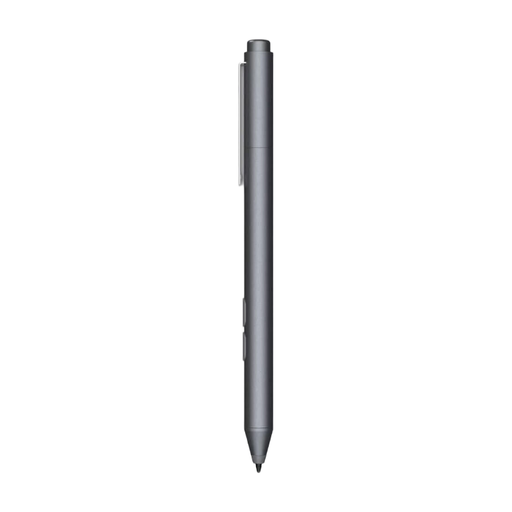 No image available
An option for taking notes on a device that supports MPP; check compatibility with your exact model.
The product information lists customisable buttons, one replaceable tip and an AAAA battery.
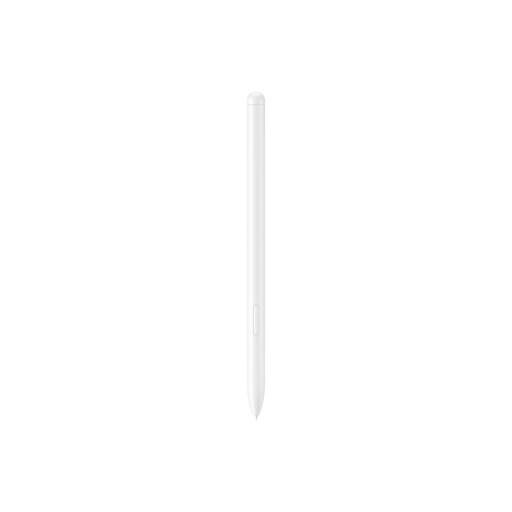 No image available
The product description lists note-taking on the Galaxy Tab S9 FE and Tab S9 FE+ using Samsung Notes; check whether your tablet is one of these models.
The product description lists magnetic attachment and IP68 water and dust resistance. It specifies that the tip removal tool for replacing the tip is sold separately.
Not necessarily. Apple lists both magnetic attachment and USB-C charging for the Apple Pencil (USB-C). For the Surface Slim Pen, Microsoft lists compatible charging devices or accessories. Check attachment and charging separately for your model.
It depends on the pen and tablet combination. Logitech lists palm rejection for the Crayon on iPad, while Lenovo lists it for the Tab Pen Plus. Check compatibility first and, if possible, try the pen with the note-taking app you usually use.
For an eligible online consumer purchase in the Netherlands, you’ll generally have a statutory 14-day cooling-off period from delivery, subject to exceptions. ACM ConsuWijzer distinguishes this cooling-off period from the statutory guarantee: if a product doesn’t meet what you could reasonably expect, you can contact the seller.