
Student with an existing tablet
Wants to add handwritten notes to lecture slides and first checks which stylus is compatible with their exact tablet model. Apple, Samsung, Lenovo and Microsoft list compatibility for specific models.


Start by checking your exact tablet model: a stylus that works with one tablet won’t necessarily work with another. Then check whether you can annotate and save your lecture slides in the app you want to use. Finally, weigh up the screen and accessory space you need against the room available on your desk.
Wants to add handwritten notes to lecture slides and first checks which stylus is compatible with their exact tablet model. Apple, Samsung, Lenovo and Microsoft list compatibility for specific models.
Wants to open, mark up and save slides. The app’s capabilities and how it saves files matter just as much as the stylus.
Needs enough room to read and write on slides without the tablet, any keyboard and other accessories making the workspace awkward to use.
First, check that the stylus works with your tablet and can handle your files. Then work out how much screen and desk space you need, and which accessories you’ll actually use.
| What to consider | What should you check? | Who should pay particular attention? |
|---|---|---|
| Compatibility | Compare the full tablet model and, where relevant, the required software version with the stylus compatibility information. | If I want to keep using my current tablet, I need to know the stylus will work with it. Around 31% of consumers put compatibility first. |
| Annotating and saving PDFs | Check the file format and try a sample file to see whether you can open it, write on it, save it and find it again in your chosen app. | If I want to write directly on my lecture slides, my app needs to support that workflow. Around 25% of consumers prioritise PDF annotation and the associated workflow. |
| Desk space | Think about your whole set-up, including any stand or keyboard, and view a sample slide on the screen. | If I’m writing at a small desk, I need enough room for my hand and notes. Around 19% of consumers focus mainly on the available workspace. |
| Total cost | Check what comes with the tablet and whether you still need a stylus, cable, charger or other accessories. | If I want to put together a complete set-up, I only want to pay for the things I still need. Around 13% of consumers put the total cost first. |
| Charging and storage | Check how the stylus charges and where you can keep it while travelling; attaching magnetically doesn’t always mean it charges magnetically. | If I take my stylus between lectures, I need to know how to charge and store it safely. Around 12% of consumers focus mainly on this. |
Stylus compatibility can vary between devices, even within the same brand. So a stylus might not work with the tablet you already own.
Look up your tablet’s full model name and compare it with the official compatibility information, including any software requirements.
Choosing the wrong model could mean you need to find another stylus or sort out the purchase.
A stylus can attach magnetically to a tablet without charging. Charging methods also vary between styluses and devices.
Before you buy, check how your combination charges and what you’ll need to take with you.
For the Apple Pencil (USB-C), Apple describes charging via a USB-C cable, so check that you have one.
Even if a stylus is compatible, that doesn’t tell you whether you can open, annotate and save the lecture slides you’ve been given in your chosen app.
Try the workflow with a sample file and check that you can find the edited version again later.
An option if you already use a compatible iPad and want to annotate PDFs by hand.
An option for a compatible Galaxy Tab if you want to use Samsung Notes with PDF slides.
The Tab Pen Plus is worth considering if Lenovo confirms it’s compatible with your tablet.
An option if you already own a Surface that works with the Surface Slim Pen.
These products are intended for taking notes on tablets. Check whether each stylus is compatible with your exact device and the app you want to use.
 No image available
Before you buy, check that this stylus works with your exact iPad model.
The product name lists iPad Air and iPad Pro.
 No image available
An option for handwritten notes on a compatible iPad; Apple explains how to annotate PDFs using Markup in supported apps.
Works only with the iPad models listed by Apple and iPadOS 17.1.1 or later. Magnetic attachment doesn’t charge the stylus; pairing and charging are done using a USB-C cable.
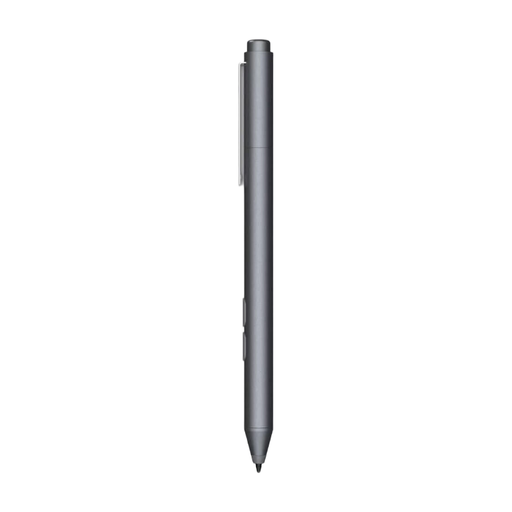 No image available
Consider this stylus only if your device supports the listed MPP technology; check compatibility with your exact model.
The product name lists customisable buttons and one replaceable nib.
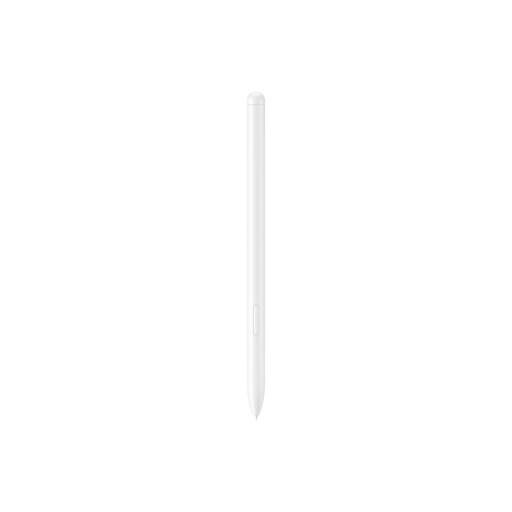 No image available
An option for taking notes on a Galaxy Tab S9 FE or S9 FE+; Samsung describes PDF annotation in Samsung Notes.
The product listing gives a weight of 8.7 g. Don’t assume it’s compatible with other Galaxy Tab models.
 No image available
Before you buy, check that this stylus works with your device and the app you want to use.
The product listing mentions iOS, iPad and Android devices with a capacitive touchscreen. According to the description, you pair it with the app using a QR code in the manual.
No, a stylus won’t automatically work with every tablet. Apple, Samsung, Lenovo and Microsoft list support for specific devices or advise checking the model. Before you buy, look up your tablet’s full model name.
It depends on your device and app. Samsung explains how to import, write on, save and share PDFs in Samsung Notes on compatible Galaxy Tabs. On supported iPads, you can annotate PDFs using Markup in supported apps. Try it with the file format used by your course.
No. Apple describes magnetic attachment, but the Apple Pencil (USB-C) pairs and charges via a USB-C charging cable.
For applicable distance sales from a business, you generally have a 14-day cooling-off period, with some exceptions. You’re also entitled to a product that meets the required standards. According to the Dutch government, the Netherlands has no fixed statutory two-year guarantee period; if a product is faulty, contact the seller.