
Illustrator with an existing tablet
You want to check first whether a stylus works with your iPad, Galaxy Tab or Lenovo tablet. Apple, Samsung and Lenovo list compatibility by tablet model or system.


Start by checking the exact tablet model, then make sure your drawing app supports the stylus features you want. Pressure sensitivity can be useful for varying lines and shading. For quick sketches at a shared desk, tilt support, palm rejection and how the stylus charges or is stored may matter more. Styluses made for different tablets are not necessarily interchangeable.
You want to check first whether a stylus works with your iPad, Galaxy Tab or Lenovo tablet. Apple, Samsung and Lenovo list compatibility by tablet model or system.
You want to vary your brush strokes, so you compare pressure sensitivity, tilt support and compatibility with your drawing app. Samsung, Logitech and Adonit describe features that can vary by stylus and app.
You want to get started quickly and put the stylus away or charge it easily when you have finished. Apple describes different charging methods for its Pencil models; magnetic storage does not always mean magnetic charging.
First, check that the tablet model and stylus are compatible. Then find out which features your drawing app supports, and choose a charging and storage method that suits your shared workspace.
| What to consider | What should you check? | Who is this important for? |
|---|---|---|
| Compatibility | Check the full tablet model, the stylus version and, where necessary, the required software version. | If you want to keep using your current tablet, you need to know whether the stylus is an exact match. Around 40% of consumers put compatibility with their own device first. |
| Control over lines and shading | Check pressure sensitivity and tilt support separately, and see whether your drawing app supports the feature you want. | If you want to vary lines and shading in your illustrations, look at the features your stylus and app offer together. Around 30% of consumers give drawing control top priority. |
| Use at a shared desk | Check how the stylus starts up, charges and attaches magnetically for storage. | If you share your workspace, you want to pick up the stylus quickly and put it away easily after drawing. Around 20% of consumers prioritise ease of use at a shared desk. |
| Long-term use | Check app requirements, the availability of replacement tips and who to contact if something goes wrong. | If you use your stylus regularly, you need to know whether the necessary features work in your app and what to do about wear or a fault. Around 10% of consumers give cost and service top priority. |
Compatibility varies by tablet model and stylus version. So a general product description does not confirm that the stylus will work with your device.
Compare the full model names of your tablet and stylus with the manufacturer's compatibility information.
Tilt support, pressure sensitivity and drawing app compatibility are separate features. Logitech describes tilt support for adjusting the line width of Crayon; Adonit lists app requirements for pressure sensitivity.
Check pressure sensitivity and tilt support separately, and make sure your drawing app supports the brush feature you want.
Apple describes magnetic attachment and charging for Pencil Pro on supported models. Apple Pencil (USB-C) can be stored magnetically, but charges via a USB-C cable.
Check how the exact model charges before assuming it can be charged wirelessly.
Apple Pencil models are designed for different iPad models, making them a relevant choice if you already own an iPad.
S Pen models are designed for supported Galaxy Tabs; features vary by model.
The Precision Pen 3 is a model-specific option for a compatible Lenovo system.
Crayon (USB-C) is an alternative for sketching and drawing on supported iPads.
Note⁺ 2 is designed for certain iPads when you want drawing features that depend on the app.
This selection includes individual styluses for compatible Android and iOS devices, selected iPads and specific e-ink tablets. Before buying, check that the exact stylus is compatible with your tablet.
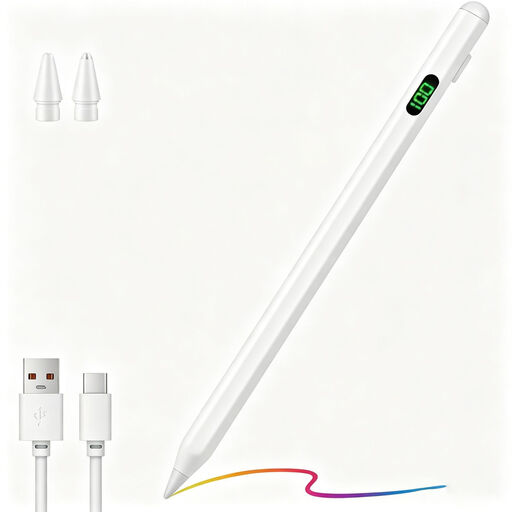 No image available
An option for drawing and writing on capacitive Android or iOS devices; check that your tablet is compatible.
The product name lists fast charging, a charging indicator and magnetic attachment.
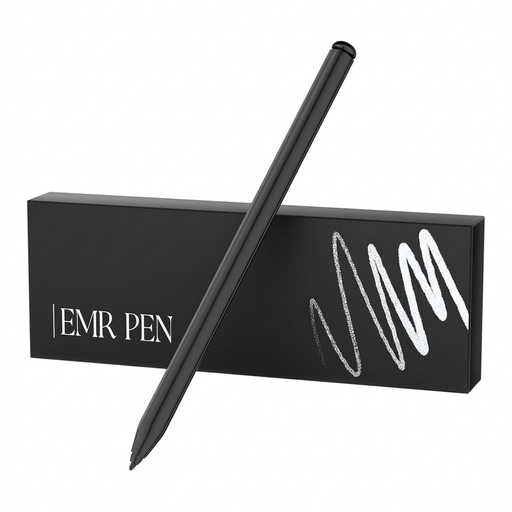 No image available
This stylus is designed for drawing on the listed reMarkable and Kindle Scribe devices; check your exact model.
The product name lists an eraser. According to the product information, the stylus is designed for reMarkable 1 and 2 and Kindle Scribe, offers palm rejection and can be stored magnetically without a battery.
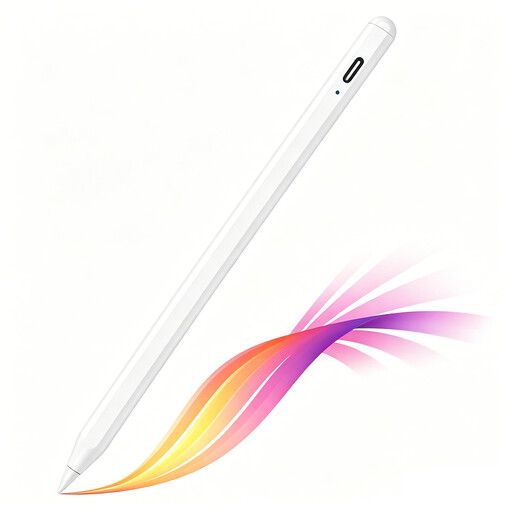 No image available
An option for illustrating and shading on selected iPad models; check that your iPad is compatible.
The product name lists tilt detection, palm rejection, magnetic attachment and a battery level indicator. It charges via USB-C.
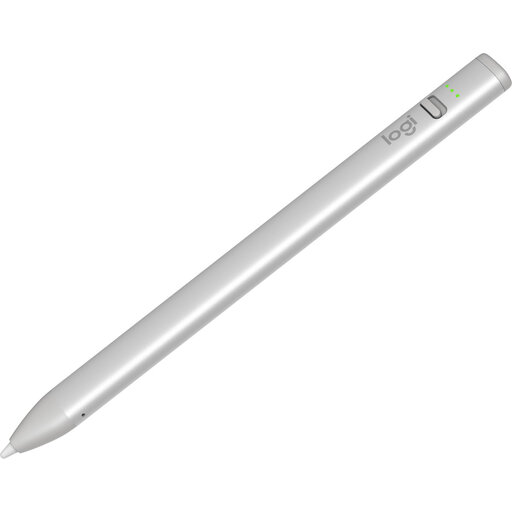 No image available
An option for sketching and shading on a compatible iPad; check your model and software version.
The product information lists tilt support for varying line width, palm rejection, USB-C charging and a battery level indicator. The stated compatibility includes iPad models from 2018 onwards with iOS 12.2 or later.
It depends on the stylus. Apple lists compatibility requirements and a required iPadOS version for its Pencil models; Logitech says Crayon (USB-C) can be used without a complex Bluetooth pairing process. According to Adonit, pressure sensitivity and shortcuts on Note⁺ 2 need to be set up in specific apps.
Check whether replacement tips are available for the exact model. Samsung describes a replaceable tip for the S Pen for the Tab S11 series; don't assume this applies to other models too.
No. ACM ConsuWijzer explains that your statutory guarantee depends on what you could reasonably expect from the product, and is separate from any manufacturer's or seller's guarantee. If a fault is covered by the statutory guarantee, the seller is responsible.
According to ACM ConsuWijzer, online purchases generally come with a statutory 14-day cooling-off period after delivery, subject to exceptions. Before buying, check whether an exception applies to your order.
That depends on whether the specific product is covered by EU rules that require CE marking. The European Union's Your Europe website lists electrical and electronic equipment as a product group that may be subject to such rules; not every product automatically needs a CE marking. The manufacturer is responsible for meeting the applicable requirements.