What should you look for when choosing?
First, check compatibility with your current tablet. Then compare how each pen charges, and finally see which input features your drawing app can use for decorative lettering.
| Key consideration |
What should you check? |
Who is this important for? |
| Compatibility |
Note the exact tablet and screen model, then check the list for the full pen version. The Noris digital requires an EMR screen. |
If you want to keep using your current tablet, you’ll want to know in advance whether the pen works with it; around 36% of consumers put compatibility first. |
| Charging and uninterrupted use |
Compare battery-free use with charging via the tablet or a USB-C cable. Remember that the tablet itself also needs power. |
If you have limited access to plug sockets while lettering, you’ll want to minimise charging breaks; around 29% of consumers prioritise being able to work without stopping to charge. |
| Line control |
Check whether the pen is pressure- or tilt-sensitive, and whether your drawing app supports that feature. Tilt sensitivity is not the same as pressure sensitivity. |
If you want to create decorative lettering with varied line thickness, it’s important that the input method suits the way you work; around 21% of consumers put line control first. |
| Essentials and workflow |
Check that you have the required charging cable and any replacement nibs, and that your app can save the design in the file format you need. |
If you want to finish the card without finding you’re missing something, you’ll want to know in advance what you already have and what else you need; around 14% of consumers look at this first. |
Joybuy products
This selection includes battery-free EMR pens and pens for specific iPad models. Before buying, check that the tablet compatibility listed matches your device.
 No image available
Wacom Pro Pen 3, battery-free EMR stylus, black
A battery-free pen to consider if you use one of the compatible Wacom devices listed.
The product description lists the MovinkPad 11 and Cintiq Pro 17, 22 and 27 as compatible devices. The stated compatibility applies to these models.
View at Joybuy
 No image available
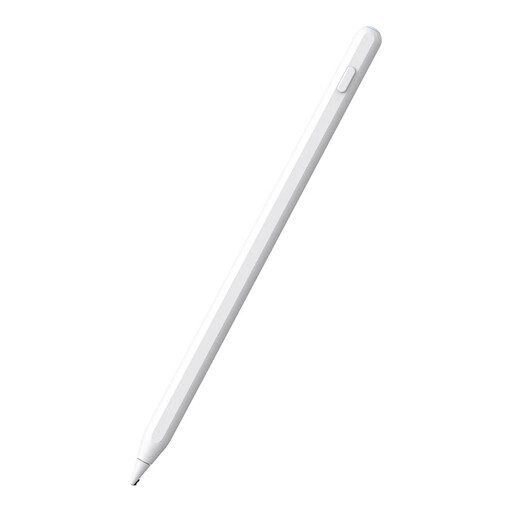
Alternative stylus for iPad, white
This pen could suit you if you have a compatible iPad model and are looking for a rechargeable stylus.
The product description lists magnetic charging and palm rejection. Check that your exact iPad model is supported.
View at Joybuy
 No image available
Zspeed SP-18 EMR stylus with eraser, black
A battery-free EMR stylus to consider if you use one of the e-ink tablets listed.
The product description lists 4,096 pressure levels and compatibility with reMarkable 1 and 2 and Kindle Scribe. The stated compatibility applies to those models.
View at Joybuy
 No image available
Apple Pencil Pro (2024)
An option if you have a compatible iPad and want pressure and tilt sensitivity for drawing.
The product description lists magnetic charging and compatibility with the specified iPad Pro and iPad Air models, as well as iPad mini (A17 Pro). Check the list for your tablet.
View at Joybuy
 No image available
Stylus compatible with Apple Pencil (2nd generation)
Worth considering if you have one of the compatible iPad models listed and charging from the tablet is important to you.
The product description lists magnetic pairing and charging for the specified iPad Pro, iPad Air and iPad mini models. Check that your exact model is on the list.
View at Joybuy
Frequently asked questions
Can I use a battery-free EMR pen with any tablet?
No. According to STAEDTLER, the Noris digital only works with screens that support EMR. Check the exact tablet model and screen version, as different versions of a device may be available.
Does the magnetically attached Apple Pencil (USB-C) charge without a cable?
No. Apple says this version charges via a USB-C charging cable. So, for this model, magnetic attachment does not mean magnetic charging.
What should I check before finishing my digital card?
Check in your drawing app that the line variation you want works and that you can save the design in the required file format. STAEDTLER says pressure and eraser functions may depend on the app.
Am I entitled to a cooling-off period and a guarantee when buying online in the Netherlands?
According to the Dutch government, distance purchases are often covered by a 14-day cooling-off period, with some exceptions. You also have statutory rights if a product you’ve bought does not meet the terms of the agreement; check the terms that apply to your purchase.
Does every passive stylus need a CE mark?
Not necessarily. According to the European Commission, CE marking only applies to products covered by specific harmonised EU rules. Whether those rules apply to a particular pen depends on the product; a CE logo is not, on its own, an independent quality assessment.


