
Vandaag of morgen in huis

Kwaliteit gegarandeerd

Welkomstaanbiedingen ontgrendelen: GRATIS bezorging | Tot 80% korting | Gratis 30 dagen JoyPlus-proefperiode
Download de app
A stylus pen for a tablet might seem simple at first: choose a pen, connect it to your touchscreen and start writing. In practice, most problems come down to poor compatibility, limited features or unclear charging information. A universal touchscreen pen also won’t necessarily work in the same way as an active stylus designed for a specific device.
This buying guide explains which features matter for note-taking, drawing, navigation and professional use. The recommendations below are based on verifiable product specifications and practical use cases.
A pen for iPad won’t automatically work with a Samsung tablet or Microsoft Surface. Check the operating system, the supported pen standard and your tablet’s exact model. An active stylus often needs a digitiser in the screen. A capacitive pen usually works with a wider range of devices, but may not offer pressure sensitivity or palm rejection.
Before buying, check:
Brands may advertise writing with “no lag” or “pixel-perfect precision”. According to the brands’ own product information, these claims relate to their design or the conditions in which the pen is used. The speed you experience also depends on the tablet, app and software version.
For students and office workers, consistent tracking of the pen tip is often more important than a long list of features. For drawing, pressure sensitivity, tilt detection and palm rejection also matter.
Some tablet pens charge magnetically, while others use USB-C or a replaceable battery. Check whether a cable, adapter or battery is included too. A pen you use every day should be easy to charge. A model with a non-replaceable battery may become less convenient over time, while a pen that uses an AAAA battery needs maintaining.
An Apple Pencil is designed for selected iPad models. According to the product information, the second generation works with several iPad Pro, iPad Air and iPad mini models. The Apple Pencil USB-C supports a wider range of models, but always check whether your iPad supports features such as hover.
A Samsung S Pen is designed for specific Galaxy Tab models. The Samsung EJ-PX510 is listed as compatible with the Galaxy Tab S9 FE and Tab S9 FE+. A Microsoft Surface Pen uses a different system and is designed for compatible Windows devices. A Wacom stylus is generally made for specific pen displays or graphics tablets, rather than every standard tablet.
Pressure sensitivity registers how firmly you press on the screen. When drawing, this can affect line thickness or intensity, but performance depends on both the pen and the app. Tilt detection can be useful for shading and broader brush strokes.
One example is the Acer ASA410, which lists 4096 pressure levels in its product information. This is a specific technical feature, but the result still depends on the compatible device and software you use.
With palm rejection, you can rest your hand on the screen without every touch being registered as an input. This is particularly useful for taking long notes and creating illustrations. A fine pen tip helps with small text and precise sketches, but won’t protect the screen from excessive pressure.
Also check whether replacement tips are available. A worn tip can affect the writing experience and lead to unnecessary costs.
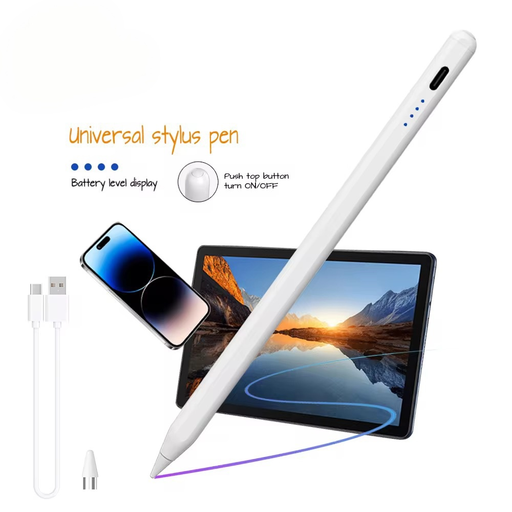
Why it suits this type of user: According to the product information, this active stylus works with iOS, Android and other capacitive screens. That makes it an interesting option if you’re looking for one tablet pen to use with different devices.
The supported systems and capacitive screen requirement are listed. Be sure to check your exact device beforehand and follow the pairing instructions in the manual.
Built-in 140mAh lithium battery, aluminium and plastic casing, and a weight of 59.4 grams.
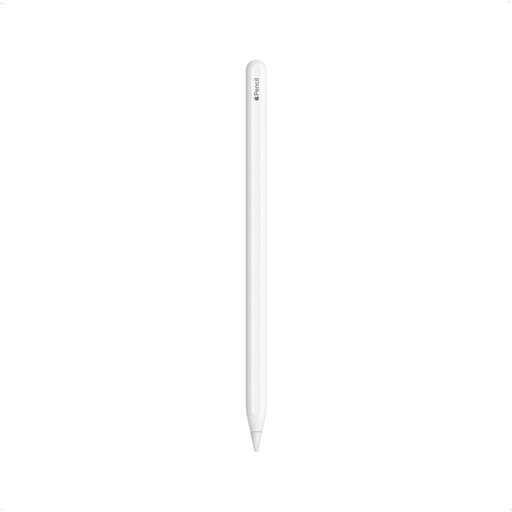
Why it suits this type of user: For iPad users who write, draw and annotate PDFs, this model pairs directly with compatible iPads and charges magnetically.
The product page lists specific compatible iPad Pro, iPad Air and iPad mini models, so you can check compatibility before buying.
Active pen, double-tap to switch functions, and magnetic pairing and charging.
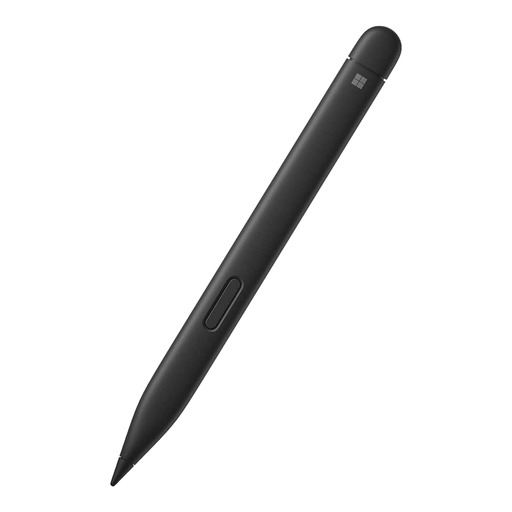
Why it suits this type of user: This digital pen is designed for compatible Microsoft Surface devices and is suitable for writing, drawing and navigating Windows.
The compatibility list includes several Surface Go and Surface Pro models. Check the list before ordering, as the pen isn’t designed for every touchscreen.
Listed specifications include 4096 pressure levels, tilt detection and haptic signals.
We’ve put together a complete, up-to-date list of products that meet these strict selection criteria and current European safety regulations.
No. A universal capacitive touchscreen pen can often handle basic touches, but features such as pressure sensitivity, palm rejection and shortcut buttons usually require specific support. So check the screen technology and compatibility list.
Battery life depends on the battery type, how often you charge it and how you use it. Products vary considerably: some charge via USB-C or magnetically, while others use a replaceable AAAA battery. Keep the pen dry and avoid dropping it or putting pressure on the tip.
Yes, but not every tablet pen offers the same level of control. A model with accurate touch response is enough for simple note-taking. For drawing, pressure sensitivity, tilt detection, a fine tip and palm rejection are more important. Also check whether your drawing app supports these features.
