
Artists with an existing tablet
You want to add or replace a stylus without ordering one that won’t fit. First, make a note of your exact tablet model; Apple Support Netherlands, Samsung Netherlands and Lenovo list support by model or combination.


Start by checking your exact tablet model: a stylus will only work if that combination is supported. Then choose based on the drawing controls you need, how the stylus charges and your workspace. If you draw on a computer, you could also consider a separate graphics tablet, but you’ll need to connect it to a computer.
You want to add or replace a stylus without ordering one that won’t fit. First, make a note of your exact tablet model; Apple Support Netherlands, Samsung Netherlands and Lenovo list support by model or combination.
You work on outlines, shading and varied brush strokes. Compare the drawing features once you’ve confirmed that the stylus is compatible with your device; Apple Support Netherlands and Huion describe different control options.
You’re considering a separate drawing surface with a stylus and are happy to connect it to your computer with a cable. Huion describes the Inspiroy 2 as a wired graphics tablet.
First check that the tablet and stylus are compatible. Then compare the drawing controls you want, and finally make sure the connection and charging method suit your workspace.
| Buying concern | What should you check? | Who should consider this? |
|---|---|---|
| Compatibility | Compare the full name of your tablet model with the compatibility information for the exact stylus version, including any software requirements. | I want to avoid buying a new stylus that won’t work with my current tablet. Around 36% of consumers cite compatibility as their main buying concern. |
| Line and shading control | Check separately whether the stylus supports pressure or tilt sensitivity, and whether your drawing app supports the features you want. | When I switch between outlines and shading, I want to know which drawing controls will suit me. Around 29% of consumers prioritise control over lines and shading. |
| Space and connection | Measure the space on your desk and decide whether you want to draw directly on a tablet screen or use a wired drawing surface connected to a computer. | With a small desk, I want to know how much room my drawing setup will take up and whether I can work on a computer. Space and setup are the main buying concern for around 21% of consumers. |
| Charging and nibs | Check how the specific stylus charges, what’s included and whether replacement nibs are available. | If I draw regularly, I want to understand what charging and replaceable parts mean in practice before I buy. Around 14% of consumers focus mainly on charging and maintenance. |
Compatibility can vary by stylus version and tablet model. A matching brand name alone doesn’t confirm that the combination will work.
Look up your tablet’s full model name and compare it with the compatibility information for the exact stylus.
Tilt and pressure are different ways to control a stroke. A stylus described as having tilt functionality won’t necessarily change the line thickness when you press harder.
If you want to control line thickness with pressure, check which features are supported by your chosen stylus and drawing app.
The Huion Inspiroy 2 is a separate drawing surface that connects to a computer by cable; it isn’t a stylus for drawing directly on a tablet screen.
Choose this setup only if you have a compatible computer, a suitable cable connection and enough desk space.
ACM ConsuWijzer explains that your statutory rights exist alongside any retailer or manufacturer’s warranty. What you can reasonably expect from a product is taken into account when assessing a fault.
Keep your proof of purchase. If a fault occurs, consider your statutory rights separately from the terms of any manufacturer’s warranty offered.
Apple Pencil versions are designed for specific iPad models; features and compatibility lists vary by version.
S Pen versions are designed for specific Galaxy Tab models; the replacement stylus mentioned is intended for certain Tab S9 and FE models.
The Logitech Crayon (USB-C) is designed for drawing and writing on iPads supported by Logitech.
The Precision Pen 3 is an option for a compatible Lenovo system.
The Inspiroy 2 S is a separate graphics tablet with a stylus, suitable for use with a computer, among other setups.
This selection includes compact graphics tablets for drawing on a computer, and styluses for specific iPad and Galaxy Tab models.
 No image available
For drawing on a computer using a separate drawing surface; a Wacom driver is required for full functionality.
Active area: 187 × 105 mm. The stylus is battery-free, with 8192 pressure levels and tilt sensitivity. Connects via Bluetooth or USB-C.
 No image available
For drawing and sketching on a Windows or macOS computer; the Wacom driver is required for full stylus functionality.
A6 active area. The included stylus is battery-free and pressure-sensitive. Connects via Bluetooth 5.1 or USB-C.
 No image available
For detailed drawing on a compatible iPad; check your exact iPad model and software requirements before choosing.
Pressure- and tilt-sensitive. Pinching, rotation and double-tapping control drawing features. The product description lists iPad Pro 11-inch (M4), iPad Pro 13-inch (M4), iPad Air 11- and 13-inch (M2) and iPad mini (A17 Pro), among others.
 No image available
For sketching and shading on a compatible iPad; check that your specific iPad model is supported.
Tilt-sensitive. Charges via the USB-C port beneath the cap; magnetic attachment to an iPad doesn’t mean the stylus charges magnetically.
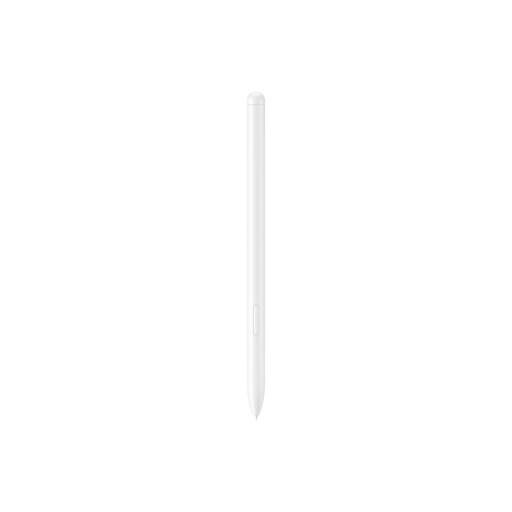 No image available
For sketching and drawing with the Galaxy Tab S9 FE and Tab S9 FE+ models listed; this isn’t a universal tablet stylus.
Weight: 8,7 g. The product description lists magnetic attachment and charging in the designated area.
No. Apple Support Netherlands publishes different compatibility lists for each Pencil version and also specifies software requirements for Pencil Pro and the USB-C version. Check your iPad’s full model name before choosing a stylus.
Apple describes the magnetic attachment as a way to store the stylus; pairing and charging are done with a USB-C charging cable.
According to Huion, the Inspiroy 2 series doesn’t connect via Bluetooth and must be connected by cable. The included stylus itself doesn’t need a battery.
ACM ConsuWijzer explains that your statutory rights exist alongside any retailer or manufacturer’s warranty, and depend on what you could reasonably expect from the product. For an online product purchase, you usually have up to 14 days from delivery to change your mind; check the applicable exceptions and returns terms.