
Vandaag of morgen in huis

Kwaliteit gegarandeerd

Welkomstaanbiedingen ontgrendelen: GRATIS bezorging | Tot 80% korting | Gratis 30 dagen JoyPlus-proefperiode
Download de app
A tablet stylus can be useful for taking notes, drawing, annotating PDFs and navigating with precision. However, not every tablet pen works with every tablet. A pen that works with an iPad won’t necessarily work with an Android tablet or Windows device.
Most common buying mistakes come down to three misunderstandings:
First, check your tablet’s make, model and generation. For Apple devices, note the differences between iPad, iPad Air, iPad Pro and iPad mini. Not every iPad pen works with every model. The Apple Pencil 2nd Generation, for example, is designed for specific iPad Pro, iPad Air and iPad mini models.
The same applies to Samsung. A Samsung S Pen may be designed specifically for a Galaxy Tab model. According to the product details, the Samsung EJ-PX510 is listed for the Galaxy Tab S9 FE and Tab S9 FE+. So always check the model name before ordering.
For a Windows tablet pen, technologies such as MPP are important. A Microsoft Surface Pen or compatible active pen will only work if the screen supports the right pen standard. A universal capacitive stylus works with more devices, but usually offers fewer advanced features.
A basic capacitive stylus essentially mimics your finger. That’s enough for tapping, scrolling and simple navigation. For writing and drawing, an active stylus is usually more practical. It uses electronics to communicate more accurately with the screen.
Look out for these features:
A stated figure such as 4096 pressure levels is a verifiable product specification, but it doesn’t guarantee that every drawing app will use this feature. According to the product information, the Acer ASA410 offers 4096 pressure levels and supports AES 2.0, USI 2.0 and MPP2.5. Still, check whether your Acer device supports one of these standards.
A digital pen can connect in several ways:
A USB-C model is handy if you already use the same cable for your tablet. Magnetic charging means one less cable to keep track of, but only works with compatible devices. A pen with an AAAA battery can last a long time, but you’ll need to keep suitable batteries in stock.
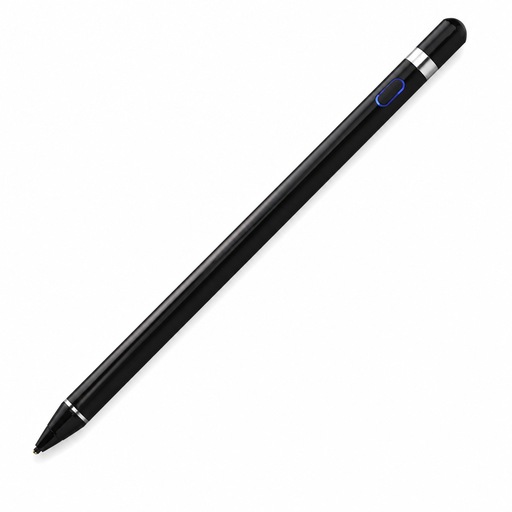
Why it suits this profile: This tablet pen is designed for capacitive screens and supports writing, drawing and navigation on compatible iOS, Android and Microsoft devices. Check in advance that your screen and the app you need are supported.
The product information specifically mentions a capacitive screen, a built-in 140 mAh lithium battery and a weight of 59,4 grams. This makes the basics clearer than with a model vaguely described as universal.
Supports several capacitive devices and has a built-in battery. According to the product description, an app is required for pairing and use.
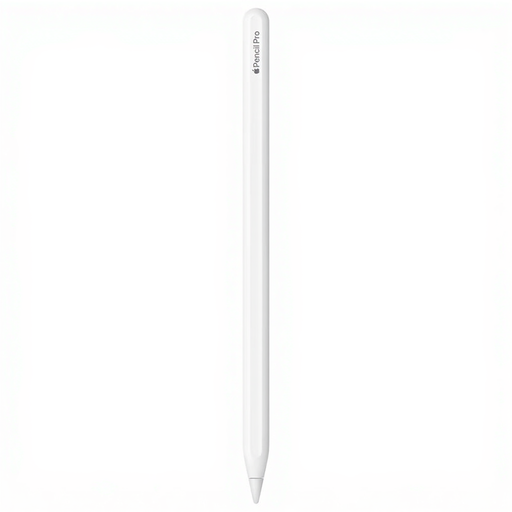
Why it suits this profile: Ideal if you draw, sketch and take notes on a compatible recent iPad Pro or iPad Air and want advanced controls.
The compatibility list names specific iPad models. This helps you avoid buying an advanced pen for an iPad that doesn’t support its features.
Pressure and tilt sensitivity, magnetic pairing and charging, plus pinch and rotation gestures according to the product description.
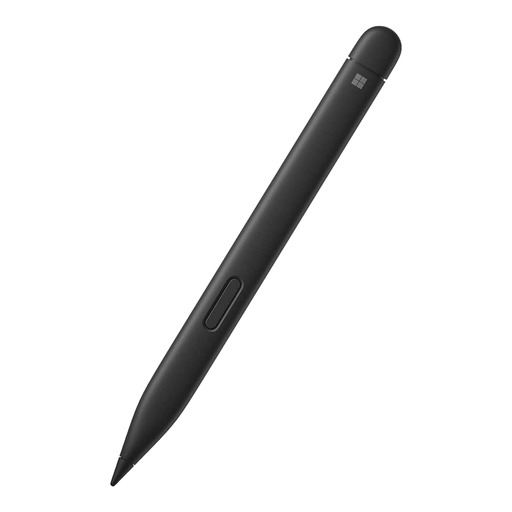
Why it suits this profile: A natural choice if you use a compatible Microsoft Surface and spend a lot of time writing, drawing or editing documents in Windows.
The specifications list specific Surface models and support for palm rejection and tilt recognition. Be sure to check that your Surface is on the compatibility list.
4,096 pressure levels, haptic feedback and real-time writing according to the product details.
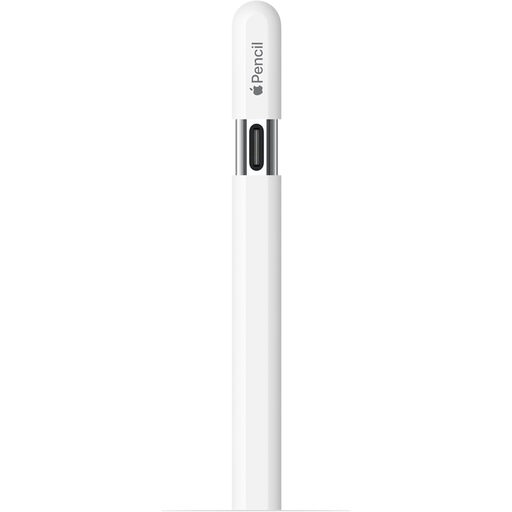
Why it suits this profile: Handy for lecture notes, PDFs and sketches on many recent and older iPad models, provided your exact model is supported.
The pen charges via USB-C, and the product details include a specific compatibility list. This makes it easier to check in advance whether you’ll need an adapter or another charging accessory.
Tilt sensitivity, magnetic attachment and USB-C charging. Hover is supported on selected iPads according to the product description.
We’ve put together a complete, up-to-date list of products that meet these strict selection criteria and the applicable European safety regulations.
No. A capacitive stylus can often handle basic tasks, but features such as palm rejection, pressure sensitivity and magnetic charging require a compatible pen and iPad. So check your exact model and the iPadOS features it supports.
It depends on the type of battery, how often you use it and how it charges. A model with USB-C or a magnetic charger needs regular charging. According to HP’s product specifications, a pen with an AAAA battery can last up to 18 months, but actual battery life depends on use and battery condition.
Not always. A basic pen may be enough for simple notes and navigation. If you often write, mark up PDFs or draw, you’ll generally benefit more from palm rejection, low latency and a precise tip. Choose the features that suit how you use it, rather than focusing only on the brand or number of pressure levels.
