First, choose a stylus that’s compatible with your exact tablet model. Then compare features for outlines, details and shading. Pressure sensitivity, tilt control, palm rejection and charging options can help you tailor your workflow, but they don’t tell you how noisy the pen will be on your screen. If you’re drawing in a quiet study, assess how it feels and sounds separately.
Who is this guide for?
Sketchers with an existing tablet
You want to check first whether a pen works with your exact iPad, Galaxy Tab or other tablet. Apple and Samsung list compatibility by pen model; for other pens, you may need a compatible EMR screen or a Windows device with AES or MPP support.
Those adding detail to furniture designs
You want to do more than sketch quick shapes, so you’re looking for control over lines and shading. Apple, Samsung and STAEDTLER describe different pen control and pressure features; also check whether your drawing app supports them.
Sketchers at their desk
You want to rest your hand on the screen while you draw and capture ideas without unnecessary interruptions. Logitech lists palm rejection for supported iPads; check that your pen, tablet and app work together.
What should you look for when choosing?
First, check compatibility with your tablet. Then decide whether line control, a comfortable hand position or the charging method matters most for your sketches.
| What to consider |
What to check before buying |
Who might value this most? |
| Tablet compatibility |
Check your exact tablet model, any software requirements and, where relevant, support for EMR, AES or MPP. |
I want to make sure the pen works with my existing tablet before comparing features; around 36% of consumers put compatibility first. |
| Control over outlines and shading |
Check whether the pen varies strokes based on pressure or tilt, and whether your drawing app supports the feature. |
I want to develop my furniture sketches with differences in outlines and shading; around 29% of consumers prioritise line control. |
| Hand position while sketching |
Check palm rejection with your particular pen, tablet and app; assess writing noise separately. |
I want to rest my hand on the screen during a longer sketching session; around 21% of consumers put hand position first. |
| Charging and pen tips |
Find out whether the pen needs a charger, how it charges and whether the tip can be replaced. |
I want to capture an idea without charging or maintenance interrupting me at the time; around 14% of consumers make this their top priority. |
Common pitfalls
-
Assuming ‘works with tablets’ means ‘works with your tablet’
Apple Pencil models, S Pens and pens for EMR, AES or MPP systems all have different device requirements. A pen that isn’t compatible with your tablet won’t work for these sketches.
Before ordering, check your exact tablet model and the required pen technology or software version.
-
Confusing tilt control with pressure-sensitive line width
Tilt and pressure are different ways of influencing a pen stroke. For furniture details, it can make a difference which features are supported by the pen and drawing app.
Check that the exact pen supports the feature you want, and make sure your drawing app works with it.
-
Assuming magnetic storage means magnetic charging
Apple describes magnetic charging for Pencil Pro, while Apple Pencil (USB-C) charges via a cable.
Check how your chosen model charges; magnetic attachment alone doesn’t mean the pen charges wirelessly.
Relevant brands to consider
Apple
Apple Pencil models are designed for specific iPad generations, and controls vary by model.
- Apple lists features such as squeeze and barrel roll controls, plus magnetic charging, for Pencil Pro.
- Compatibility varies by Pencil model. Apple Pencil (USB-C) charges via a cable; check tilt control and pressure sensitivity separately if you need them.
Samsung
S Pen models are designed for devices that support the relevant pen; the S Pen for the Galaxy Tab S11 series is specifically for the Tab S11 and S11 Ultra.
- Samsung lists pressure detection and a replaceable tip for the S Pen for the Galaxy Tab S11 series.
- Compatibility and Bluetooth features vary between S Pens. Check that the exact pen works with your Galaxy Tab.
Logitech
Crayon (USB-C) is designed for drawing and note-taking on supported iPads from 2018 onwards.
- Logitech lists tilt control, palm rejection on iPad and use without a separate Bluetooth pairing.
- The pen charges via USB-C. Tilt control isn’t the same as pressure sensitivity, so check separately if you need that feature.
STAEDTLER
Noris digital classic is designed for sketching on a screen with a compatible EMR digitiser.
- STAEDTLER lists a replaceable tip, 4.096 pressure levels and use without charging or pairing.
- According to STAEDTLER, the pen only works with compatible EMR screens. How pressure variation works also depends on the app.
Wacom
Bamboo Ink Plus is designed for certain Windows tablets with Wacom AES or Microsoft Pen Protocol.
- Wacom lists USB-C charging and up to 4.096 pressure levels.
- Tilt support and functionality vary by device; Wacom excludes Apple products. Check support for your Windows tablet.
Styluses for sketching furniture on Joybuy
This selection includes styluses for compatible Wacom and Surface devices, as well as selected iPads. Always check compatibility with your exact tablet model.
 No image available
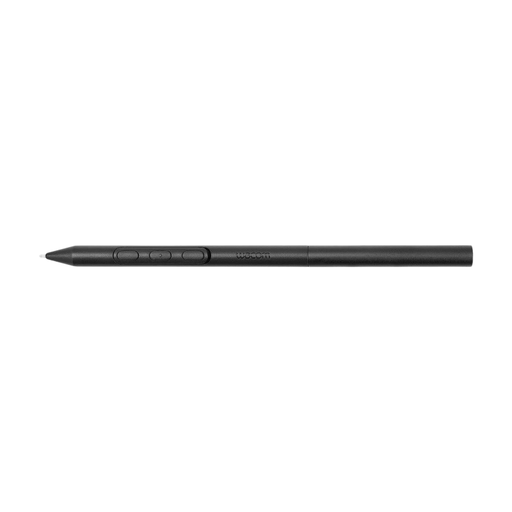
Wacom Pro Pen 3
An option for sketching on the compatible Wacom devices listed if you’re looking for a pen that doesn’t need charging.
The title specifies battery-free EMR technology. The product information lists Wacom MovinkPad 11 and Cintiq Pro 17, Pro 22 and Pro 27; it also says pairing isn’t required.
Joybuy
 No image available
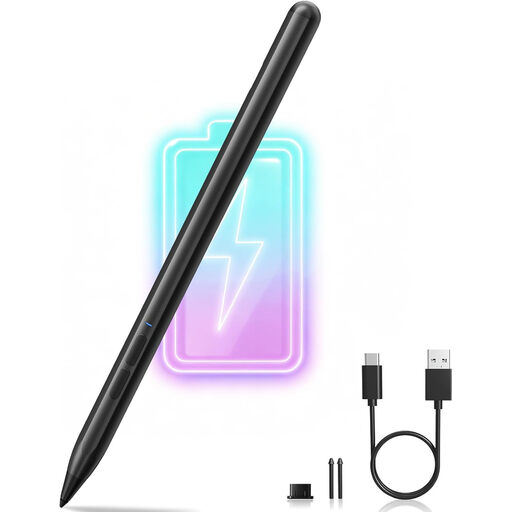
MP-02 pen for Microsoft Surface
Designed for sketching on the Surface devices listed if you’re looking for pressure sensitivity and palm rejection.
The product information lists 4.096 pressure levels and compatibility with Surface models. A lithium-ion battery is required and isn’t included.
Joybuy
 No image available
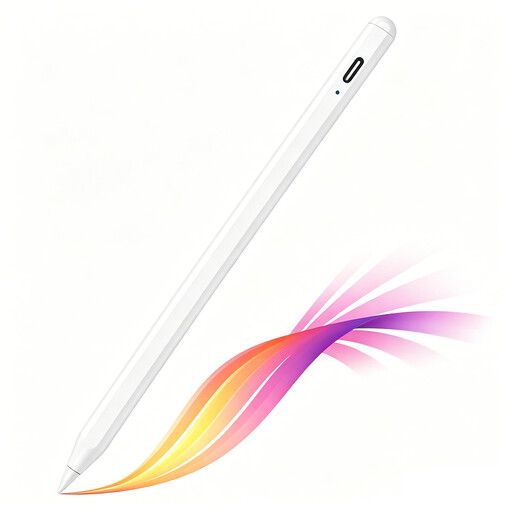
iPad stylus with USB-C charging
A good fit for sketching on selected compatible iPads if you’re looking for tilt detection and palm rejection.
The product information lists USB-C charging and magnetic attachment for storage. The magnetic attachment doesn’t charge the pen wirelessly.
Joybuy
 No image available
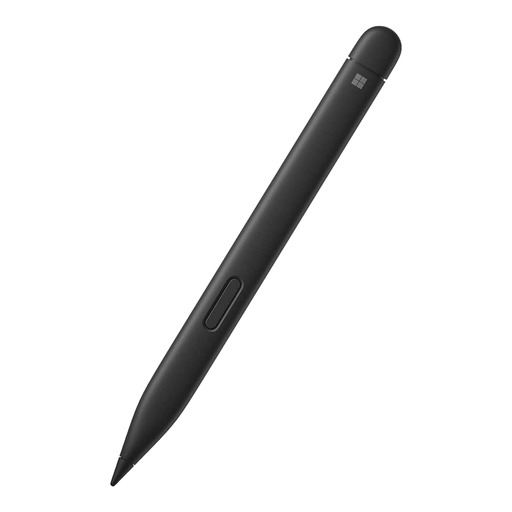
Microsoft Surface Slim Pen 2 (8WV-00002)
An option for drawing and shading on compatible Surface devices if pressure sensitivity is important to you.
The product information lists 4.096 pressure levels and a haptic motor. The listed compatible devices include Surface devices and Surface Pro 8 and Pro X Type Covers.
Joybuy
 No image available
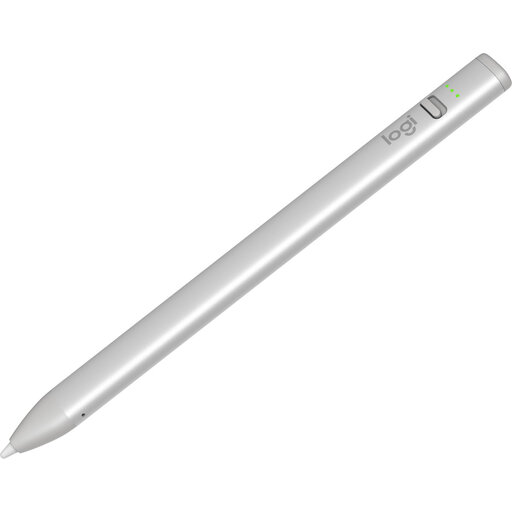
Logitech Crayon (USB-C), silver
Suitable for drawing and note-taking on a compatible iPad from 2018 onwards if tilt control and palm rejection suit your workflow.
The product information lists iOS 12.2 or later and USB-C charging. It also says that tilting can vary the line width.
Joybuy
Frequently asked questions
Can I use any tablet stylus with my tablet?
No. Compatibility depends on the pen and your exact tablet model. Apple lists compatibility by Pencil and iPad, and Samsung by S Pen; alternatives may require a compatible EMR screen or a Windows tablet with AES or MPP support.
How do I pair and charge an Apple Pencil (USB-C)?
First, check that your iPad is compatible. According to Apple, pairing and charging are both done via a USB-C cable; attaching it magnetically to the side isn’t the same as magnetic charging.
What can I do if the pen tip is worn?
Follow the instructions for your exact pen model. Samsung explains how to replace the tip on the S Pen for the Galaxy Tab S11 series; STAEDTLER lists a replaceable tip for Noris digital classic. Check which replacement tips fit your model.
What are my rights when buying a stylus online?
When buying online from a business, you often have a 14-day cooling-off period, according to the Dutch government, although there are exceptions. A faulty product is different from simply changing your mind and may give you statutory consumer rights. The rules that apply depend on the purchase and the seller.


