Start with a stylus that is confirmed to work with your exact tablet model, then check whether your drawing app supports the measurements and export options you need. A precise stylus alone won’t make a sketch to scale. For lines and annotations, a simpler compatible stylus may be enough, while extra controls are only useful if you use them in your app. Test the noise in your quiet workspace with the stylus, tablet and any screen protector you plan to use.
Who is this guide for?
Sketching with a tablet you already own
You want to find a stylus that works with your current tablet, so start by checking the exact model and the stylus technology it supports. Apple, Samsung and Wacom provide model-specific compatibility information.
Creating floor plans with measurements
You want to edit a sketch and export it in a useful format. magicplan’s documentation describes several measuring and export options, so check that the app supports the workflow you need.
Sketching in a quiet workspace
You draw at a quiet desk and want a straightforward setup. Compare the charging and pairing steps, and test the noise with your stylus, tablet and any screen protector.
What should you look for?
First, make sure the stylus is compatible with your exact tablet and works with your app. Then consider whether extra controls or easier charging would make sketching more convenient.
| What to consider |
What to look for when buying |
Who is this important for? |
| Compatibility |
Check your exact tablet model and, for Windows, the supported stylus protocol. |
If I want to keep using my current tablet, I need to know that the stylus is confirmed to work with my exact model. Around 36% of consumers put compatibility with their existing tablet first. |
| Lines and annotations |
Check which stylus features your tablet and drawing app actually support. |
For straight lines, symbols and notes, I want controls that support my sketching, not lots of extras I won’t use. Around 29% of consumers prioritise control over lines and annotations. |
| Measurements and files |
Check how the app captures or enters measurements, and whether it exports what the recipient needs. |
If my floor plan needs to be measured or shared, I want to know whether the app can handle the measurements and file format I need. Around 21% of consumers put measurements and usable files first. |
| A quiet, simple routine |
Compare charging and pairing, and test the noise with the stylus, tablet and any screen protector you plan to use. |
At a quiet desk, I want to be able to get started easily and know how the stylus tip sounds against the screen. Around 14% of consumers prioritise a quiet, straightforward routine. |
Common buying mistakes
-
Choosing a stylus by brand or connection without checking your tablet model
Compatibility varies by stylus and device. Apple lists compatibility for each Pencil and iPad model; Wacom pairs Bamboo Ink Plus with compatible Windows stylus protocols.
Make a note of your tablet’s full model name and check the compatibility information for the specific stylus.
If you choose the wrong one, you may have to find another stylus.
-
Assuming a sketching stylus can take measurements
A hand-drawn line won’t automatically give you a floor plan to scale or a file with the right information. For example, magicplan says that dimensions aren’t included in DXF sketch exports.
Find out which measurements the recipient needs and test the app’s export using a sample floor plan.
Depending on your workflow, you may need to do extra measuring or use another export step.
-
Confusing Air Command with Bluetooth Air Actions on every S Pen
Samsung says that some pens, including the one for the Galaxy Tab S9 FE, don’t support Bluetooth.
Check the features of the exact pen version and don’t assume it has remote-control functions.
-
Assuming a two-year period is the full statutory guarantee
According to ACM ConsuWijzer, statutory guarantees in the Netherlands don’t have a fixed two-year period for every product.
Keep your proof of purchase and contact the retailer if something goes wrong.
Brands to consider
Apple
Apple Pencil models are designed for specific iPad models, making them worth considering if you already have a compatible iPad.
- Apple describes Apple Pencil (USB-C) as suitable for precise sketching and tilt input on supported iPads. Apple Pencil Pro offers extra controls on iPads that support it.
- Not every model works with every iPad, and pairing and charging methods vary. Check compatibility with your exact iPad.
Samsung
Model-specific S Pens for Galaxy devices that support pen input.
- Samsung describes the pen for the Tab S9 FE as suitable for sketching and magnetic storage.
- Samsung says some pens, including the one for the Tab S9 FE, don’t support Bluetooth. Don’t assume every S Pen has Air Actions.
Logitech
Crayon (USB-C) is an option for sketching and annotating on compatible iPads.
- Logitech says you can switch it on and start writing without a complicated Bluetooth pairing process.
- Check that it works with your iPad and app. If pressure sensitivity matters to you, make sure that feature is explicitly supported for your setup.
Wacom
Bamboo Ink Plus is designed for compatible Windows tablets and 2-in-1 devices.
- Wacom lists AES and MPP as supported stylus technologies.
- Performance varies by device and software; Wacom says Bamboo Ink Plus isn’t compatible with Apple products. Check your exact device and protocol.
Stylus options at Joybuy
The styluses below are intended for sketching on compatible iPad, Wacom and Surface devices. Check that each stylus works with your exact model and drawing app.
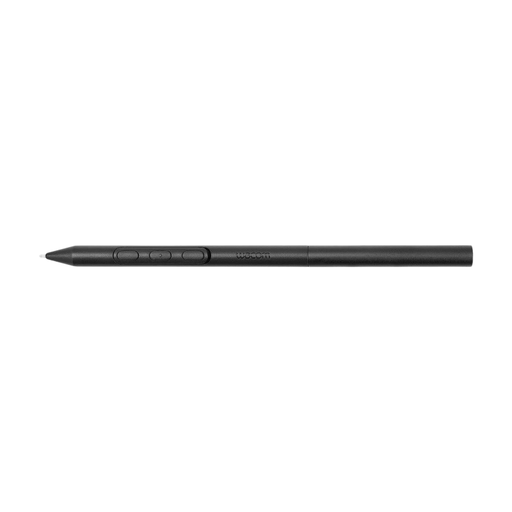 Image unavailable
Wacom Pro Pen 3, customisable battery-free EMR stylus, black
An option for sketching on a compatible Wacom device; check that your exact model is supported.
The stated compatibility is limited to the Wacom MovinkPad and Cintiq models listed.
View at Joybuy
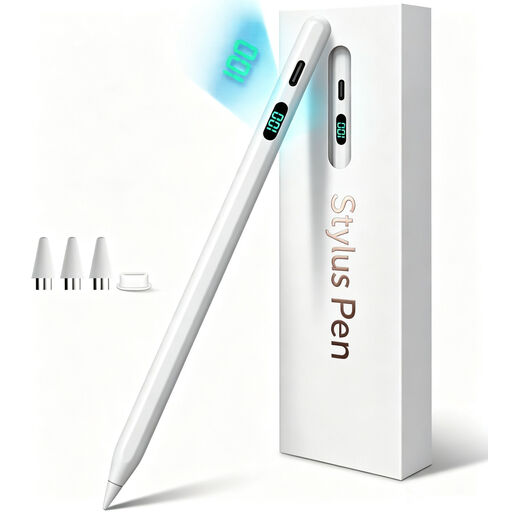 Image unavailable
Stylus for iPad (2018–2026), USB-C fast charging
An option for sketching on a compatible iPad; check that your exact model and drawing app are supported.
The product name refers to iPad models from 2018–2026 and USB-C fast charging. Check that your model is supported.
View at Joybuy
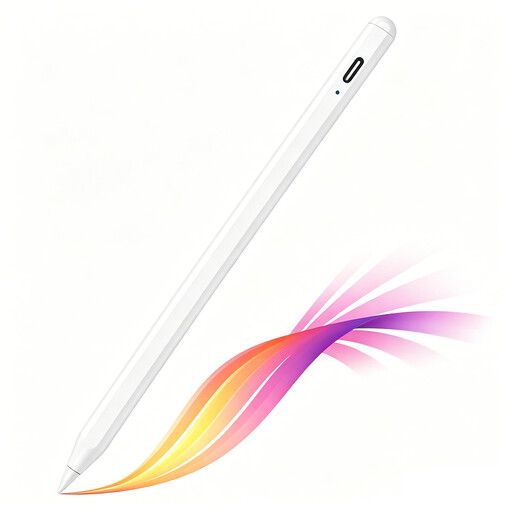 Image unavailable
iPad stylus, USB-C, tilt detection and palm rejection
For sketching and note-taking on selected iPad models; check compatibility with your exact model.
The magnetic attachment is for storage, not wireless charging. The product name also mentions an LED battery-level indicator.
View at Joybuy
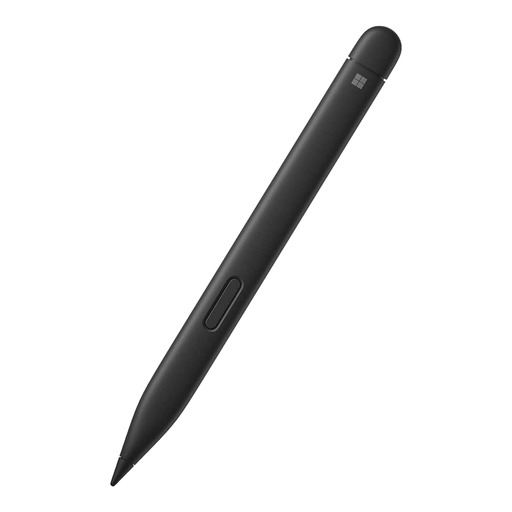 Image unavailable
Microsoft Surface Slim Pen 2, black, 8WV-00002
An option for drawing on a compatible Surface device; check that your exact model and screen are supported.
View at Joybuy
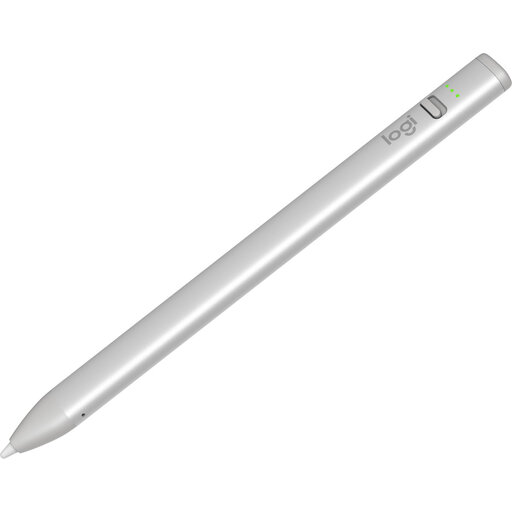 Image unavailable
Logitech Crayon, USB-C, silver
An option for sketching and annotating on a compatible iPad. Logitech says you can switch it on and start writing without a complicated Bluetooth pairing process.
The product description lists iPad models from 2018 onwards running iOS 12.2 or later; check compatibility with your exact tablet and app.
View at Joybuy
Frequently asked questions
Will a precise stylus automatically make my floor plan to scale?
No. Enter measurements or use a suitable measuring method in your app, then check the export. For example, magicplan says its PDF sketch includes measurements, but according to the app’s documentation, measurements aren’t included in DXF sketch exports.
Can I scan a room in magicplan on an Android tablet?
No. According to magicplan, its AR and LiDAR scanning features aren’t available on Android. You can still add or draw a room manually in the app; this doesn’t apply to all Android apps.
How do I get started with drawing and charging?
It depends on the stylus. Apple says Apple Pencil (USB-C) pairs and charges using a USB-C cable; Logitech describes Crayon (USB-C) as a stylus you can switch on and use without a complicated Bluetooth pairing process. Follow the instructions for your exact model.
What are my rights in the Netherlands if I buy online or my stylus breaks too soon?
For online consumer purchases, you’ll usually have a statutory cooling-off period of up to 14 days after delivery; ACM ConsuWijzer lists some exceptions. You’re also covered by the statutory guarantee if a product, when used normally, doesn’t meet your reasonable expectations. In the Netherlands, there isn’t a fixed two-year period for every product; contact the retailer if something goes wrong.


