
Converting formulas
You want more than just to write equations: you want them recognised, converted or calculated too. Apple Support, Microsoft Support and reMarkable Support outline the different features and limitations of their respective apps.


First, check which stylus model is compatible with your exact tablet. Then decide whether you simply want to write formulas or also have them recognised, converted or calculated. The latter depends on the app and sometimes requires a subscription. If you work at a shared desk, it’s also worth checking who can access your work notes and synced files.
You want more than just to write equations: you want them recognised, converted or calculated too. Apple Support, Microsoft Support and reMarkable Support outline the different features and limitations of their respective apps.
You’re looking for a stylus for the tablet you already own. Apple, Samsung and Lenovo link compatibility to specific stylus and device models.
You take notes or write out derivations in a shared office space. If your notes contain personal data, you’ll also need to consider who can view or access them. The Dutch Data Protection Authority highlights the importance of preventing unauthorised access.
Start by checking your tablet’s compatibility. Then decide which app features you need, and consider how your work notes will be handled and whether any software costs apply.
| What to consider | What should you check? | Who is this important for? |
|---|---|---|
| Compatibility | Make a note of your tablet’s full model name and compare it with the information for the specific Apple, Samsung or Lenovo stylus model. | I want a stylus that works with the tablet I already use, not just a device from the same brand. Around 36% of consumers prioritise compatibility above all else. |
| Formula processing | Test your own fractions, variables and symbols in the app you plan to use. Also check the terms for features in iPad Notes or OneNote. | If I want an equation converted or calculated, the app needs to support my notation; a stylus alone won’t guarantee that. Around 29% of consumers prioritise formula processing. |
| Work notes | Check the access and syncing arrangements if your notes contain personal data. The Dutch Data Protection Authority stresses that unauthorised people must not be allowed access to personal data. | I work at a shared desk and want to know who can open or view my work notes. For around 21% of consumers, how work notes are handled is their top priority. |
| Running costs | Check what you already have, what’s included and whether the app feature you want requires a subscription. Microsoft says that the OneNote Maths Assistant described requires a Microsoft 365 subscription. | I want to know the cost of the whole stylus and software set-up in advance, not just how much the stylus itself costs. Around 14% of consumers start by considering additional costs. |
The Apple Pencil (USB-C) can attach magnetically to an iPad, but pairing and charging are done using a USB-C cable, according to Apple Support.
Check separately how your specific Pencil model attaches, pairs and charges.
reMarkable says that the handwriting conversion described does not convert mathematical notation or diagrams. Microsoft states that its OneNote Maths Assistant requires a subscription.
Try your own formulas in the app you plan to use, and check in advance which features are available and what terms apply.
If you want to use the OneNote feature described, factor the Microsoft 365 subscription specified by Microsoft into your costs.
Apple, Samsung and Lenovo list compatibility for specific stylus and tablet models, so a matching brand name alone isn’t enough to confirm compatibility.
Compare the full model names of your tablet and stylus with the manufacturer’s compatibility information.
Apple Pencil models are designed for specific iPads. The Pencil (USB-C) is aimed at writing and annotating, while iPad Notes also offers its own maths features.
The Crayon (USB-C) is a writing stylus for supported iPads.
The beige S Pen EJ-PX510BUEGEU reviewed here is designed for the Galaxy Tab series specified by Samsung.
The Tab Pen Plus, part number ZG38C05190, is designed for Lenovo systems with separately confirmed compatibility.
The Marker Plus is designed for handwriting on the reMarkable 2, including when you want to keep your derivations handwritten.
This selection includes styluses for writing and note-taking on certain iPads and compatible e-ink devices. Check the exact device model for each stylus; a stylus alone can’t guarantee that an app will recognise or convert formulas.
 Image unavailable
An option for handwritten notes on one of the listed compatible devices.
The product name lists reMarkable 1 and 2 and Kindle Scribe, as well as an eraser and 4096 pressure levels. Check that your device model is supported.
 Image unavailable
A writing stylus to consider if you want to take notes on a compatible iPad.
The product information lists iPad models from 2018 onwards and iOS 12.2 or later. Logitech describes it as ready to use as soon as it’s switched on, with no Bluetooth pairing required; formula features depend on the app.
 Image unavailable
An option for writing and note-taking if you have a compatible iPad Air or iPad Pro model.
Before buying, check that this model is compatible with your exact iPad.
 Image unavailable
A writing stylus for taking notes on a compatible iPad.
Apple lists tilt sensitivity and USB-C charging. Magnetic attachment isn’t the same as magnetic charging, so check compatibility with your iPad.
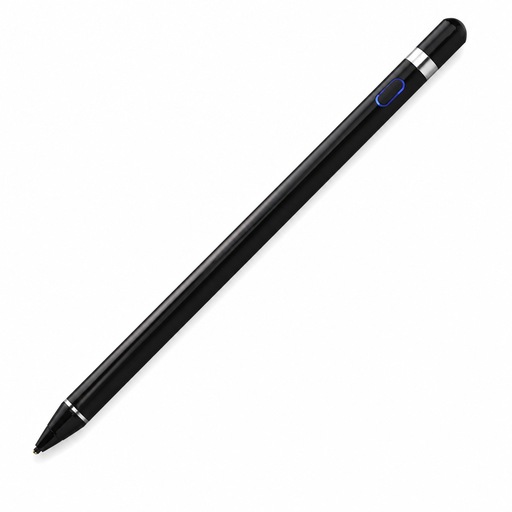 Image unavailable
An option to consider if you want to take notes on a device that meets the listed screen and app requirements.
The product information lists iOS, iPad, Android and PC, a capacitive screen and pairing via the accompanying app. Text conversion is mentioned, but this doesn’t confirm formula recognition.
No, it depends on the specific stylus and tablet models. First, find your tablet’s full model name and compare it with the manufacturer’s compatibility information. Apple and Lenovo distinguish between different models and systems.
No, a stylus alone can’t guarantee formula recognition. Apple describes maths features in iPad Notes, while Microsoft describes formula conversion in the OneNote Maths Assistant, for which Microsoft specifies a Microsoft 365 subscription. reMarkable says that its handwriting conversion feature doesn’t convert mathematical notation or diagrams.
It varies by model: the Apple Pencil (USB-C) charges using a USB-C cable, as does the Logitech Crayon (USB-C). reMarkable says that the Marker Plus has replaceable tips; check the information for the stylus you’re considering.
If notes contain personal data, an organisation must prevent unauthorised access, according to the Dutch Data Protection Authority. The right access protection depends on the purpose and context; a particular tablet stylus won’t solve this on its own.
For a consumer purchase made online, you generally have a statutory 14-day cooling-off period from delivery, with some exceptions, according to ACM ConsuWijzer. This is separate from your statutory guarantee: if a product doesn’t perform as you could reasonably expect under normal use, the seller must put things right free of charge, according to ACM ConsuWijzer. The exact assessment depends on the purchase and the applicable terms.