
Illustrators with limited desk space
Want to draw directly on a compact screen while leaving room for a plant or reference photo. Apple Netherlands lists the iPad mini (A17 Pro) as having a body measuring 195.4 × 134.8 mm.


If you want to draw directly on the screen without a computer, consider a compact standalone tablet with a pen that’s explicitly listed as compatible. If you already use a computer, monitor and drawing software, a small screenless graphics tablet may suit your workspace better. Measure the whole setup and check pen, software and connection compatibility; with some tablets, the pen is a separate purchase.
Want to draw directly on a compact screen while leaving room for a plant or reference photo. Apple Netherlands lists the iPad mini (A17 Pro) as having a body measuring 195.4 × 134.8 mm.
Already have a screen and drawing software, and want a graphics tablet as an input device. Check that the connection, operating system and required driver work with your existing setup.
Want to compare pen features for fine contours and shading. Check support for the exact pen model and drawing app, rather than looking only at the screen size or the stated number of pressure levels.
A good fit if: you want to draw directly on the screen without a computer taking up space on your small desk. Apple Netherlands lists the iPad mini (A17 Pro) as having an 8.3-inch screen and measuring 195.4 × 134.8 mm overall.
Trade-off: the screen is compact. Also check which compatible Pencil and features you need, as these may be separate purchases.
A good fit if: you already use a computer, screen and drawing app. Huion lists the Inspiroy 2 S as measuring 246 × 152 mm overall; XPPen gives the Deco mini7’s dimensions as 260.2 × 162.2 mm.
Trade-off: you draw on the tablet while looking at a separate computer screen, so check the operating system version, connection, driver and app.
A good fit if: more screen space for leaves, veins or colour references matters more to you than having the smallest footprint. Samsung lists the Galaxy Tab S10 FE as having a 10.9-inch screen and S Pen support.
Trade-off: the screen diagonal doesn’t tell you how much space the tablet, your hand and a plant reference will take up together. Measure the available space.
Measure your entire drawing setup, then decide whether space, pen input, connection to existing equipment or drawing directly on a screen matters most to you.
| Consideration | What to look for | Who is it most important to? |
|---|---|---|
| Desk space | Compare the overall dimensions with the space available, and allow room for your hand and reference materials. For screenless models, distinguish between the overall dimensions and the active drawing area. | When I draw at a small desk, the tablet, my hand and a plant or reference photo all need to fit. Around 33% of consumers put available desk space first. |
| Line and shading control | Check the features of the exact pen model and whether the drawing app supports pressure or tilt input. | For fine contours and shading, I want to know which pen input my app actually uses. Around 27% of consumers give line and shading control top priority. |
| Existing equipment | Check the exact operating system version, connection, driver and drawing app required for the model you choose. | If I want to keep using my computer and drawing app, the tablet needs to work with that setup. Around 20% of consumers put compatibility with existing equipment first. |
| Standalone drawing and bundle contents | Check that the pen is compatible with the exact tablet model and what the offer actually includes. | If you want to draw directly on a standalone screen, you’ll also want to know whether the right pen is included. Around 20% of consumers prioritise this screen-based workflow and a suitable bundle. |
The full body takes up more space than the screen or active drawing area. You’ll also need room for your hand and a botanical reference.
Measure the available space and compare it with the dimensions of the whole tablet. If necessary, sketch out your intended setup first.
Pen compatibility and features vary by tablet and pen model. In Apple’s Netherlands configurator, the Pencil is a separate option.
Before buying, check the exact tablet model, compatible pen, features you need and what the offer includes.
If the offer doesn’t include the pen you want, you may need to buy it separately.
With a screenless graphics tablet, you view your work on a separate computer screen. This option therefore requires a suitable computer setup.
First decide whether you want to draw using your existing computer, then check the devices, operating system version, connection and drawing app.
For this workflow, you’ll need access to a suitable computer and drawing app. Remember to allow space for the screen, too.
Apple positions the iPad mini (A17 Pro) as a compact tablet with a screen, designed for use with a compatible Apple Pencil.
The Galaxy Tab S10 FE is a standalone tablet with a screen for anyone considering a larger display.
The Inspiroy 2 S is a compact, screenless graphics tablet for an existing computer-based drawing setup.
The Deco mini7 is a screenless option with stated overall dimensions and an active drawing area.
Wacom positions the Intuos Small CTL-4100K-S for drawing and painting on a Mac or PC.
This selection includes screenless graphics tablets for use with an existing computer and standalone tablets with 10.1-, 11- and 12.7-inch screens. Compare the overall dimensions with your workspace and check which pen or accessories come with the version you choose.
 Image unavailable
For drawing and illustrating on an existing computer; this is a screenless tablet.
Active area: 187 × 105 mm; overall dimensions: 215 × 163 mm.
8,192 pressure levels and tilt sensitivity.
USB-C and Bluetooth; the description lists Windows and macOS.
 Image unavailable
For drawing on a computer; this is a screenless graphics tablet.
Active area: A6, approximately 148 × 105 mm.
The description lists a pressure-sensitive, battery-free pen as included.
Bluetooth 5.1 and USB-C; the description lists Windows and macOS.
 Image unavailable
A standalone tablet with a stylus for drawing directly on the screen; compare its size with the desk space you have available.
10.1-inch screen; 9GB* RAM (3GB + 6GB virtual expansion) and 64GB storage.
The product name lists a case, Bluetooth keyboard and mouse, tablet stand, charger, data cable, stylus, earphones, OTG adapter cable and camera cover.
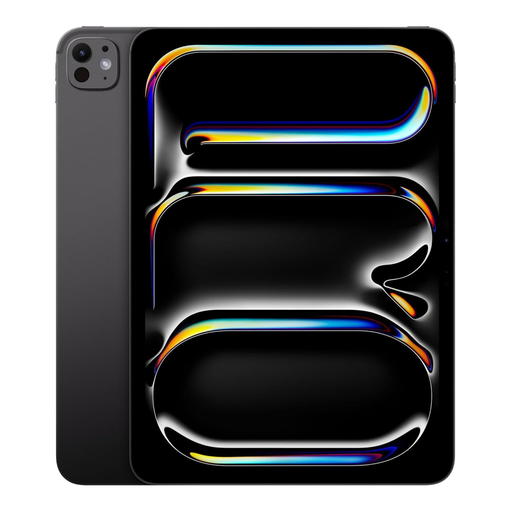 Image unavailable
A standalone iPad for drawing directly on the screen; check pen compatibility for the exact model.
11-inch screen, 1TB storage and Wi-Fi.
The product description lists support for Apple Pencil.
 Image unavailable
A standalone tablet with a stylus for drawing on screen; its 12.7-inch size needs plenty of room on a small desk.
12.7-inch 2K display, 20GB RAM (8GB + 12GB Virtual) and 256GB storage.
The product name lists an included stylus.
Yes. With a screenless, computer-based setup, you view your work on the connected computer screen rather than on the drawing tablet. Before buying, check that the connection, operating system version and drawing app work with your setup.
No. Apple Netherlands lists support for Apple Pencil Pro and Apple Pencil (USB-C). Check which features you need; don’t assume the USB-C model offers the same functionality as the Pro model.
First measure the available space next to your keyboard and botanical reference, then compare it with the dimensions of the drawing tablet. Next, check the computer connection and driver for your system; Huion provides connection and driver instructions for the Inspiroy 2 series.
According to ACM ConsuWijzer, online purchases generally come with a statutory 14-day cooling-off period after delivery, although exceptions apply. You’re also entitled to a product that meets the required standards: according to the Dutch government, there is no fixed statutory warranty period, and the retailer is your point of contact if something is faulty.
Check what’s included in the exact offer and the software licence you choose. In Apple’s Netherlands configurator, the Pencil is a separate option; Wacom lists software offers with registration or time-limit conditions for the Intuos Small.