
Plan reader who needs to see lots of detail
You view large maps, cross-sections or legends, and weigh the benefit of extra screen space against the weight of a tablet around 13 inches.


Start with the files used on your course. For PDFs, you’ll need enough screen space to view plans and a stylus-and-app combination that works well together. For DWG files, first check which mobile features you need. A tablet in the 13-inch class gives you more room for drawings and notes; a more compact model is easier to carry, but may require more zooming. Check the stylus, file workflow and any accessories you need for each specific model.
You view large maps, cross-sections or legends, and weigh the benefit of extra screen space against the weight of a tablet around 13 inches.
You add comments or sketches to study files and want to know which stylus works with the exact tablet model and whether it’s included.
You receive editable drawing files and need to check whether viewing them on a mobile device is enough, or whether your course requires specific editing features.
First, check which file formats and tasks your course requires. Then compare screen space, stylus support and carrying weight for the exact model you’re considering.
| What to consider | What should you check? | Which consumers is this for? |
|---|---|---|
| Keeping plans easy to read | Open a typical course plan and assess the text, lines and legend at the zoom level you usually use. | If I want to see a large plan and its details at the same time, I prioritise screen space. Around 28% of consumers put readability and a clear overview of plans first. |
| Annotating with a stylus | Check stylus compatibility, what’s included in the box and whether your app saves annotations in the way you need. | If I want to add comments or sketches directly to a plan, I also check whether the stylus comes with the tablet. Around 22% of consumers prioritise stylus annotation. |
| Files and features | Check whether you use PDF or DWG files, which tasks you need to carry out, and whether a sample file works in the intended app with your account. | If my lessons require specific file features, I want to check them with my own workflow before buying. Around 22% of consumers give file compatibility top priority. |
| Screen for evening study | Try the brightness and any warmer colour setting with a plan where colour differences in the legend matter. | When I study in the evening, I want to adjust the display without losing sight of important plan colours. Around 17% of consumers prioritise evening viewing settings. |
| Portability and accessories | Compare the weight of the exact model and check whether any stylus or other accessories you need are sold separately. | If I take my tablet with me often, I weigh its portability against the accessories I need. Around 11% of consumers prioritise portability and the accessories they need. |
The layout of a plan, its legend and the app you use all affect how much you need to zoom in. Larger tablets can also be heavier.
Before buying, try a typical course plan and compare the weight of the exact model.
Compatible styluses and box contents vary between tablets and models.
Check the exact tablet model, the compatible stylus and the box contents as one purchase combination.
Autodesk describes viewing DWG files on Android tablets and iPads; this doesn’t confirm that all the features required for your course are available on a tablet.
Make a note of the tasks you need to perform and test a course file in the intended app using the account available to you.
If the required features aren’t covered by the access available to you, you may need a different app or licence.
Apple describes Night Shift as a setting that changes the screen’s colour temperature. This can matter if your legend uses colour differences.
Adjust the brightness and colour setting to suit your study space, then check that the important colour differences in your own plan are still easy to recognise.
The Galaxy Tab S10 FE is a more compact 10.9-inch option, while the S10 FE+ has a 13.1-inch screen.
The iPad Air 13-inch (M4) is an option if you want plenty of screen space and use a compatible iPad app.
The Pad 8 has an 11.2-inch Android screen; Xiaomi lists the Focus Pen Pro as a compatible stylus.
The Tab P12 offers a 12.7-inch option between more compact and larger screen sizes.
This selection of Joybuy products includes tablets with larger screens and models whose product information mentions a stylus for annotation. Check file compatibility and which accessories are included for each model.
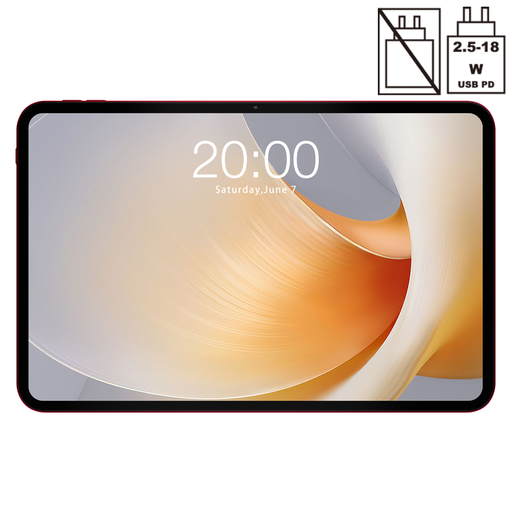 No image available
The 13.4-inch screen is worth considering if you want extra space to view plans.
The product name specifies a 120Hz screen.
 No image available
The 14-inch screen is an option if you’re looking for plenty of space to view plans.
The product name specifies 2.2K resolution of 2240 × 1400.
 No image available
The product information lists an included Lenovo Pen for notes and document annotation.
The product name specifies a 12.1-inch 2.5K screen, 8 GB RAM and 256 GB storage.
 No image available
The 13-inch model is worth considering if you want more room for plans and notes.
Apple lists support for Apple Pencil Pro and Apple Pencil (USB-C); the stated box contents don’t include a stylus.
 No image available
The product information lists an included stylus for drawing and note-taking.
The description specifies a 12.7-inch 2K screen, 20 GB RAM (8 GB + 12 GB virtual) and 256 GB storage.
First, ask whether your course uses PDF, DWG or both, and which tasks you need to carry out. Autodesk confirms that DWG files can be viewed on Android tablets and iPads; for other features, test one of your own course files in the intended app and check what account access you’ll need.
It varies by model and version. Samsung lists an S Pen in the box with the Tab S10 FE and FE+; Apple says the iPad Air 13-inch (M4) supports two Pencil models, but doesn’t list a stylus in the stated box contents. Xiaomi confirms that the Focus Pen Pro is compatible with the Pad 8 series, but not that it’s included with every tablet bundle.
Adjust the brightness, True Tone or Night Shift in the display settings, then take another look at your own plan. A change to the colour display can matter if the legend relies on colour differences. Apple describes these settings; they aren’t a medical guarantee against eye strain.
According to ACM ConsuWijzer, online consumer purchases generally come with a 14-day cooling-off period from delivery, although exceptions apply. Separately, you’re entitled to a legal guarantee if, under normal use, the product doesn’t meet what you could reasonably expect; the seller is responsible for this. This doesn’t mean that every tablet has a fixed two-year guarantee period in the Netherlands.