
Readers who want to mark passages
You want to highlight passages in a digital copy of your book and make short handwritten notes.


Choose according to how you make your notes: for annotating passages, stylus compatibility and what’s included in the box matter; for typing, consider screen space and keyboard compatibility. Save the chapter locally beforehand if you don’t want to rely on café Wi-Fi, and check whether your textbook and its app allow downloads and annotations.
You want to highlight passages in a digital copy of your book and make short handwritten notes.
You want to view the chapter and your notes side by side, and are considering a compatible keyboard. Weigh the extra screen space against portability and accessories.
You want to save permitted study files in advance and open them offline. Protected files may only work in a specific app.
Start with how you make your notes. Then check whether your textbook file will actually work where you need it and with the accessories you plan to use.
| Priority | What should you check? | Who is this most important for? |
|---|---|---|
| Handwritten annotations | Check stylus compatibility, what’s included in the box and whether you can annotate your textbook file in your preferred app. | If you want to mark passages by hand as you read, choosing a writing setup that suits your workflow is especially important; around 33% of consumers say handwritten notes are their main concern when buying. |
| Reading and working space | Compare the screen size and weight of the exact model, and check how the text looks in the lighting where you’ll be working. | If you want to view the chapter and your notes side by side, workspace may matter more than having the smallest possible bag; around 27% of consumers prioritise reading and working space. |
| Working without café Wi-Fi | Check whether you’re allowed to download the file in advance and whether it opens in the required app without an internet connection. | For consumers who don’t want to rely on café Wi-Fi, being able to access the chapter during a study session is key; around 20% say file availability is their main concern when buying. |
| Accessories and overall cost | Check whether a stylus is included with the exact model and whether you’ll need a compatible keyboard for longer notes. | If you want to write by hand as well as type longer passages, it’s worth knowing in advance which accessories you’ll need for the complete setup; around 20% of consumers prioritise the total cost of use. |
Apple lists support for certain Apple Pencil models with the iPad (A16), but doesn’t include a Pencil in the tablet’s box. Samsung, on the other hand, says that the Galaxy Tab S10 Lite comes with an S Pen.
Check the exact model, stylus compatibility and box contents before choosing.
Model codes and bundle contents can differ. Lenovo lists ZAG70187SE for the Idea Tab Plus model with a stylus; check that the code and bundle match the offer you’re looking at.
Compare the full model code, storage and memory specifications, and included accessories.
Some protected files can only be opened in the app they’re associated with.
Check your book’s access conditions and try downloading, opening and annotating the file in advance.
The iPad (A16) is a compact option for reading and marking up PDFs, with handwriting available if you use a compatible Apple Pencil.
The Galaxy Tab S10 Lite is an option for handwritten notes, with an S Pen that Samsung says is included.
According to Lenovo, the Idea Tab Plus model ZAG70187SE combines a 12.1-inch screen with a stylus.
This Joybuy selection includes tablets for reading and taking notes with a stylus, as well as models with extra screen space or accessories for typing.
 No image available
An option for reading and handwritten notes; the product information lists a Lenovo Tab Pen as included.
11-inch IPS screen, 90 Hz and 480 g. The charger must be bought separately.
 No image available
An option if you want to combine stylus notes with extra screen space.
The product name lists a 12.7-inch 2K screen, 20 GB (8 GB + 12 GB Virtual) RAM, 256 GB storage and an included stylus.
 No image available
An option for reading a chapter; check in advance whether your textbook file opens on the device and in the app you need.
The product name lists an 11-inch FHD+ screen, 32 GB RAM and 256 GB ROM.
 No image available
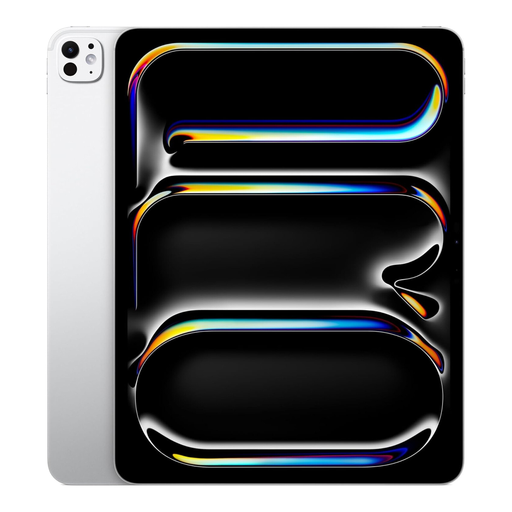
An option for combining reading and note-taking on a larger screen; check separately whether the accessories you need are included with this model.
The product information lists a 13-inch OLED screen and support for Apple Pencil Pro and Magic Keyboard.
 No image available
A bundle option if you want to use a keyboard and stylus for typing and handwritten notes.
The product name lists a 10.1-inch HD screen, 120 Hz and 3 GB + 13 GB virtual RAM. The product information warns that the stylus tip may scratch the screen; a screen protector is not included.
Yes, if you’re allowed to download the file in advance and it opens in the required app without an internet connection. Apple explains how to save a PDF in Safari to read later; Samsung explains where to find downloaded files and warns that some protected media will only open in the associated app. Test your textbook file offline beforehand.
Open an accessible PDF in a supported app and use Markup to add notes. Apple explains how to annotate on an iPad; before buying, check that your chosen Pencil is compatible with your exact iPad model and that your textbook file allows annotations.
Samsung describes a summarising feature for notes of at least 200 characters, but this doesn’t confirm that the feature is available on every Galaxy Tab S10 Lite or that it can process a protected chapter directly. Check whether it’s supported on the exact model and compare the result with the source text.
According to the Netherlands Authority for Consumers and Markets, the retailer is responsible for the statutory guarantee if a product is faulty. You may be entitled to a free repair or replacement, and sometimes a refund; a commercial manufacturer’s warranty is separate.
According to ACM ConsuWijzer, online purchases generally come with a statutory cooling-off period of up to 14 days after delivery, with some exceptions. Check the terms for your specific purchase and notify the retailer of your cancellation in good time.