
Student who writes on the go
You want to update lecture notes with a pen and keep your notes organised by subject. Check whether the pen is included with the version you choose; Samsung says the Galaxy Tab S10 Lite comes with an S Pen.


A general-purpose tablet with a compatible pen is a good fit if you want to use note-taking tools, study apps and PDFs on a train journey. A compact digital notebook is a better choice if writing and reading are your main priorities. Check the pen and what’s included with the version you choose, and consider how much space you’ll need for PDFs. NS says that Wi-Fi and power sockets on Sprinter trains vary by train type and route, so save your files locally if you don’t want to rely on a connection while travelling.
You want to update lecture notes with a pen and keep your notes organised by subject. Check whether the pen is included with the version you choose; Samsung says the Galaxy Tab S10 Lite comes with an S Pen.
You read study materials and take notes at the same time, so screen space and documents available offline matter. See how comfortably your own PDFs fit on the tablet’s screen.
You want to be able to quickly grab a small device for writing and don’t need a large workspace. According to reMarkable, the reMarkable Paper Pro Move has a 7.3-inch screen and weighs around 230 g.
Best for: using note-taking tools, study apps and PDFs on the same journey.
Bear in mind: check the pen and package contents for each version; pen support doesn’t always mean the pen is included.
Best for: anyone who values reading and writing space more than a compact size.
Bear in mind: a larger device takes up more room in your bag and at your seat.
Best for: mainly taking handwritten notes and reading or annotating PDFs you’ve downloaded in advance.
Bear in mind: a smaller screen leaves less space for large documents; according to reMarkable, converting handwriting to text on the reMarkable Paper Pro Move requires Wi-Fi and a signed-in account.
| What to consider | What should you check? | Who should consider this? |
|---|---|---|
| Pen and organising notes | Check pen compatibility, what’s included in the package, and the available folder or tag features. | If I want to write with a pen during lectures and find my notes by subject, the complete writing set matters; around 31% of consumers prioritise pen use and organisation. |
| PDFs and writing space | View your own study files on the screen you’re considering and think about how much space you need at once. | If I want to read and annotate study materials alongside my notes, the amount of document space on screen matters; around 25% of consumers prioritise document space. |
| Size for travelling | Compare the dimensions and weight of the version you’re considering, including the case and pen if needed. | If I want to take the device out of my bag or hold it often, a compact size matters more than a large workspace; around 25% of consumers prioritise portability. |
| Working offline | Download files in advance, test your workflow without Wi-Fi and set off with plenty of battery charge. | If I want to access my prepared notes during the journey without relying on a connection, I’ll save my files locally; around 19% of consumers prioritise being able to work offline. |
Apple says the iPad (A16) supports the Apple Pencil (USB‑C), while Samsung says the Galaxy Tab S10 Lite comes with an S Pen. So pen support alone doesn’t tell you what’s in the package you’re buying.
Check the contents of the exact offer and the compatibility information for your tablet version.
NS says that Wi-Fi and power sockets on Sprinter trains vary by train type and route. For handwriting conversion, reMarkable lists Wi-Fi and a signed-in account as requirements.
Download your study materials in advance and test which tasks you can do on the go without a connection.
reMarkable offers some additional cloud features through Connect, a separate subscription. Decide in advance whether you need them.
The Lenovo Idea Tab Pro Gen 2 bundle reviewed and a Lenovo Idea Tab Pro with model code ZAE40020SE are not the same confirmed version.
Compare the full model code, screen, storage and included accessories before comparing offers.
The iPad (A16) is a general-purpose tablet for anyone who wants to use other tablet features as well as take notes.
The Galaxy Tab S10 Lite is a general-purpose Android tablet for taking notes with a pen.
The Idea Tab Pro Gen 2 bundle reviewed is designed for anyone looking for a larger screen and a pen for studying and annotating.
The Paper Pro Move is a dedicated digital notebook for compact handwritten notes and PDFs.
This selection includes general-purpose tablets for taking notes with a pen and viewing study materials. Check the screen size and included accessories for each version.
 No image available
Ideal if you want to write with a pen and view documents on a larger screen; the product description says a Lenovo Tab Pen Plus is included.
12.7-inch screen, 3K, 144 Hz, 8 GB RAM, 256 GB storage and Wi‑Fi 6E.
 No image available
Ideal if you want to take notes with a pen and annotate documents; the product description says a pen is included.
12.1-inch screen, 2.5K, 8 GB RAM, 256 GB storage and Rose colour.
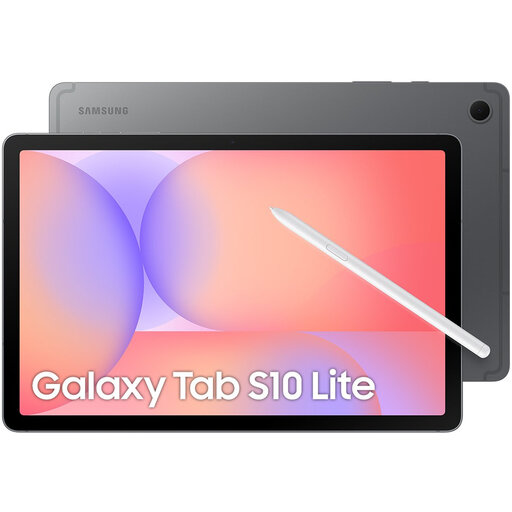 No image available
Ideal if you’re looking for a general-purpose tablet with a pen for handwritten study notes; the product description says an S Pen is included.
Wi-Fi version with 128 GB of storage.
 No image available
Ideal if you want to take notes with a pen on a tablet with an 11-inch screen; the product description says a Tab Pen is included.
256 GB of storage and Android 15. According to the product description, the charger must be bought separately.
 No image available
Ideal if you want to take notes on a general-purpose tablet; the product description says it supports Apple Pencil Pro.
11-inch screen and 256 GB of storage. According to the product description, Apple Pencil Pro is sold separately.
Not on every journey. NS says that Wi-Fi and power sockets on Sprinter trains vary by train type and route. Save your files locally in advance and check what facilities are available for your journey.
It depends on the exact version of your tablet. Apple says the iPad (A16) supports Apple Pencil (USB‑C), while Samsung says the Galaxy Tab S10 Lite comes with an S Pen. Before buying, check compatibility and what’s included in the package.
According to reMarkable’s instructions, converting handwriting to text requires Wi-Fi and a signed-in account. This is different from writing notes or reading files you downloaded in advance.
Not for every feature. reMarkable also describes features that don’t require a subscription; according to the manufacturer, Connect includes unlimited cloud storage and additional syncing features. Decide in advance which features you need.
The Dutch government says you’re entitled to a legal guarantee when you buy a product. For distance purchases from a business, you usually have a 14-day cooling-off period; the exact circumstances and exceptions still apply.