What should you look for?
First, check that your games are available and work offline. Then choose a screen size and weight that suit the journey, and arrange a connection or charging option if you need one.
| What to consider |
What should you check? |
Who is this important for? |
| Playing without a stable internet connection |
Check the exact game on your chosen platform and test it in advance without a connection. |
If you want to keep playing on a journey where signal strength varies, make offline play a priority. Around 31% of consumers say this is their top buying priority. |
| Battery life and charging |
Check the conditions under which battery life is measured, and look at the charging options. |
If you want to play for a long time without a charging break, consider how long the battery lasts with your own game and whether you can charge while travelling. Around 25% of consumers make play time their top priority. |
| Map visibility and portability |
Compare the screen size and weight of the exact model. |
If you want to see small map details clearly, screen space may be important. Also consider the weight if you’ll be holding the tablet. Around 25% of consumers give map visibility top priority. |
| Games and storage |
Check compatibility with the exact game and make sure there’s enough storage space for installations. |
If you want to install specific games and play them smoothly, first check the platform requirements and storage space needed. Around 19% of consumers prioritise compatibility with their own games and storage. |
Tablets at Joybuy
This selection includes Android tablets with different screen sizes and connectivity options. Check that your chosen model meets the requirements of each game.
 No image available
TECLAST T65 13.4-inch
The 13.4-inch screen may suit you if you value space for maps and menus. Bear in mind the size when holding the tablet, too.
Android 16, 120Hz, 128GB storage and Dual SIM 4G with Wi-Fi 5G.
According to the product title, the stated 20GB RAM consists of 6GB+14GB of virtual memory.
View at Joybuy
 No image available
Teclast T70 14-inch
The 14-inch screen may suit you if you want extra room for game maps and menus. Check that it’s a comfortable size for your seat, too.
Android 15, 2.2K screen, 128GB storage and Dual SIM 4G.
The product title lists a 10,000mAh battery and 18W PD.
View at Joybuy
 No image available
TECLAST P50 11-inch
The 11-inch screen offers a mid-sized option for viewing game maps. Check that your games are available on this Android tablet.
Android 16, 90Hz, 128GB storage and Dual SIM 4G LTE.
The product title lists an 8000mAh battery.
View at Joybuy
 No image available
DOOGEE Tab E3+ 12-inch
The 12-inch screen may suit you if you want more room for game maps. Check that it’s a comfortable size to hold, too.
Android 15, FHD+ screen, 90Hz and a SIM card slot.
The product title lists 32GB+256GB/2TB and an 8800mAh battery.
View at Joybuy
 No image available
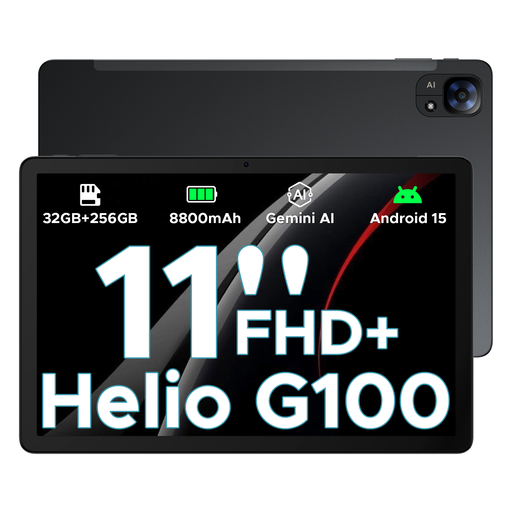
DOOGEE Tab E3 11-inch
The 11-inch screen offers a mid-sized option for game maps. Check the game requirements and whether you need mobile connectivity.
Android 15, FHD+ screen, 90Hz, Dual SIM and 5G.
The product title lists 32GB+256GB/2TB and an 8800mAh battery.
View at Joybuy
Frequently asked questions
Can I play a strategy game offline if I’ve already downloaded it?
It depends on the game. Downloading and installing a title doesn’t guarantee that it will launch or work fully without a connection. Test the game offline before you set off.
How should I prepare my tablet for a car journey?
Install and launch your games in advance, check for updates and storage space, and test which features work without a connection. Keep the tablet and cables away from the driver’s controls.
Does the stated battery life tell me how long I can play games?
No. Apple quotes up to 10 hours of web browsing over Wi-Fi or video playback for the iPad Air. OnePlus quotes up to 18 hours of video playback for the Pad 3. Neither figure is a measured play time for your strategy game.
Can the driver hold a tablet to play games while driving?
No. The Dutch government states that drivers must not hold electronic devices while driving. This buying advice is intended for passengers or for times when you’re not driving.
What rights do I have when I buy a tablet online in the Netherlands?
For a consumer purchase, the seller is responsible for the legal guarantee if the product doesn’t meet what you could reasonably expect. Online purchases generally come with a 14-day cooling-off period after delivery; the Netherlands Authority for Consumers and Markets notes that exceptions may apply.


