
Report reader who takes notes
You review drafts between appointments and want to add comments directly to the pages without carrying a heavy workstation around.


Start by thinking about what you need to do with your report. For reading and handwritten notes, readability, weight and a compatible pen matter most. For more extensive editing, the key question is whether your work software runs on the tablet. Also check how you’ll access files on the go, and whether you need to buy a pen, keyboard or mobile connectivity separately.
You review drafts between appointments and want to add comments directly to the pages without carrying a heavy workstation around.
You rewrite more than a few sentences or use specific work apps. So, first check that your software and files are compatible.
You need to access files on the go and may need to protect personal data. The right connectivity and security measures depend on your work environment.
A good fit if: you mainly read report pages and make notes, and the apps you need run on Android.
Bear in mind: check your app and file workflow. A pen won’t replace a keyboard if you edit a lot of text.
A good fit if: your work apps are available on iPadOS and you want a portable screen for reading and adding comments.
Bear in mind: check whether a pen and keyboard are included with the model you choose. A Wi-Fi model doesn’t provide mobile data when you’re out and about.
A good fit if: you need to edit reports in a Windows work environment and the apps and peripherals you need work on Windows on Arm.
Bear in mind: Microsoft lists the business Surface Pro 12-inch with Snapdragon X Plus at 686 g, without accessories. Some peripheral installers don’t support Arm.
| What to consider | What should you check? | Who is this important for? |
|---|---|---|
| Readability and annotation | Compare the screen size and weight of the exact model. Try a sample report of your own to see whether your app can save and export handwritten notes. | If I read report pages between appointments and want to record comments, I look for a clear screen and a pen that works with my app. Around 33% of consumers prioritise annotation and readability. |
| Editing with work software | Check the document app, file format, business sign-in and any peripherals you need on the model you’re considering. | If I make extensive changes to reports or work in a business system, I want to know whether my existing workflow is available on the tablet. Around 27% of consumers prioritise extensive editing. |
| Access on the go | Decide whether you need your report to be available offline. Then check whether the model is Wi-Fi-only or cellular, and what data service you’ll need. | When I can’t rely on trusted Wi-Fi between client visits, I want to be able to open my report. Around 20% of consumers prioritise independent access on the go. |
| Protecting client data | Ask your organisation what access controls, updates, encryption and device management are required for this data. | If a report contains personal data, I want to know what protection my organisation requires for that use. Around 20% of consumers prioritise protecting client data. |
The Dutch Data Protection Authority emphasises that security measures depend on the processing involved and the risks. So, check which requirements apply in your work environment.
Pen compatibility and what’s in the box aren’t the same thing. Samsung lists an S Pen in the box with the Galaxy Tab S10 FE. Apple lists pen compatibility for the iPad Air, but the box contents include a USB-C cable and no pen.
Compare the contents of the exact package with what you need for annotating or typing.
Microsoft says that some peripheral installers don’t support Arm.
Before buying, test any business-critical apps, sign-in processes and printers or scanners on Windows on Arm.
A Wi-Fi model doesn’t provide mobile data by itself, so when you’re out and about you’ll depend on available Wi-Fi or a hotspot, for example.
First decide whether working offline or using an approved hotspot will be enough. Then check the connectivity option for the exact model.
The Galaxy Tab S10 FE is an Android option for reading reports and annotating them with a pen.
The 11-inch iPad Air M4 with iPadOS is an option for portable reading and annotation, provided your work apps are available.
The Surface Pro 12-inch with Snapdragon X Plus is a Windows 2-in-1 option for anyone who needs to edit reports further in a Windows work environment.
This Joybuy selection includes tablets suited to reading reports and making notes, with a range of screen sizes and accessories.
 No image available
Ideal if you want to view report pages on a larger screen and annotate them with a pen.
The product name lists a 12.1-inch 2.5K screen, 8 GB RAM, 256 GB storage and a pen.
 No image available
Ideal if you want to read PDFs and take notes directly with a stylus.
The product name lists an 8.2-inch E Ink screen and a stylus.
 No image available
Ideal if you want to view report pages on a large screen and annotate them with a stylus pen.
The product name lists 20 GB RAM (8 GB + 12 GB virtual) and 256 GB storage.
 No image available
Ideal if you want to try both taking notes with a pen and typing while you’re out and about.
The product name lists 16 GB (3 GB + 13 GB virtual) and 128 GB storage. The product information warns that the stylus tip may scratch the screen and that a screen protector isn’t included.
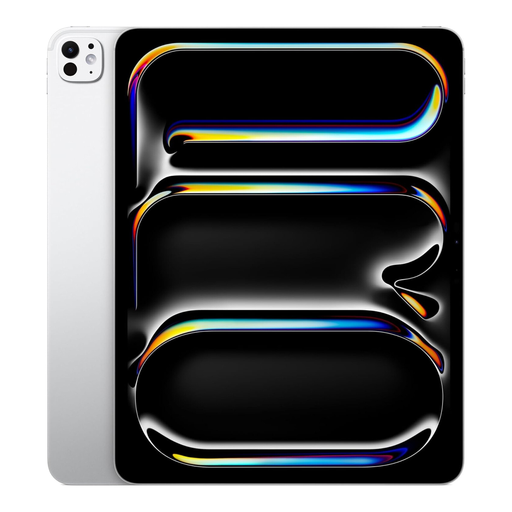 No image available
Ideal if you’re looking for a 13-inch screen and plenty of storage for documents.
The product name lists a Wi-Fi model with 2 TB of storage.
It depends on the document app and your organisation’s access policy. Test with an approved file to check that opening it offline, annotating it and syncing it later all work with your workflow. A cellular model doesn’t remove the need for this check.
It varies by model. Samsung lists an S Pen in the box with the Galaxy Tab S10 FE. For the iPad Air, Apple lists a USB-C cable and pen compatibility, but no pen in the box. Check the contents of the exact offer for the keyboard, too.
Ask your organisation what security measures are appropriate for the data and how it will be used. The Dutch Data Protection Authority lists access controls, updates and encryption among the possible measures; not every measure is automatically required for every type of data processing.
No. For consumer purchases in the Netherlands, there’s no fixed period for the statutory guarantee: it depends on what you can reasonably expect from the product. According to ACM ConsuWijzer, the seller is your point of contact if a product used normally doesn’t meet those expectations. For a business purchase, check the applicable contract terms separately.
No. An organisation must protect personal data appropriately, based on the specific processing and risks involved. This doesn’t mean there’s one required brand, operating system or standard device setting for this type of purchase.